
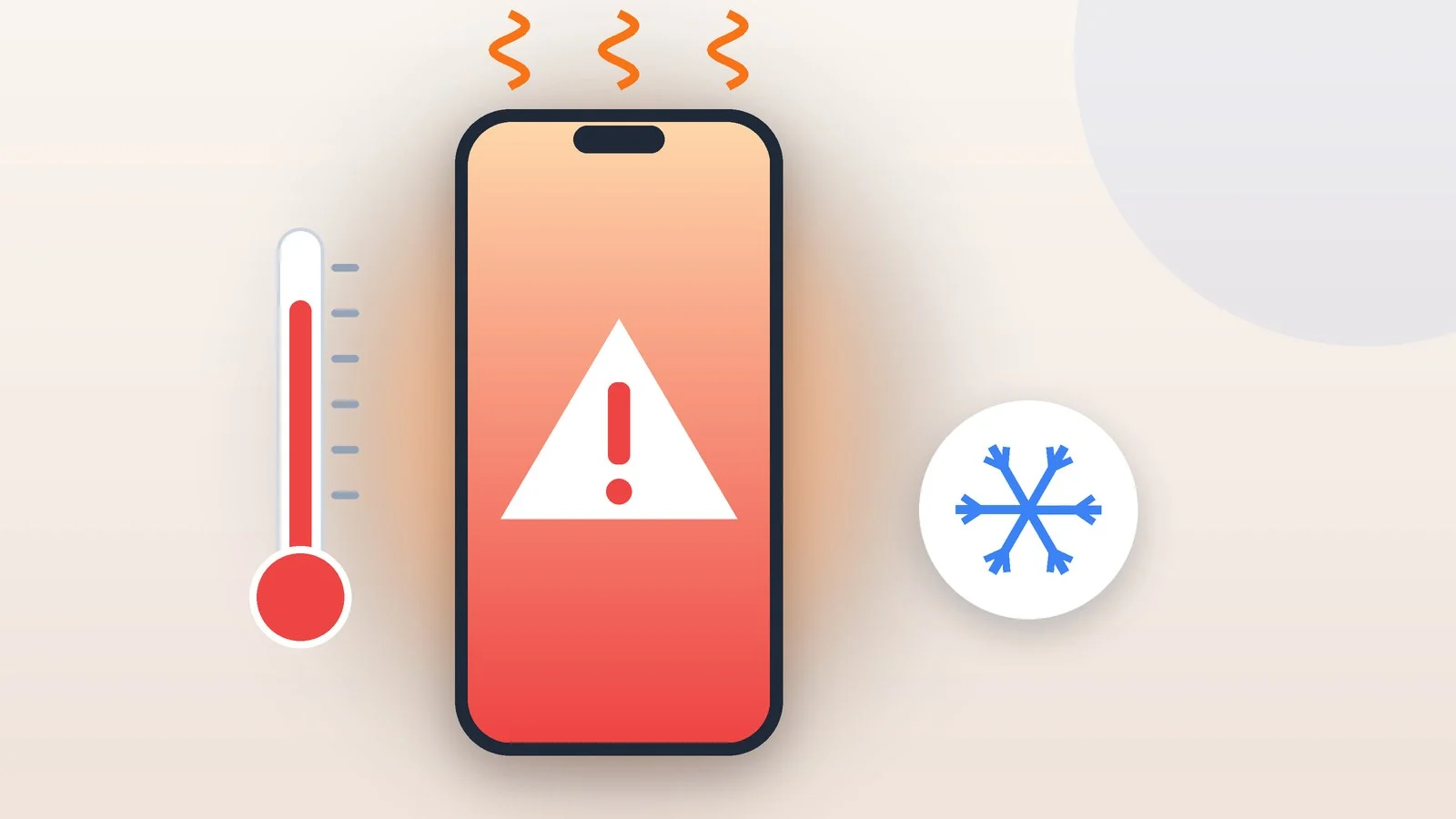
If your phone is getting hot, unplug the charger, close the game, camera, or navigation app, take off the case, and move the phone out of the sun to a cooler spot so it can cool down on its own. A warm phone while charging, gaming, or recording video is normal, but heat when the phone is idle, a swollen body, and frequent temperature warnings are reasons to look for the cause or take it in for service.
Below are step-by-step instructions for iPhone and for Samsung Galaxy and Google Pixel Android phones, plus what the phone does on its own when it overheats, how to find the app causing the heat, and how to charge without extra heat. The advice and menu names were checked against Apple Support for iOS 26 and iOS 27 and against Samsung and Google support pages as of September 25, 2026.
Unplug the charger
Unplug the cable from the phone or lift the phone off the wireless charger. Samsung and Google recommend starting here: both the phone and the charger generate heat, and an overheated phone will slow down or stop charging on its own anyway. You can resume charging once the phone has cooled down.
Result: The phone is disconnected from the charger.
Close demanding apps
Stop whatever is working the phone hardest: a game, video recording, a video call, navigation, or streaming video. Turn off the hotspot if you’re sharing your connection, and lower the screen brightness. Google suggests returning to these features once the phone cools down.
On a Samsung Galaxy, the Optimize now button in Settings → Device care closes background apps.
Result: The phone is no longer under heavy load.
Take off the case and move the phone away from heat
Take off the case: Apple recommends this if an iPhone gets hot while charging, and Samsung recommends it to help the phone cool down. Get the phone out of the sun and out of the car, including off the dashboard, and take it out from under a pillow or blanket, or out of a bag or pocket.
Put it on a hard, flat surface in the shade. Apple and Google specifically advise against keeping the phone and charger in poorly ventilated places.
Result: The phone is lying in the shade, out of its case, with air around it.
Let the phone cool down
Don’t use the phone until it cools down, as Google and Samsung advise. If an iPhone shows the Temperature screen with the message “iPhone needs to cool down before you can use it,” turn it off: according to Apple, this gets it working again sooner. You may still be able to call emergency services from that screen with the Emergency button.
When a Samsung Galaxy overheats badly, it closes apps on its own and allows only emergency calls, while a Pixel may switch to low power mode and turn off. If the phone has turned off, let it cool down before turning it back on.
Result: The warning is gone and the phone works normally again.
Check whether the heat comes back
Once the phone has cooled down, use it as usual. If it gets warm only while charging, gaming, or recording and cools down when you stop, everything is fine: Apple states plainly that if your device doesn’t display a temperature warning, you can keep using it.
If the phone is hot while sitting idle, heats up in the same app every time, or shows the warning again, find the cause using the sections below.
Result: You know whether the heat is normal or needs a closer look.
Why phones get hot and when it’s normal
A phone warms up when it works hard: heat comes from the processor, cameras, and radio antennas, as well as from the charger. Apple, Samsung, and Google consider warmth normal in these situations:
| Situation | Why it warms up | What to do |
|---|---|---|
| Charging, especially wireless or fast | Both the phone and charger heat up | Remove the case, don’t game while charging |
| Games, AR, streaming video, incl. over 5G | Load on the processor and graphics | Take breaks, lower the brightness |
| Recording video | The camera loads the processor | Pause often, avoid long shoots in the sun |
| Navigation in a car | GPS runs while sun heats it through glass | Move it off the dashboard into the shade |
| Weak signal, roaming, hotspot | The transmitter works at higher power | Switch to Wi-Fi when you can |
| Setup, restore, software update | The phone downloads and processes data | Wait for the process to finish |
| Heat, sun, blanket, bag, pocket | Heat can’t escape as easily | Move it to a cool, shady place |
The main sign of normal warmth: the phone cools down when the load ends and shows no warnings. Samsung says this kind of warmth doesn’t affect a Galaxy phone’s lifespan or performance.
Manufacturers don’t give a normal temperature for the phone’s body, only for the air around it. iPhone, Galaxy, and Pixel are designed to work at 0–35 °C (32–95 °F), and iPhone and Pixel can be stored at −20 to 45 °C (−4 to 113 °F). Apple warns that using a device in very hot conditions can permanently shorten battery life, so don’t leave your phone in a car in summer.
What the phone does on its own when it overheats
iPhone, Galaxy, and Pixel phones have built-in protection: when the internal temperature goes beyond the normal range, the phone reduces the load on its own and turns off some features.
| What changes | iPhone | Samsung Galaxy | Google Pixel |
|---|---|---|---|
| Charging | Slows or stops | Stops | Slows |
| Screen | Dims or goes black | Brightness drops | Brightness may drop |
| Speed | Lower frame rates | Limited | Lower processor performance |
| Connectivity | Cellular signal may weaken | Wi-Fi and cellular may disconnect | May turn off 5G, mobile data, Wi-Fi |
| Camera | Flash and other features turn off | Camera may close | Flash or camera turns off |
| Last resort | Temperature screen, Emergency button | Emergency calls only, then shutdown | Low power mode, then shutdown |
iPhone may show the alert “Temperature: iPhone needs to cool down” during navigation and turn off the display: turn-by-turn directions keep playing, and the display lights up before each turn. While charging, the Lock Screen may show “Charging On Hold. Charging will resume when iPhone returns to normal temperature.” In high temperatures, iOS may also limit charging above 80%.
Other reasons an iPhone stops charging at 80% and what the gray charging icon means are covered in “How to show battery percentage on iPhone: every method.”
Samsung Galaxy phones show a warning when they overheat, lower brightness and speed, stop charging, and close running apps. Only emergency calls work until the phone cools down. If the temperature keeps rising, a second warning appears and the phone turns off, but an emergency call already in progress won’t be cut off.
Google Pixel phones may switch to low power mode and turn off. Settings → Battery → Battery diagnostics → Phone is very warm shows the estimated temperature and its state, such as Normal, Warm, or Elevated. Google also gives tips there for the current situation. The feature is available on Pixel 6a and later.
How to find the app that makes your phone hot
If your phone gets hot even though you’re barely using it, apps running in the background and auto sync may be the cause. Google notes that overheating can stem from the same issues that cause battery drain, so the battery usage screen is a good place to look for the culprit.
iPhone
- Go to Settings → Battery.
- Check the Daily Usage section. If usage is higher than usual, it’s shown in orange, and iPhone highlights the top three apps or system activities that may explain the increase.
- Scroll down to App and System Activity to see what percentage of the battery each app used. For previous days, tap View All Battery Usage.
- Tap an app to see its details for each day.
The Background label shows how long an app ran in the background: giving directions, playing music, syncing photos, or fetching mail. Cellular coverage means the app was used in a low-signal area, which used more battery.
Update the problem app in the App Store or delete it. Update iOS too: Settings → General → Software Update. iOS 27 came out on September 14, 2026, for iPhone 11 and later; see “iOS 27: what’s new and which iPhones support it” for details. Right after a major update, an iPhone may get warm: Apple calls this normal, and the phone will cool down when the process is complete.
Samsung Galaxy
- Go to Settings → Battery and tap the battery graph.
- Select apps and check Battery usage for app.
- Uninstall an app that drains the battery for no reason or put it to sleep: Battery → Background usage limits → Sleeping apps.
The Optimize now button in Settings → Device care closes background apps and removes unnecessary files. You can check the battery in the Samsung Members app: Support tab → Phone diagnostics → Battery status. A Bad result means battery life has degraded significantly, and Samsung recommends visiting a service center.
Google Pixel
- Go to Settings → Battery → Battery usage.
- Tap View by apps to see how much battery each app used.
- To restrict an app, tap it, then tap Allow background usage. Google recommends keeping Optimized on for all apps.
You can stop a problem app: Settings → Apps → See all apps → the app → Force stop → OK. If the heat comes back, uninstall the app.
Safe mode on Android
In safe mode, only system apps run and downloaded apps are turned off. If the phone doesn’t heat up in safe mode, one of the apps you installed is most likely the cause: uninstall recently downloaded apps one at a time and check the result. If it heats up in safe mode too, the problem most likely isn’t an app.
How to turn on safe mode on a Samsung Galaxy:
- Press and hold the power key to open the power menu. On some models, press the power key and volume down key together instead.
- Touch and hold the Power off icon.
- Tap Safe mode. The phone restarts, and “Safe mode” appears in the bottom-left corner of the screen.
How to turn on safe mode on Pixel 6 and later:
- Press and hold the power and volume up buttons for a few seconds.
- On the screen, touch and hold Power off or Restart.
- Tap OK. “Safe mode” appears at the bottom of the screen.
To leave safe mode, restart the phone. Note that a Pixel turns on airplane mode in safe mode, while a Galaxy starts without network access. Some widgets may disappear from the Home screen, and on a Galaxy, folders and the icon layout may be reset, so take a screenshot first.
How to charge your phone without overheating
- Working, compatible chargers. Apple allows third-party cables and adapters marked “Made for iPhone” or compliant with USB 2.0 or later, as long as they meet safety standards. Samsung recommends Samsung-approved chargers and cables. Don’t use a damaged cable or adapter: it’s a fire and electric shock risk.
- A hard surface and airflow. Don’t charge the phone under a pillow or blanket, and don’t sleep on a phone, power adapter, or wireless charger that’s plugged in, as Apple and Google warn. Samsung recommends placing the phone on a hard, flat surface.
- Nothing extra on a wireless charger. Coins, keys, jewelry, cards, and magnets between the phone and the charger heat up or interfere with charging. Remove a metal case before wireless charging; Google makes an exception for Qi2-compatible cases.
- No heavy load, no sun. Google advises against using demanding apps while charging and against charging the phone in direct sunlight, and Samsung advises against running demanding apps while fast charging. If an iPhone gets hot while charging, Apple suggests taking off the case.
- A dry, clean port. Don’t charge a wet phone. According to Samsung, liquid, dust, or metal particles in the port also cause heating.
Troubleshooting
- The phone gets hot while sitting idle. According to Samsung, an idle phone’s heat usually comes from the chipset, not the battery, because of background apps and auto sync. Find those apps on the battery usage screen and restart the phone; on Android, also test it in safe mode.
- It heats up in one app or game. Update the app and the system. If that doesn’t help, restrict the app’s background activity or uninstall it.
- It heats up and drains quickly. On a Pixel, run Battery diagnostics → Battery draining too quickly; on a Galaxy, run Phone diagnostics in Samsung Members; on an iPhone, check Daily Usage.
- The port or cable is hot. A damaged or incompatible cable can heat up the charging port. Try another working cable and adapter; if the port still gets hot, have the phone checked at a service center.
- It got hot right after a system update. Apple considers this normal, especially after a major update. Google adds that after an update a Pixel’s battery may drain a little faster than usual; if that hasn’t passed after a few days, contact support.
- Temperature warnings and shutdowns under normal use. Google advises contacting Pixel support if the phone keeps turning off, and Samsung advises contacting support if the phone stays too warm to touch.
- Nothing helped. Samsung and Google suggest a factory reset. It erases all data, so back up first. If the phone heats up the same way after the reset, take it in for service.
When to take your phone in for service
Don’t try to fix it with settings; go straight to a service center if:
- the phone looks swollen, the back cover bulges or is separating, or gaps have appeared along the edges. Google lists these among the signs of battery swelling, along with sharply faster battery drain;
- the phone was dropped, got wet, or has cracked glass or a cracked body;
- the charging port gets hot with different working cables;
- the phone overheats and shuts down even in safe mode;
- diagnostics show a worn battery: Bad in Samsung Members or the message “Your battery’s health is significantly degraded” on an iPhone. Apple notes that this message itself doesn’t indicate a safety issue, but battery and performance issues may become more noticeable.
Have the battery replaced only at a service center: Apple warns that an improper replacement can damage the battery and lead to overheating, fire, or injury. iPhones are serviced by Apple and Apple Authorized Service Providers, Galaxy phones by Samsung service centers, and Google suggests Pixel owners contact Pixel support. Back up your data before your visit.
Sources and methodology
Analysis of public sourcesChecked 25 September 2026
- Apple — If your iPhone or iPad gets too hot or too cold support.apple.com
- iPhone User Guide — Understand your iPhone battery usage and health support.apple.com
- Samsung — What to do when your Samsung Galaxy device heats up while in use samsung.com
- Google — Help keep your Pixel phone from feeling too warm or hot support.google.com
- Google — Find problem apps by rebooting to safe mode support.google.com
FAQ
Why does my phone get hot when I’m not using it?
Background apps and auto sync can be the cause: according to Samsung, an idle phone’s heat usually comes from the chipset, not the battery. Check battery usage by app in Battery settings on iPhone or Android, and on Android also see how the phone behaves in safe mode.
Is it normal for a phone to get hot while charging?
Yes, especially with wireless and fast charging. If the phone overheats, iPhone, Galaxy, and Pixel phones slow down or stop charging on their own. If the port gets hot or the phone gets hot every time it charges, switch to a working, compatible cable and adapter, and if that doesn’t help, contact a service center.
Can I cool my phone down in the fridge?
No. Rapid cooling can cause condensation inside the phone, and liquid can cause a short circuit. Take off the case, move the phone to a cool, shady place, and let it cool down on its own.
What temperature is normal for a phone?
Manufacturers don’t give a normal temperature for the phone’s body; they list air temperature instead: iPhone, Galaxy, and Pixel are designed to work at 0–35 °C (32–95 °F). On a Pixel, Battery diagnostics → Phone is very warm shows the estimated phone temperature, while iPhone and Galaxy warn you themselves when the phone needs to cool down.
How can I reduce phone heat while gaming?
Take breaks, lower the screen brightness, and don’t play while charging. Use Wi-Fi instead of mobile data when you can, as Google advises. On a Samsung Galaxy, you can choose the Light profile in Settings → Device care → Performance profile: it limits the processor’s maximum speed so the phone heats up less.





Leave a Reply