

To choose the right laptop for work in 2026, start with the job, not the brand. For documents, email and video calls, a current-generation processor, 16 GB of RAM and a 512 GB SSD are enough. Developers and designers need 32 GB and 1 TB, and video editing also calls for powerful graphics.
Below you’ll find what to buy for office work, coding, photo, video and travel, which processors are current in fall 2026, and what to check before you pay. Specs and prices come from manufacturers’ websites as of September 29, 2026; our editors did not test these laptops.
Advice from 2020 — a dual-core processor, 4 GB of RAM and a 500 GB hard drive — is out of date. Windows 10 stopped getting security updates on October 14, 2025, and Windows 11 needs a compatible processor and a TPM 2.0 module. If your current laptop meets these requirements, first try to upgrade Windows 10 to Windows 11: the purchase may be able to wait.
How to choose a laptop for work by task
Office work, documents and video calls
Spreadsheets, email, a browser with a dozen tabs, Teams or Zoom don’t need powerful hardware. An Intel Core Ultra 5 (Series 3), AMD Ryzen AI 5 or Apple M5 with 16 GB of RAM and a 512 GB SSD will do. A comfortable keyboard, a screen of at least 300 nits and a 1080p camera for calls matter more.
8 GB of RAM is enough only if you work in a browser and office apps without heavy files. That’s how much memory the most affordable MacBook — the MacBook Neo — has, and you can’t add more later.
Programming
With an IDE, Docker, the Android emulator and a browser open at once, 16 GB can run out quickly, so developers are better off with 32 GB and a 1 TB SSD. Processor: Core Ultra 7, Ryzen AI 7 or 9, Apple M5 or M5 Pro. Screen: 14 inches or larger at 1920×1200 or more, and an external monitor helps with long code.
To build apps for iPhone and Mac you need a Mac: Xcode runs only on macOS. If you work on Linux, pick models the manufacturer itself sells with Linux: for example, the ThinkPad X1 Carbon Gen 14 and ThinkPad T14 Gen 7 can be ordered with Ubuntu or Fedora (not in every country).
Design and photo
For Photoshop, Lightroom and Figma, the screen comes first: DCI-P3 coverage for photo work or at least 100% sRGB for web design, 400 nits or more and a resolution above Full HD. Memory: 32 GB; storage: 1 TB or more, because RAW files and caches fill up space fast. Photographers will appreciate an SD card slot, found on the MacBook Pro 14, for example.
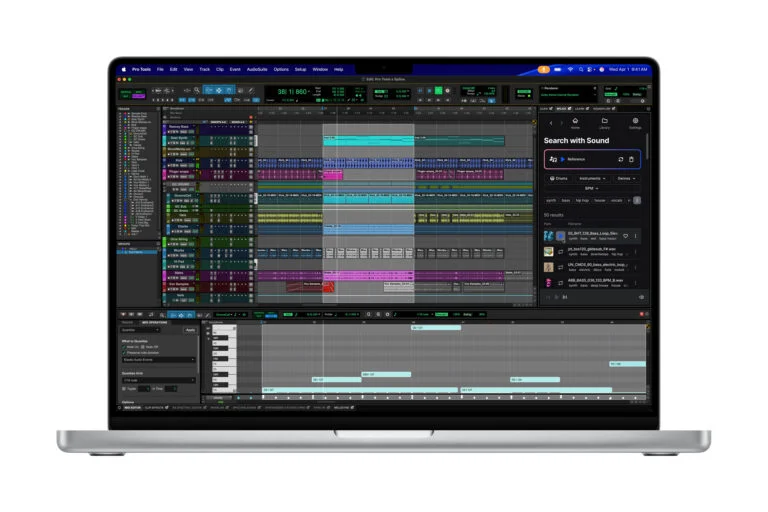
If you work with audio, see our separate roundup of laptops for music production.
Video editing
4K editing and color grading load the graphics card and memory. On Windows, look for a discrete GeForce RTX 50 Series GPU: the RTX 5060 has 8 GB of video memory, the RTX 5070 Ti 12 GB and the RTX 5080 16 GB, and more video memory makes 4K and 3D work easier. On a Mac, pick a MacBook Pro with M5 Pro or M5 Max; the M5 Max goes up to 128 GB of unified memory.
For editing you need 32 GB of RAM or more, plus at least 1 TB of storage and an external SSD for archives. A 16-inch screen is more comfortable for editing, but such a laptop is heavier: the MacBook Pro 16 weighs 2.14–2.15 kg, the MacBook Pro 14 1.55–1.62 kg.
Working on the go
On the road, what matters most is a weight under 1.3 kg, a 13–14-inch screen and a battery that lasts the workday. The ThinkPad X1 Carbon Gen 14 starts at 0.977 kg, the Dell XPS 13 (2026) weighs 1 kg, and the MacBook Air 13 and MacBook Neo weigh 1.23 kg each. If you often work without Wi-Fi, look for a modem: the X1 Carbon Gen 14 offers optional LTE.
Processors: what’s current in 2026
Look at the full processor name: it tells you the generation and class. The current families for work laptops in fall 2026:
- Intel Core Ultra Series 3 — since January 2026. The Core Ultra 5 325 and 335 and Core Ultra 7 355 and 365 have 8 cores, H models up to 16, and every chip has a 46–50 TOPS NPU. The Core Ultra X7 and X9 get integrated Arc B390 graphics with 12 Xe cores, and there are vPro versions for businesses.
- Intel Core Series 3 without “Ultra” — since April 2026: Core 3 304, Core 5 315, 320 and 330, Core 7 350 and 360. This is a budget line on the same architecture: 5–6 cores, a 15–17 TOPS NPU and single-channel memory. Intel aims it at everyday tasks, schools and small businesses.
- AMD Ryzen AI 400 — since January 2026: from the 4-core Ryzen AI 5 430 to the 12-core Ryzen AI 9 HX 475, with a 50–60 TOPS NPU. PRO versions are meant for businesses, while the Ryzen AI Max+ 388 and 392 with Radeon 8060S graphics target powerful thin laptops and workstations.
- Qualcomm Snapdragon X2 Plus and X2 Elite — Arm-based processors with up to 18 cores and an 80–85 TOPS NPU. Qualcomm bets on battery life, but some apps and drivers for Windows on Arm come with limitations — more on that below.
- Apple: A18 Pro in the MacBook Neo, M5 in the MacBook Air and the base MacBook Pro 14, M5 Pro and M5 Max in the higher-end MacBook Pro 14 and 16.
The previous generation — Intel Core Ultra 200V, AMD Ryzen AI 300, Snapdragon X — is still on sale and fine for work if it’s noticeably cheaper. Intel Core 11th–13th Gen and Ryzen 5000, however, are 2020–2023 platforms: buy such laptops only at a deep discount.
The NPU is a dedicated unit for neural networks. Microsoft counts laptops with a 40+ TOPS NPU, 16 GB of RAM and at least a 256 GB SSD as Copilot+ PCs; the Core Ultra 200V and Series 3, Ryzen AI 300 and 400, and Snapdragon X and X2 meet the NPU requirement. Without Copilot+, you only miss exclusive Windows features such as improved search.
On Snapdragon laptops, apps without an Arm version run through the Prism emulator. Microsoft warns that devices work only if their drivers are built into Windows 11 or released for Arm64, some third-party antivirus software can’t be installed, and games with anti-cheat may not launch. Check your printer, scanner and company software in advance.
RAM and storage
In 2026, 16 GB of RAM is a sensible minimum for work — the same amount Microsoft requires for a Copilot+ PC. Developers, designers and video editors need 32 GB; large projects, virtual machines and local AI models call for 64 GB or more.
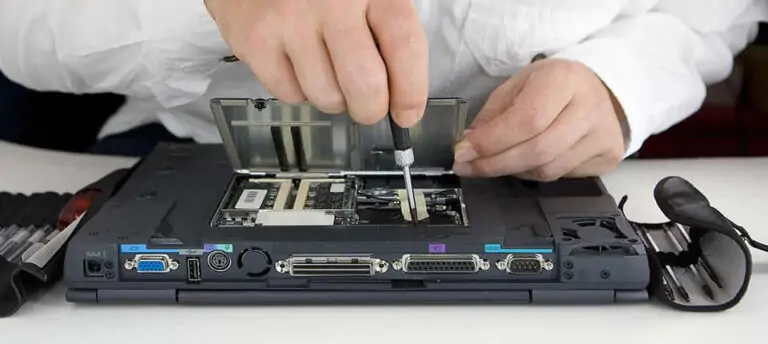
Many thin laptops have memory soldered to the board, including MacBooks and the ThinkPad X1 Carbon Gen 14. Apple states plainly that unified memory is not user accessible and advises buying what you need up front. The exceptions are models with SO-DIMM slots or an LPCAMM2 module: the ThinkPad T14 Gen 7 uses a single replaceable LPCAMM2 module of up to 64 GB.
Storage should be an SSD: 512 GB for office work, 1 TB for photo, video and development. Check whether there’s a second M.2 slot for expansion. In Intel Core Series 3 laptops, the maker may fit UFS storage instead of an SSD: according to Intel, it’s more power-efficient and cheaper but smaller, so check the storage type in the specs.
Display
Pick the size by use case: 13–14 inches for travel, 15–16 inches for spreadsheets, editing and working without an external monitor. A 16:10 aspect ratio shows more lines vertically than 16:9. Resolution: 1920×1200 or higher at 14 inches, and many new models go further — 2560×1600 on the Dell XPS 13 (2026), 2560×1664 on the MacBook Air 13.
For the office, 300 nits is enough; near a window or outdoors you need 400–500, and the MacBook Neo, MacBook Air and Dell XPS 13 (2026) each offer 500 nits. For color work, DCI-P3 coverage matters: Apple lists P3 for the MacBook Air and MacBook Pro, while the MacBook Neo is sRGB only. A matte finish cuts glare, and 120 Hz makes scrolling smoother but isn’t essential.
OLED gives deep blacks and high contrast, but some of these panels dim by flickering (PWM), which some people notice. If flicker tires your eyes, look for PWM data on the specific model in reviews or choose IPS.
Battery and ports
Check battery capacity in watt-hours: 36.5 Wh on the MacBook Neo, 52 on the Dell XPS 13 (2026), 58 on the ThinkPad X1 Carbon Gen 14 and 72.4 on the MacBook Pro 14. Rated hours depend on the test: for the same X1 Carbon Gen 14 configuration, Lenovo lists up to 19.2 hours in MobileMark 30 and up to 32.6 hours of video playback.
A powerful configuration cuts runtime: the same X1 Carbon with a 2.8K screen and Core Ultra X7 368H lasts up to 11.4 hours in MobileMark 30. For flights, keep IATA rules in mind: batteries up to 100 Wh are generally allowed without airline approval, and laptops and spare batteries travel only in carry-on bags.
USB-C charging with Power Delivery is the most convenient option. Check the wattage of the included adapter: 65 W for the ThinkPad X1 Carbon Gen 14, 20 W for the MacBook Neo.
For work, the minimum is two USB-C ports, at least one with Thunderbolt 4 or USB4 at 40 Gb/s, so a single cable can connect a dock, a monitor and power. USB-C ports differ: on the MacBook Neo, one runs at 10 Gb/s and the other only at USB 2 speed.
HDMI and USB-A save you from dongles, an SD slot helps photographers, and an RJ-45 jack helps where Wi-Fi is unreliable. If you use two monitors, check the external display limit: the MacBook Neo supports one, the MacBook Air and MacBook Pro with M5 two, with M5 Pro three, with M5 Max four, and the ThinkPad X1 Carbon Gen 14 three.
Keyboard, camera and OS
Try the keyboard in person: key travel, backlighting, full-size arrow keys. For reference, the ThinkPad X1 Carbon Gen 14 has 1.5 mm of key travel. Accountants and anyone who works a lot with spreadsheets will find 15–16-inch models with a number pad more convenient.
Laptops for the US market ship with an English layout without Cyrillic. Apple lets you pick a Ukrainian or Russian layout when you order; with other brands, check the layout before you buy.
Video calls need at least a 1080p camera, which the MacBook Neo has. Business models may go further: the X1 Carbon Gen 14 offers a 5 or 10 MP camera with an IR sensor for Windows Hello face sign-in. The alternative is a fingerprint reader; on the X1 Carbon Gen 14 it’s built into the power button.
For work at a company, choose Windows 11 Pro: BitLocker and domain join are available only in Pro and organization editions, while Home offers only a simplified “Device encryption.” macOS works if all your apps are available for Mac.
Typical configurations by task and budget
The table shows a sensible minimum for each task; less memory or storage is already a compromise.
| Task | CPU and graphics | RAM and SSD | Display and more |
|---|---|---|---|
| Documents and browsing | Core 5 (Series 3), Apple A18 Pro | 8–16 GB, 256–512 GB | 13–14 inches, 300+ nits |
| Office and calls | Core Ultra 5, Ryzen AI 5, Apple M5 | 16 GB, 512 GB | 14 inches, 1080p camera |
| Programming | Core Ultra 7, Ryzen AI 7/9, M5, M5 Pro | 32 GB, 1 TB | 14–16 inches, 1920×1200+ |
| Design and photo | Core Ultra X7, Ryzen AI 9, M5 Pro | 32 GB, 1 TB | DCI-P3, 400–500 nits |
| Video editing and 3D | RTX 5070 Ti or better, M5 Pro or M5 Max | 32–64 GB, 1–2 TB | 16 inches, DCI-P3 |
| Travel | Core Ultra 5 or 7, Snapdragon X2, M5 | 16 GB, 512 GB | 13–14 inches, under 1.3 kg |
Examples of current models with prices in official US stores as of September 29, 2026, before tax (prices and configurations differ in Ukraine and other countries):
- MacBook Neo (A18 Pro, 8 GB, 256 GB) — $699; the 512 GB version with Touch ID — $799.
- Dell XPS 13 (2026) with Core 5 320: 8 GB and 512 GB — $799.99; 16 GB and 512 GB — $999.99.
- MacBook Air 13 (M5, 16 GB, 512 GB) — $1,299; MacBook Air 15 — from $1,499.
- MacBook Pro 14: with M5 (16 GB, 1 TB) — $1,999; with M5 Pro (24 GB, 1 TB) — $2,499; with M5 Max (36 GB, 2 TB) — $4,099.
Judging by Apple and Dell prices, under $1,000 buys a basic model for documents, $1,000–1,500 gets you 16 GB and a current-generation processor, and laptops for design and video editing start at around $2,000. Windows models for the office, with prices, are collected in our roundup of the best business laptops of 2026.
What to check before you buy
- The exact processor model. The Core 5 320 and Core Ultra 5 325 sound alike, but the first has 6 cores and a 16 TOPS NPU, the second 8 cores and 47 TOPS.
- The graphics card and its memory. The GeForce RTX 5070 Laptop GPU comes in 8 GB and 12 GB versions.
- Memory and slots. Whether the RAM is soldered and whether there’s a free M.2 slot.
- The display in that exact configuration. One model can come with several panels: the ThinkPad X1 Carbon Gen 14 is sold with both a WUXGA IPS screen and a 2.8K OLED.
- The Windows edition and keyboard layout. Home or Pro, and whether the keys have Cyrillic.
- The warranty. Where and how it’s serviced: for example, the base warranty on the Dell XPS 13 in the US is mail-in service.
- The battery of a floor model or used laptop. On Windows, the command below creates a capacity report; on a Mac, the cycle count is in System Information under Power.
- Details in the store. Dead pixels, backlight bleed, hinge wobble and fan noise under load.
- Arm compatibility. For a Snapdragon laptop — printer and scanner drivers, antivirus and your cloud storage client.
powercfg /batteryreportThe command saves an HTML report to the current folder. Compare Design Capacity (the capacity of a new battery) with Full Charge Capacity (the capacity now). According to Apple, MacBook batteries are designed to retain up to 80% of their capacity at the maximum cycle count, which is 1,000 for the MacBook Neo.
After you buy, remember to move your files and settings from the old laptop to the new one.
Sources and methodology
Analysis of public sourcesChecked 29 September 2026
- Intel — Core Ultra Series 3 processors quick reference guide cdrdv2-public.intel.com
- AMD — Ryzen AI 400 and Ryzen AI Max+ processors (CES 2026) amd.com
- Qualcomm — Snapdragon X2 Elite specifications qualcomm.com
- Apple — Mac model comparison apple.com
- Microsoft — Windows 11 and Copilot+ PC requirements microsoft.com
FAQ
How much RAM does a work laptop need?
16 GB for documents, browsing and video calls; 32 GB for programming, design and video editing. 8 GB is enough only for simple tasks, and in MacBooks and many ultrabooks you can’t add memory later.
Which is better for work: a MacBook or a Windows laptop?
Your apps decide. If everything you need is available for macOS, a MacBook will do, and it’s required for iPhone development. If your company uses a Windows domain, BitLocker or Windows-only software, get a laptop with Windows 11 Pro.
Is a Snapdragon laptop good for office work?
Yes, if your apps and devices support Windows on Arm: apps without an Arm version run through the Prism emulator. Check printer and scanner drivers, antivirus and apps with anti-cheat in advance — Microsoft warns that some of them may not work.
Do you need a Copilot+ PC for work?
Only if you want exclusive Windows AI features such as improved search. For those, Microsoft requires a 40+ TOPS NPU, 16 GB of RAM and at least a 256 GB SSD, while Office, browsers and messaging apps work without them.
How much does a good work laptop cost in 2026?
In official US stores as of September 29, 2026, the MacBook Neo costs $699, the Dell XPS 13 (2026) with 16 GB $999.99 and the MacBook Air 13 with M5 $1,299. For design and video editing, budgets start at around $2,000: the MacBook Pro 14 with M5 costs $1,999.





Leave a Reply