
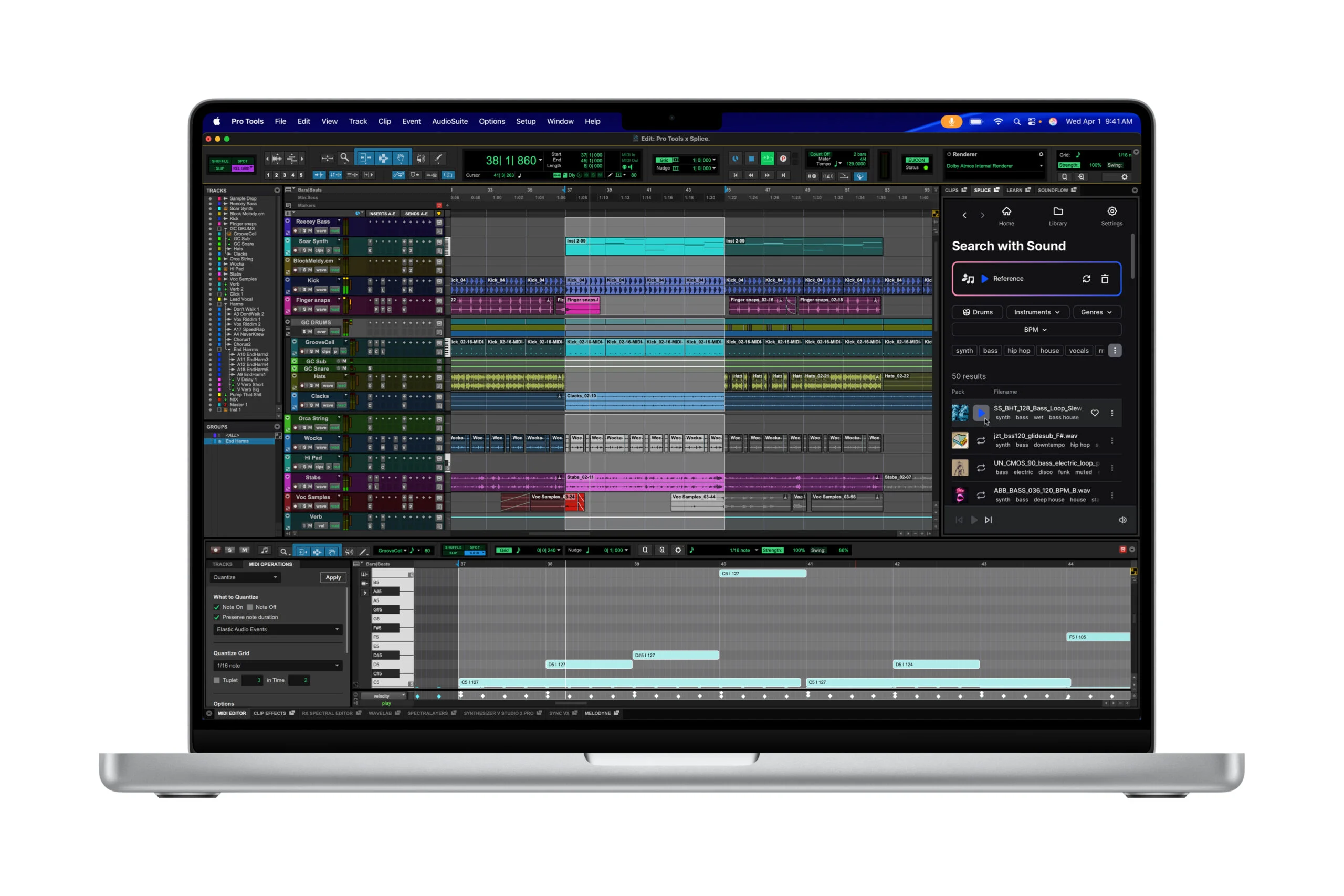
Choose a laptop for music production based on your real workload, not on a “for creators” sticker. A small Ableton Live or FL Studio project will run on almost any modern computer. But a large sample library, dozens of tracks, virtual instruments and recording through an audio interface quickly expose the weak spots: not enough memory, a small SSD, noisy cooling or awkward ports.
This roundup covers six current laptops for different scenarios, from a first home setup to a Windows workstation. Prices are for the US and are current as of September 19, 2026; configurations and prices at retailers change.
Quick picks by task
| Scenario | What to choose | Why |
|---|---|---|
| First home production setup, studying, travel | MacBook Air M5 | 16 GB of memory and a 512 GB SSD in the base model, a quiet chassis, good battery life. |
| Logic Pro, large sessions, recording and mixing on a Mac | MacBook Pro 14 with M5 Pro | More processing headroom, a 1 TB SSD in the base configuration and more ports. |
| Windows, heavy VSTs, video and music in one project | ASUS ProArt P16 | Available with 64 GB of RAM, a 2 TB SSD and discrete graphics. |
| A large 16-inch screen and a lightweight Windows machine | ASUS Zenbook S 16 | A thin 16-inch laptop with 32 GB of RAM, a 1 TB SSD and enough ports that a dock is optional. |
| A mobile Windows workstation | Lenovo ThinkPad P1 Gen 7 | A 64 GB memory option, professional graphics and a starting weight of 1.82 kg. |
| Studio, lots of peripherals, wired networking, repairability | Lenovo ThinkPad P16v Gen 3 | A workstation with plenty of ports, Ethernet and configurations you can tailor to the job. |
What configuration you need for music
A DAW’s minimum requirements shouldn’t guide your purchase. On paper, 8 GB of RAM is enough for Ableton Live, but for comfortable work with modern instruments and a browser open alongside, it makes more sense to start with 16 GB of memory and a 512 GB SSD. If you open large projects, Kontakt libraries, several synths and effects plugins, consider 24–32 GB and 1 TB.
| Component | Sensible minimum | For serious projects |
|---|---|---|
| Processor | Apple M5, Intel Core Ultra 7 or AMD Ryzen 7 | Apple M5 Pro, Core Ultra 9 or Ryzen AI 9 |
| RAM | 16 GB | 24–64 GB |
| Internal SSD | 512 GB | 1–2 TB |
| External storage | Project backups | A fast SSD for libraries and archives |
| Connectivity | USB-C or Thunderbolt, 3.5 mm jack | Several USB ports, HDMI, SD, Ethernet or a docking station |
From $1,099Best for starting out on macOS
MacBook Air 13 with M5
- Memory
- 16 GB in the base model
- Storage
- 512 GB SSD, up to 4 TB
- Ports
- 2 × Thunderbolt 4, MagSafe, 3.5 mm
- Display
- 13.6-inch Liquid Retina
- Wireless
- Wi‑Fi 7, Bluetooth 6
- Weight
- About 1.24 kg
macOSLogic ProAbleton LiveFL Studio
PriceFrom $1,099checked 19 September 2026
A MacBook Air for music production is a sensible choice for a beginner producer, songwriter or DJ who values light weight and silence. The current model already comes with 16 GB of unified memory and a 512 GB SSD: not a “minimum” configuration, but a workable starting point for a project with tracks, effects and part of your sample library.
The Air has no active cooling. For arranging, vocal editing and mixing small and medium-sized projects, that’s often a plus: there’s no fan noise next to the laptop while you record. But long renders, heavy synths and a big session can hit the limits of the thin chassis sooner than on the Pro. Two Thunderbolt 4 ports usually mean that with an audio interface and an external SSD, you’ll need a well-chosen hub.
- 16 GB of RAM and a 512 GB SSD in the base model.
- Light and silent in everyday use.
- Up to two external displays alongside the built-in one.
- Suitable for Logic Pro and most popular DAWs.
- No active cooling for the heaviest long sessions.
- Only two Thunderbolt 4 ports.
- Memory and storage can’t be upgraded after purchase.
- The 13-inch screen can feel cramped for the mixer and plugins.
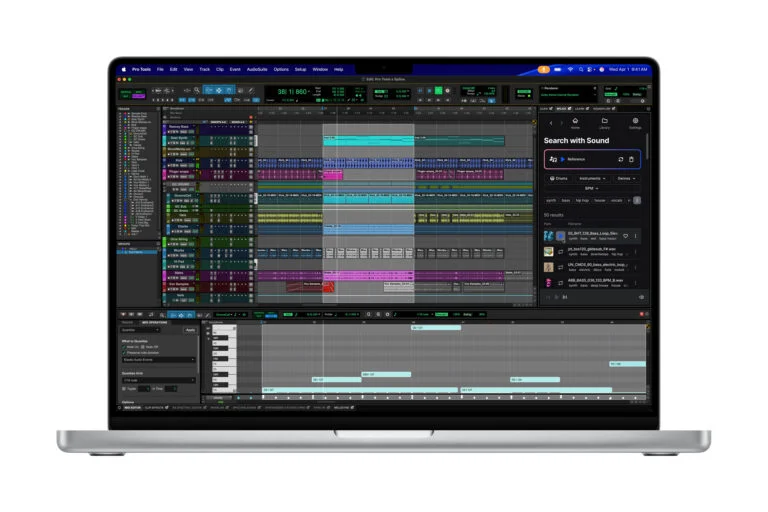
From $2,199Mac for big projects
MacBook Pro 14 with M5 Pro
- Chip
- Apple M5 Pro
- Memory and SSD
- 24 GB and 1 TB in the base configuration
- Ports
- 3 × Thunderbolt 5, HDMI, SDXC, MagSafe, 3.5 mm
- Display
- 14.2-inch Liquid Retina XDR
- Battery life
- Up to 24 hours of video playback, according to Apple
- Weight
- About 1.6 kg
macOSLogic ProPro ToolsAbleton Live
PriceFrom $2,199checked 19 September 2026
This is the pick when a laptop for audio recording becomes your main work tool: you need lots of simultaneous tracks, virtual instruments and effects, regular renders and work outside the studio. The starting 24 GB of memory and 1 TB SSD are already closer to a comfortable professional configuration than to a compromise.
The practical advantage over the Air isn’t just speed. The chassis has HDMI, SDXC, three Thunderbolt 5 ports and active cooling. You can connect an audio interface, a fast drive and a display at the same time without constantly swapping cables. Plenty of musicians don’t need the M5 Max: for a DAW and recording, first assess the size of your projects and whether you need video or 3D, rather than buying the top configuration “just in case.”
- 24 GB of memory and a 1 TB SSD in the base M5 Pro version.
- More ports, no hub required.
- Active cooling for sustained workloads.
- Suitable for a mobile studio and large sessions.
- High starting price.
- Memory and SSD can’t be upgraded after purchase.
- The 14-inch screen still doesn’t replace a large studio display.
- Its capabilities may be overkill for simple recording.
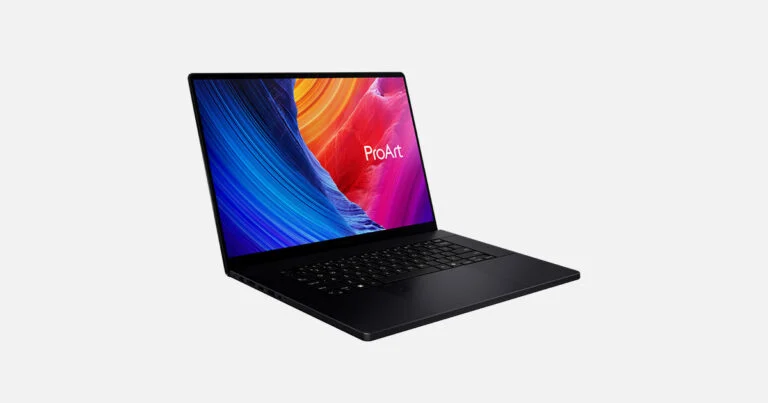
From $2,499.99Powerful Windows option
ASUS ProArt P16 (H7606)
- Processor
- AMD Ryzen AI 9 HX 370
- Memory
- Up to 64 GB LPDDR5X
- Storage
- Up to 4 TB PCIe 4.0 SSD
- Graphics
- GeForce RTX 5070 or RTX 5090 Laptop GPU
- Display
- 16-inch 4K OLED
- Ports
- USB-C, USB-A, HDMI 2.1, SD Express, 3.5 mm
Windows 11 ProAbleton LiveFL StudioCubaseStudio One
PriceFrom $2,499.99checked 19 September 2026
A Windows laptop for making music is often chosen for more than just the DAW. The ProArt P16 makes sense if one computer has to handle music, music video editing, streaming, graphics or local AI tools. In a configuration with 64 GB of RAM and a 2 TB SSD, you won’t have to choose between libraries, projects and free space right away.
For pure audio production, the RTX 5070 isn’t essential: the processor, memory, storage and your audio interface’s driver matter more. But discrete graphics come in handy if you also edit video, work in 3D or use GPU-accelerated apps. Before buying, check the exact H7606 variant: GPU, memory capacity, display and price vary across the series.
- Up to 64 GB of RAM and a 4 TB SSD.
- A wide range of ports: HDMI, SD Express, USB-A and USB-C.
- The 16-inch 4K OLED is convenient for big projects.
- Discrete graphics are useful for video and visual content.
- Heavier and pricier than a typical laptop for a DAW alone.
- High performance means more noticeable cooling under load.
- The memory is soldered, so you have to pick the capacity up front.
- Model variants and configurations vary widely.
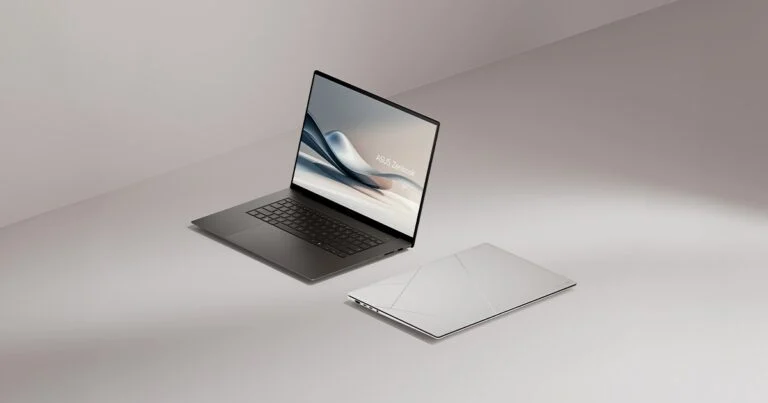
From $1,599.99Lightweight 16-inch Windows laptop
ASUS Zenbook S 16 (UM5606)
- Processor
- Up to AMD Ryzen AI 9 HX 370
- Memory
- Up to 32 GB LPDDR5X
- Storage
- 1 TB / 2 TB PCIe 4.0 SSD
- Display
- 16-inch, 3K OLED, 120 Hz
- Ports
- 2 × USB4, USB-A, HDMI 2.1, SD 4.0, 3.5 mm
- Weight
- From 1.5 kg
Windows 11Ableton LiveFL StudioStudio OneReaper
PriceFrom $1,599.99checked 19 September 2026
The ASUS Zenbook S 16 for music production fills a gap that heavy workstations leave: a big screen without a lot of weight. The 16-inch panel makes it easier to keep the arrangement, the mixer and a plugin window side by side, and at about 1.5 kg, taking it to a session doesn’t turn into hauling a desktop PC.
If your projects include large libraries, choose a version with at least 32 GB / 1 TB. It has no discrete graphics, so it’s no substitute for the ProArt P16 in video editing and 3D. On the other hand, it has two USB4 ports, USB-A, HDMI, an SD card reader and an audio jack: with an audio interface, an external SSD and a display, there’s less reason to buy a docking station right away. Before ordering, check that your specific plugins and your interface’s ASIO driver are compatible with the Windows version you’ve chosen.
- A large 16-inch OLED screen at about 1.5 kg.
- Configurations with 32 GB of RAM and SSDs up to 2 TB.
- USB4, USB-A, HDMI and an SD card reader, so a dock isn’t a must.
- Suitable for work on the road with medium and large audio projects.
- The memory is soldered, so choose the capacity before you buy.
- No discrete graphics for heavy video work and 3D.
- The two USB4 ports can end up taken by the interface and an external drive.
- Specific configurations and displays vary by market.

From $2,619Mobile Windows workstation
Lenovo ThinkPad P1 Gen 7
- Processor
- Intel Core Ultra 7 / Ultra 9
- Memory
- Up to 64 GB LPCAMM2, replaceable
- Storage
- Up to 4 TB SSD in supported configurations
- Graphics
- Up to NVIDIA RTX 3000 Ada
- Display
- 16-inch, IPS and OLED options
- Weight
- From 1.82 kg
Windows 11 ProPro ToolsCubaseReaperAbleton Live
PriceFrom $2,619; configurations with RTX and 64 GB cost noticeably morechecked 19 September 2026
The ThinkPad P1 Gen 7 is a more portable alternative to a large studio workstation. It’s aimed at people who take sessions on the road but don’t want to settle for a compromise ultrabook: there are versions with professional RTX graphics, 32–64 GB of memory and a 16-inch screen. Starting at 1.82 kg, it’s easier to carry around than the P16v, and it has enough headroom for heavy VSTs, recording and working on video at the same time.
The main difference is the LPCAMM2 module: in compatible configurations, the memory can be replaced rather than locked in for good when you order. For audio, that’s useful when 32 GB is enough at first and then your Kontakt library and track count grow. This is an expensive option: don’t automatically treat the entry configuration as equivalent to the top one with RTX, 64 GB and an OLED screen. Compare the listing for the exact build you choose.
- More portable than the P16v: weight starts at about 1.82 kg.
- LPCAMM2 memory can be replaced in compatible configurations.
- Versions with 32–64 GB of RAM and professional RTX graphics are available.
- The 16-inch screen is more comfortable for a full-scale project than a compact ultrabook.
- High price even for entry configurations.
- Display, graphics and memory differ noticeably between builds.
- Cooling noise is possible under sustained load.
- Its capabilities are overkill for a simple home setup.

Reference price: about $3,200Studio workstation
Lenovo ThinkPad P16v Gen 3
- Processor
- Intel Core Ultra 7 / Ultra 9, depending on the version
- Memory
- Configurations up to 64 GB DDR5
- Storage
- Up to 2 TB SSD
- Graphics
- NVIDIA RTX PRO in higher-end versions
- Connectivity
- Thunderbolt 4, USB-A, HDMI, Ethernet, SD Express, 3.5 mm
- Form factor
- 16-inch mobile workstation
Windows 11 ProCubasePro ToolsReaperAbleton Live
PriceAbout $3,200 for 32 GB / 1 TB in the configuration we checkedchecked 19 September 2026
The ThinkPad P16v is for people who need a well-connected work machine rather than an ultrabook. Ethernet is useful on a studio network, dedicated USB-A ports mean fewer adapters, and configurations with DDR5 and two M.2 slots give you more freedom to plan ahead. A laptop like this is especially at home next to several controllers, an audio interface, external drives and a display.
The downside is obvious: it’s a large, heavy device, and the price depends on the build you choose and Lenovo’s regular sales. For trips with headphones and a single MIDI controller, the Air is more practical. The P16v makes sense when your priority is an audio recording workstation, ports and the ability to service the system rather than the lowest possible weight.
- Plenty of physical ports, including Ethernet.
- A workstation with 32–64 GB memory options.
- Suitable for a permanent studio setup.
- Configurations with professional discrete graphics are available.
- Bigger and heavier than MacBooks and thin Windows models.
- The real price depends heavily on the build and current deals.
- Overkill for simple home projects.
- The fans can be audible under sustained load.
DAW and plugins
Check that your version of the software and the plugins you need are supported on macOS or Windows.
Project size
16 GB / 512 GB is the starting point; for large libraries, plan for 24–32 GB / 1 TB.
Connections
Write down what will be connected at the same time: interface, MIDI, SSD, display, network.
Backup
Set aside budget for an external SSD and regular backups, not just for the laptop itself.
Mac or Windows for music production
| Question | Mac | Windows |
|---|---|---|
| Logic Pro | macOS only. | Not available. |
| Audio drivers | Core Audio is built into the system. | The quality of the interface’s ASIO driver is key. |
| Hardware choice | Fewer models, a clearer lineup. | More price points, displays, ports and configurations. |
| Upgrades after purchase | Memory and SSD can’t be upgraded in current models. | Depends on the model; workstations usually offer more options. |
| Key rule | Choose for the DAW and peripherals you need. | Don’t pick a platform based on a synthetic benchmark alone. |
Ports and an audio interface matter more than built-in speakers
Built-in speakers and microphones are handy for rough playback checks and calls, but they’re no substitute for monitoring. For recording and mixing, a good audio interface and a stable connection matter more. Make a list of your devices: interface, MIDI keyboard, external SSD, controller, display. If you have fewer ports than devices, budget for a good powered hub or docking station.
Don’t keep the only copy of a project on the internal SSD
The SSD affects how libraries load, tracks record and projects open. But even 2 TB doesn’t make backups optional. Keep the active project on the fast internal drive, and the archive and a second copy on an external SSD or in the cloud. Before clearing out old versions, open the backup: the fact that a folder exists doesn’t mean it contains all of the project’s audio files.
FAQ
How much RAM do you need for Ableton Live and FL Studio?
8 GB is the formal minimum for some DAWs, but for a new laptop it’s better to choose 16 GB. For large libraries, several instruments and heavy projects, 24–32 GB is more comfortable. Go by your actual projects: memory can’t be added to current MacBooks and some thin Windows models.
Do you need a discrete graphics card for music production?
Usually not for the DAW itself. It comes in handy if the laptop is also used for video editing, 3D, gaming or GPU-accelerated creative apps. For audio work alone, you’re better off investing in memory, an SSD, an audio interface and monitoring.
Is a MacBook Air good for recording vocals?
Yes, as long as your audio interface works properly and the project is a reasonable size. Its silent chassis is a plus next to a microphone. But for long, heavy sessions, constant rendering and lots of connected devices, the MacBook Pro gives you more headroom.
Which SSD should you choose: 512 GB or 1 TB?
512 GB is enough for a DAW, several projects and some of your libraries. If you keep large sample packs, source files, video and project versions on the laptop, go for 1 TB. A fast external SSD is still a good addition for archives and backups.
What should you buy first: a more powerful laptop or a better audio interface?
If your current computer doesn’t slow down in your projects, an audio interface, headphones or studio monitors usually do more for the quality of your day-to-day work. But if the project crackles, can’t keep up with the plugins and doesn’t fit on the drive, fix the laptop’s bottleneck first.
Bottom line
The best laptop for music production is the one that fits your DAW, your projects and the gear you connect. To start on macOS, get the MacBook Air M5 with 16 GB and 512 GB. For serious everyday work on a Mac, choose the MacBook Pro 14 with M5 Pro. If you need Windows, lots of memory and video work, look at the ASUS ProArt P16. If you want a big screen at a low weight, go for the ASUS Zenbook S 16. Take the ThinkPad P1 Gen 7 for a mobile workstation, and the P16v when ports, networking and a studio desk setup become the priority.






Leave a Reply