
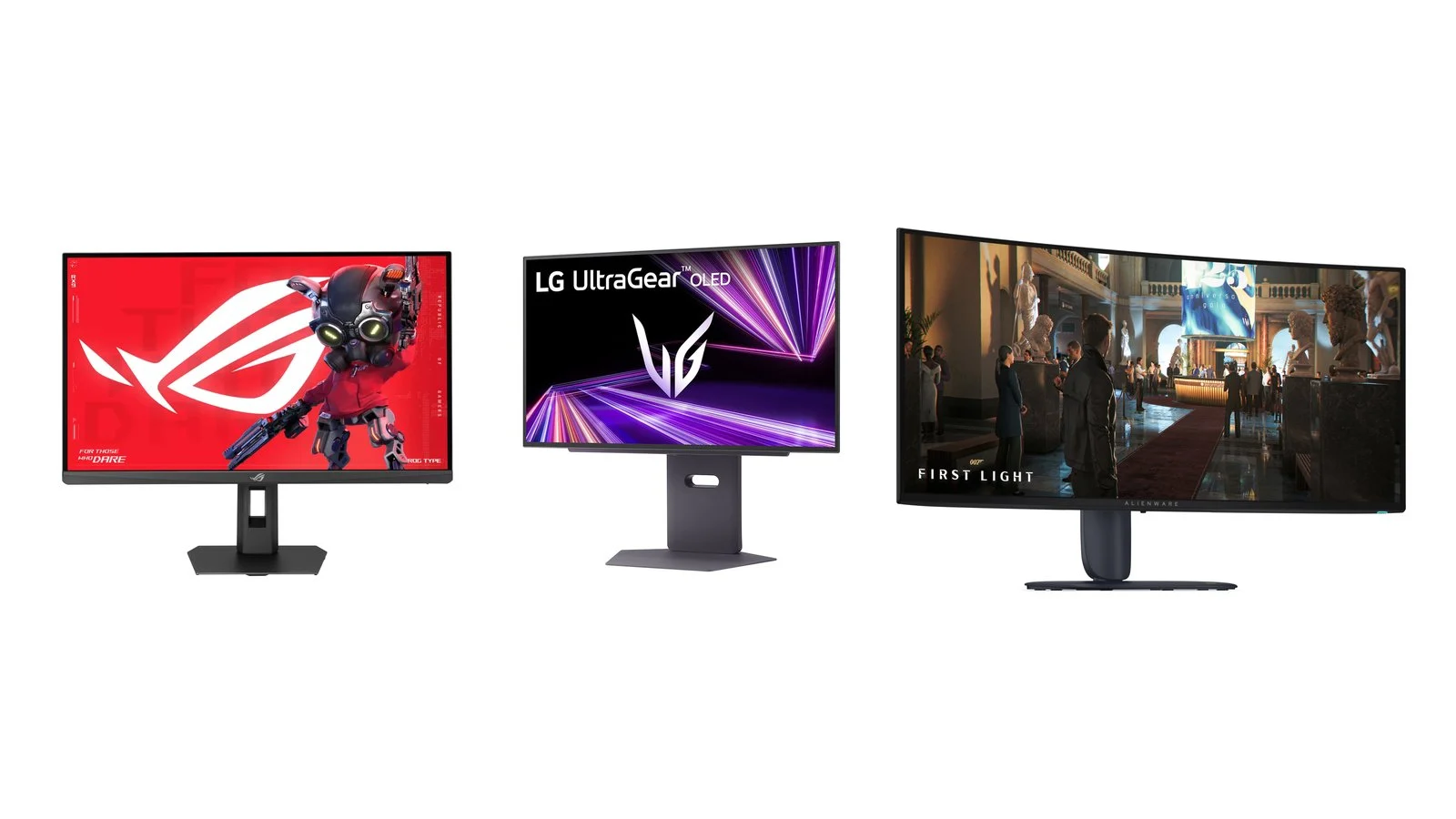
For most players, the best gaming monitors of 2026 are 27-inch screens with 2560×1440 resolution and a 240–260Hz refresh rate: they don’t need a top-end graphics card, and in our list they start at UAH 9,899. For HDR and dark scenes, get an OLED; for PS5 and Xbox, a 4K model with HDMI 2.1; for esports, a Full HD panel at 400Hz.
Below are seven current models for different needs, from the budget AOC Q27G4ZR to the 32-inch MSI MPG 322URX with DisplayPort 2.1. Our best overall pick is the ASUS ROG Strix XG27ACMEG: 260Hz, HDMI 2.1 and USB-C for UAH 14,199. After the picks you’ll find comparison tables and tips on matching a monitor to your graphics card and console.
How we picked
- Current models only. All seven monitors are on sale in 2026, and we checked their specs against the manufacturers’ pages.
- One job per pick. An all-round 27-inch QHD, a budget model, an OLED, 4K for PC and consoles, a 32-inch 4K, an ultrawide and an esports monitor.
- Dated prices. Prices are from Telemart, a large Ukrainian retailer, on October 9, 2026. If a model is out of stock in Ukraine, we give the price from the maker’s official store or leave it out.
- Ports for consoles and GPUs. We looked at HDMI 2.1, the DisplayPort version and which input delivers the maximum refresh rate.
We haven’t tested these monitors ourselves: the comparison is based on manufacturer data, so we don’t quote our own brightness or latency measurements. Prices change daily, so check the exact model and stock before you buy.
1. ASUS ROG Strix XG27ACMEG
Best overallGaming monitor, 27 inches
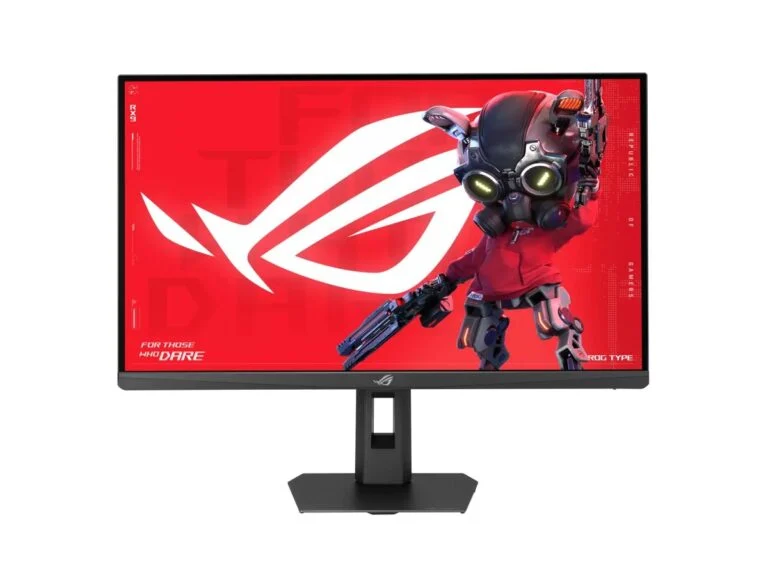
ASUS ROG Strix XG27ACMEG
- Panel
- Fast IPS, matte
- Resolution
- 2560×1440
- Refresh rate
- 260Hz (OC)
- Response time
- 1ms GtG, 0.3ms minimum
- Brightness
- 400 cd/m², DisplayHDR 400
- Color
- 95% DCI-P3, 10-bit
- Sync
- FreeSync Premium, G-SYNC Compatible, ELMB Sync
- Ports
- HDMI 2.1, DisplayPort 1.4, USB-C (DP Alt Mode, 15W)
- Stand
- 110 mm height, tilt, swivel, pivot
PriceUAH 14,199checked 9 October 2026
For most PC gamers: 27-inch QHD at 260Hz, DisplayHDR 400, HDMI 2.1 for a console and USB-C for a laptop.
- 260Hz and ELMB Sync
- HDMI 2.1 and USB-C with DisplayPort
- Stand with height and pivot
- HDR 400 is far from OLED
- USB-C supplies only 15W
- One HDMI input
The XG27ACMEG is a 27-inch ROG Strix monitor with a Fast IPS panel, 2560×1440 resolution and up to 260Hz in overclock mode. ASUS quotes a 1ms GtG response time (0.3ms minimum), 95% DCI-P3 coverage, VESA DisplayHDR 400 certification and ELMB Sync, which reduces motion blur and works together with adaptive sync.
What sets it apart from cheaper 27-inch models is the ports. The HDMI 2.1 input is useful for a PS5 or Xbox Series X, and USB-C with DisplayPort Alt Mode carries a laptop’s picture over a single cable. USB-C charging is limited to 15W: enough for a phone, not for a laptop.
On October 9, Telemart sold it for UAH 14,199, down from UAH 14,999, with a three-year warranty. The stand offers 110 mm of height adjustment, swivels left and right and rotates the screen to portrait.
2. AOC Q27G4ZR
Budget pickGaming monitor, 27 inches
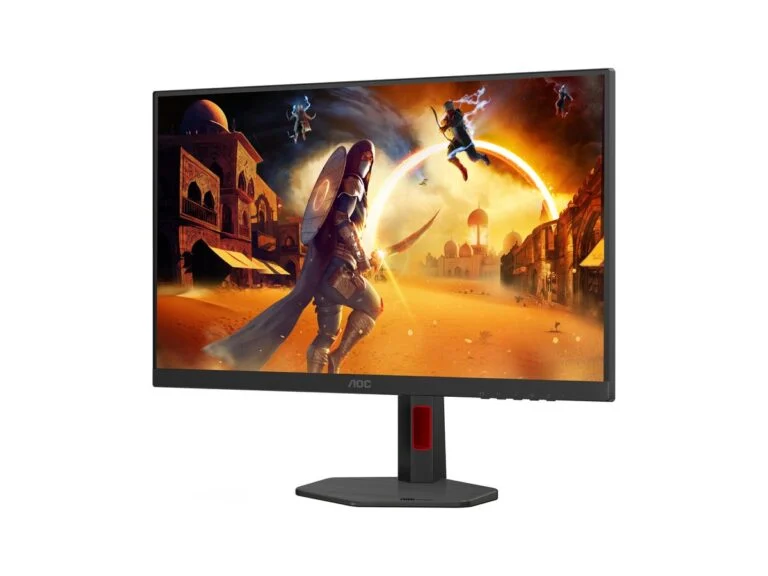
AOC Q27G4ZR
- Panel
- Fast IPS, matte
- Resolution
- 2560×1440
- Refresh rate
- 240Hz, 260Hz overclocked
- Response time
- 1ms GtG, 0.3ms MPRT
- Brightness
- 400 cd/m², DisplayHDR 400
- Color
- 95.2% DCI-P3
- Sync
- Adaptive Sync, G-SYNC Compatible
- Ports
- 2 × HDMI 2.0 (up to 144Hz), DisplayPort 1.4
- Stand
- 130 mm height, tilt, swivel, pivot
- Speakers
- 2 × 2W
PriceUAH 9,899checked 9 October 2026
An affordable 27-inch QHD at 240Hz with DisplayHDR 400 certification and a fully adjustable stand.
- 240Hz, 260Hz overclocked
- Stand with height and pivot
- Three-year warranty
- HDMI only up to 144Hz
- No HDMI 2.1 or USB-C
The Q27G4ZR is an affordable way to get a 27-inch QHD screen with a high refresh rate. Its Fast IPS panel runs at 240Hz, or 260Hz overclocked. AOC lists 1ms GtG and 0.3ms MPRT, 95.2% DCI-P3 coverage and DisplayHDR 400 certification, and the stand offers 130 mm of height adjustment and rotates to portrait.
The savings come from the ports. There are two HDMI 2.0 inputs and one DisplayPort 1.4, and over HDMI the monitor only accepts up to 144Hz, so connect your PC via DisplayPort to get 240–260Hz. With a PS5 it will work without VRR: Sony supports the feature on monitors and TVs with HDMI 2.1 VRR.
On October 9, Telemart sold the Q27G4ZR for UAH 9,899, down from UAH 12,029, which is UAH 4,300 less than the ASUS ROG Strix XG27ACMEG. It comes with a three-year warranty and built-in 2 × 2W speakers.
3. LG UltraGear 27GX790A-B
Best OLEDOLED gaming monitor, 27 inches
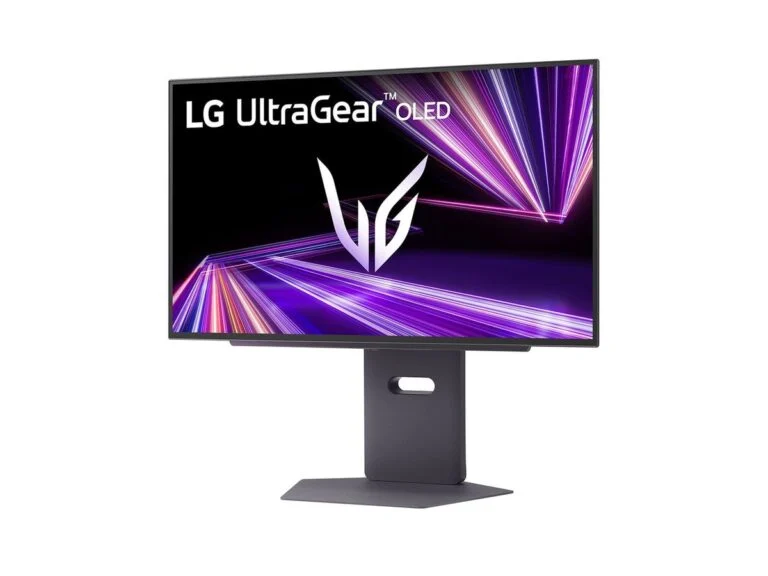
LG UltraGear 27GX790A-B
- Panel
- OLED, anti-glare coating
- Screen size
- 26.5 inches (viewable)
- Resolution
- 2560×1440
- Refresh rate
- up to 480Hz
- Response time
- 0.03ms GtG
- Brightness
- 275 cd/m², 1,300 nits peak on 1.5% of the screen
- HDR
- DisplayHDR True Black 400, HDR10
- Sync
- G-SYNC Compatible, FreeSync Premium Pro
- Ports
- DisplayPort 2.1, 2 × HDMI 2.1, 2 × USB 3.0
- Stand
- 110 mm height, tilt, swivel, pivot
PriceUAH 39,999checked 9 October 2026
For anyone who wants OLED’s deep blacks for HDR games and 480Hz for shooters in one monitor.
- 480Hz and 0.03ms response
- 1,300-nit peak on small highlights
- DisplayPort 2.1 and two HDMI 2.1
- 275 cd/m² typical brightness
- Burn-in risk, like any OLED
- 24-month warranty
The 27GX790A-B is an LG UltraGear OLED monitor with 2560×1440 resolution and up to 480Hz. In an OLED, each pixel emits its own light and switches off completely for black, which is why LG lists a 1,500,000:1 contrast ratio and DisplayHDR True Black 400 certification. Response time is 0.03ms GtG, and DCI-P3 coverage is 98.5%.
Peak brightness matters for HDR: according to LG, it reaches 1,300 nits on 1.5% of the screen area. Typical SDR brightness is lower than on the IPS models, at 275 cd/m², so on a full white screen in a sunny room the ASUS or AOC will look brighter. The screen has an anti-glare, low-reflection coating.
LG ties the 480Hz refresh rate to DisplayPort 2.1, and there are two HDMI 2.1 ports for consoles. To fight burn-in, LG uses screen shifting, a screen saver and screen cleaning, but warns that these features do not fully prevent image retention. On October 9, Telemart sold the monitor for UAH 39,999 with a 24-month warranty.
4. Samsung Odyssey G7 G70F
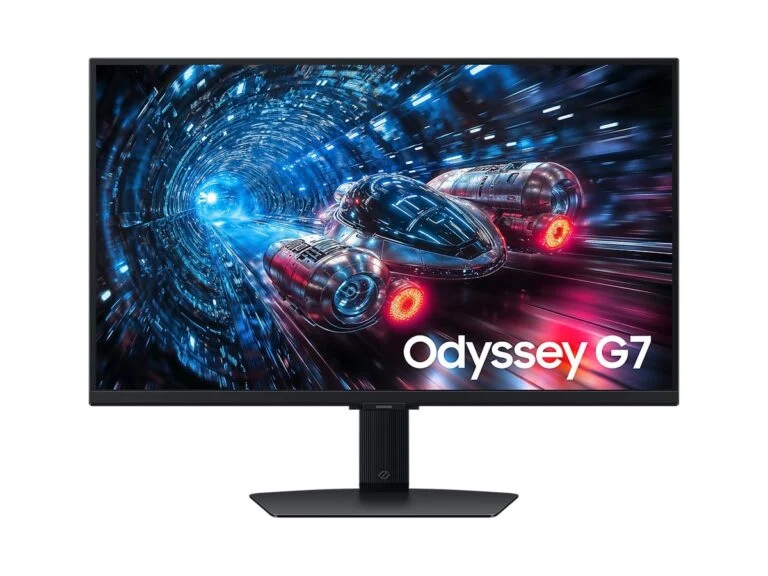
4K for PC and consoles4K gaming monitor, 27 inches
Samsung Odyssey G7 G70F (LS27FG706EIXUA)
- Panel
- IPS
- Resolution
- 3840×2160
- Refresh rate
- 180Hz in 4K or 360Hz in Full HD (Dual Mode)
- Response time
- 1ms GtG
- Brightness
- 350 cd/m², HDR10, HDR10+ Gaming
- Color
- 99% sRGB
- Sync
- FreeSync Premium, G-Sync Compatible
- Ports
- 2 × HDMI 2.1, DisplayPort 1.4, 2 × USB-A
- Stand
- 120 mm height, tilt, swivel, pivot
PriceUAH 21,999checked 9 October 2026
For anyone who plays on both a PC and a PS5 or Xbox: a sharp 4K picture, two HDMI 2.1 ports and a Full HD 360Hz mode for shooters.
- 4K 180Hz or Full HD 360Hz
- Two HDMI 2.1 ports for two consoles
- Stand with height and pivot
- No VESA DisplayHDR certification
- 4K is heavy on the graphics card
- No USB-C
The Odyssey G7 G70F is a 27-inch 4K IPS monitor with Dual Mode: 3840×2160 at 180Hz or Full HD at 360Hz. The first mode suits story games and consoles, the second online shooters. At 27 inches, 4K gives a pixel pitch of about 0.155 mm versus 0.233 mm on the QHD ASUS, so text and small UI details look sharper.
For consoles it has two HDMI 2.1 inputs, so you can keep both a PS5 and an Xbox Series X connected, and the Auto Source Switch+ feature handles automatic input selection. Sony confirms that the PS5 outputs 4K at 120Hz over HDMI 2.1. Samsung lists FreeSync Premium and G-Sync Compatible but says nothing about VRR with consoles on the product page.
The model has no VESA DisplayHDR certification: Samsung claims HDR10 and HDR10+ Gaming at 350 cd/m². On October 9, Telemart sold the G70F for UAH 21,999, down from UAH 22,999, with a 24-month warranty; Samsung’s Ukrainian website lists the model as unavailable.
5. MSI MPG 322URX QD-OLED
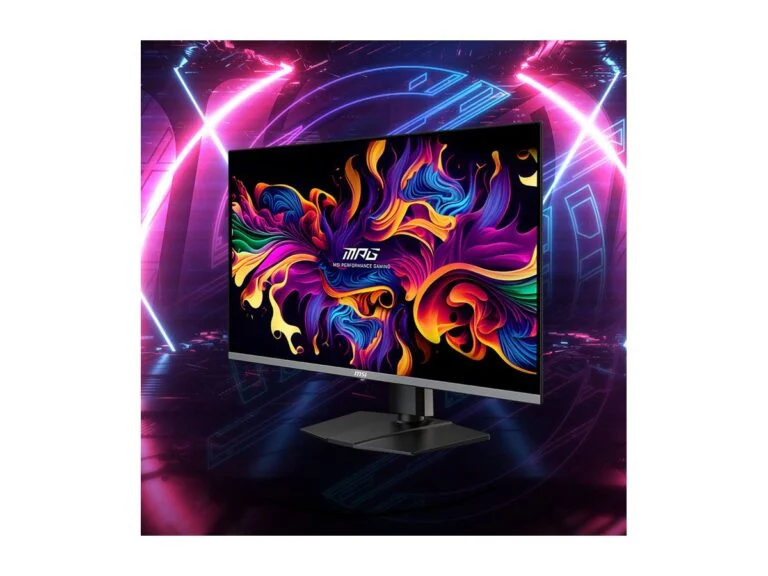
Best 32-inch 4K4K OLED gaming monitor, 31.5 inches
MSI MPG 322URX QD-OLED
- Panel
- QD-OLED, anti-glare coating
- Resolution
- 3840×2160
- Refresh rate
- 240Hz
- Response time
- 0.03ms GtG
- Brightness
- 250 nits SDR, up to 1,000 nits on 3% of the screen
- HDR
- DisplayHDR True Black 400
- Sync
- G-Sync Compatible, FreeSync Premium Pro
- Ports
- DisplayPort 2.1a (UHBR20), 2 × HDMI 2.1, USB-C with 98W charging, KVM
- Stand
- 110 mm height, tilt, swivel
- Warranty
- 3 years, including burn-in
PriceUAH 55,899checked 9 October 2026
For a powerful PC that can handle 4K: a 32-inch 240Hz QD-OLED with DisplayPort 2.1 and 98W USB-C for a laptop.
- DisplayPort 2.1a UHBR20
- 98W USB-C and KVM
- Three-year burn-in warranty
- Most expensive in our list
- 4K at 240Hz needs a top-end GPU
- 250 nits in SDR
The MPG 322URX is a 31.5-inch QD-OLED with 3840×2160 resolution and a 240Hz refresh rate. MSI quotes a 0.03ms GtG response time, DisplayHDR True Black 400 certification, 250 nits in SDR and up to 1,000 nits on 3% of the screen. The pixel pitch is 0.181 mm, so text stays sharp at 32 inches.
Its key feature is DisplayPort 2.1a in UHBR20 mode, the fastest in the standard, with up to 80 Gbps of bandwidth. According to MSI, both HDMI 2.1 ports also carry 4K at 240Hz. The USB-C port charges a laptop at up to 98W, and the built-in KVM lets you control a laptop and a PC with one keyboard and mouse.
The panel is cooled without a fan, using graphene film and a heatsink, and the OLED Care 2.0 features reduce the risk of burn-in. MSI offers a three-year warranty that includes panel burn-in. On October 9, Telemart sold the MPG 322URX for UAH 55,899, making it the most expensive model here.
6. Alienware AW3426DW
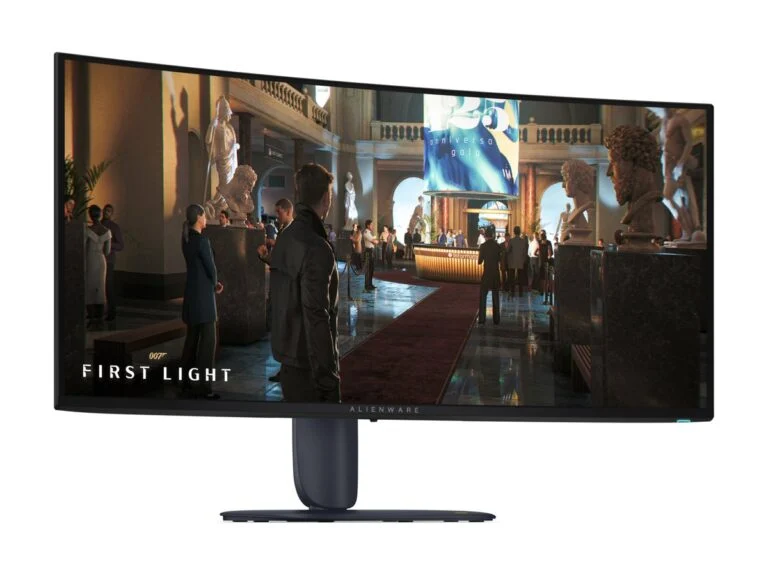
Best ultrawideOLED gaming monitor, 34 inches, 21:9
Alienware AW3426DW
- Panel
- QD-OLED, 1800R curve
- Resolution
- 3440×1440 (21:9)
- Refresh rate
- 280Hz
- Response time
- 0.03ms GtG (Extreme mode)
- HDR
- DisplayHDR True Black 500, Dolby Vision
- Sync
- G-SYNC Compatible, FreeSync Premium Pro, VESA Adaptive-Sync
- Ports
- 2 × HDMI 2.1, DisplayPort 1.4, USB-C (up to 15W), USB-A
- Stand
- up to 110 mm height, tilt, swivel
- Warranty
- 3 years, including burn-in
Price$729.99 in the USchecked 9 October 2026
For racing, sims and RPGs: a wide curved 280Hz QD-OLED with True Black 500 and Dolby Vision.
- 280Hz at 3440×1440
- True Black 500 and Dolby Vision
- Three-year burn-in warranty
- Out of stock at Telemart
- DisplayPort 1.4, not 2.1
- Not every game supports 21:9
The AW3426DW is a curved (1800R) 34-inch 21:9 QD-OLED with 3440×1440 resolution and a 280Hz refresh rate. A wide screen shines in racing games, flight sims and RPGs, but not every game supports 21:9, and some will leave black bars on the sides.
It has the highest HDR certification in our list, DisplayHDR True Black 500, plus Dolby Vision support. Dell lists a 0.03ms GtG response time, G-SYNC Compatible and FreeSync Premium Pro sync, and its three-year warranty covers burn-in too.
Video inputs are two HDMI 2.1 ports and DisplayPort 1.4; the USB-C port is for connecting and charging devices at up to 15W, not for video. The stand adjusts for height and tilt but doesn’t rotate to portrait. On October 9, Telemart had it out of stock; Dell’s US store sold it for $729.99.
7. BenQ ZOWIE XL2566X+
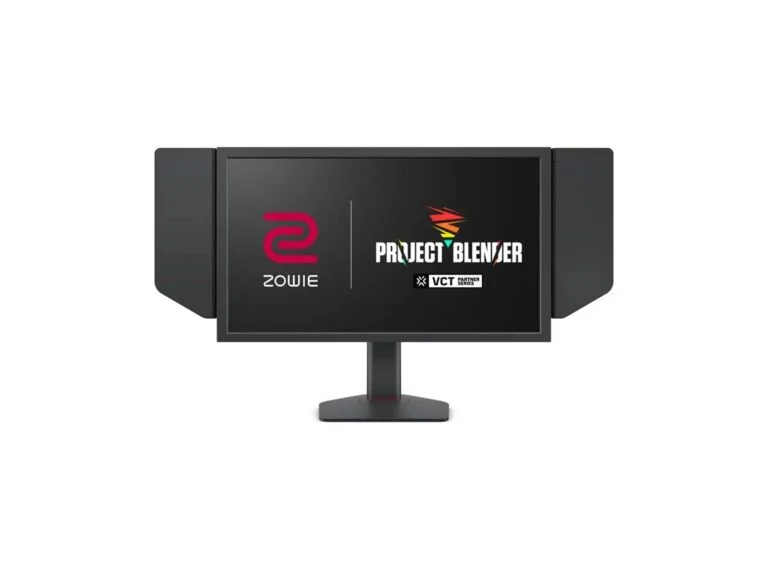
For esportsEsports monitor, 24.1 inches
BenQ ZOWIE XL2566X+
- Panel
- Fast TN
- Resolution
- 1920×1080
- Refresh rate
- 400Hz (via DisplayPort 1.4)
- Blur reduction
- DyAc 2
- Brightness
- 320 nits
- Ports
- 3 × HDMI 2.0 (up to 240Hz), DisplayPort 1.4
- Consoles
- 1080p at 120Hz for PS5 and Xbox Series X|S
- Stand
- 155 mm height, tilt, swivel
- In the box
- S Switch, shield
For competitive shooters: 400Hz, DyAc 2 and a stand that is easy to set up exactly the way you like.
- 400Hz and DyAc 2
- S Switch and shield included
- 155 mm stand height range
- TN trails IPS in color and viewing angles
- VRR only with DyAc 2 off
- Out of stock at Telemart
The XL2566X+ is a 24.1-inch ZOWIE monitor for competitive shooters with a Fast TN panel, 1920×1080 resolution and a 400Hz refresh rate. DyAc 2, with its dual backlight, reduces blur during fast crosshair movements. ZOWIE doesn’t publish response time or input lag, explaining that there is no industry-standard way to measure input lag.
400Hz is only available over DisplayPort 1.4, while the three HDMI 2.0 ports top out at 240Hz; with a PS5 or Xbox Series X|S, the monitor runs at 1080p and 120Hz. VRR works only with DyAc 2 turned off. For 400Hz, ZOWIE recommends at least an NVIDIA RTX 30 or AMD RX 6000 graphics card and a 13th-gen Intel or AMD Ryzen 5000 processor or newer.
The stand offers 155 mm of height adjustment, and the box includes an S Switch remote for changing modes and a shield. The TN panel trails IPS in color and viewing angles, and there are no built-in speakers. On October 9, Telemart had the XL2566X+ out of stock, so we don’t list a price.
Comparison
| Model | Best for | Key strength | Price on October 9 |
|---|---|---|---|
| ASUS ROG Strix XG27ACMEG | Most PC gamers | 260Hz, HDMI 2.1, USB-C | UAH 14,199 |
| AOC Q27G4ZR | Budgets under UAH 10,000 | QHD at 240Hz | UAH 9,899 |
| LG UltraGear 27GX790A-B | HDR and shooters | OLED, 480Hz | UAH 39,999 |
| Samsung Odyssey G7 G70F | PC and consoles | 4K 180Hz, two HDMI 2.1 | UAH 21,999 |
| MSI MPG 322URX QD-OLED | A powerful PC | 4K 240Hz, DisplayPort 2.1 | UAH 55,899 |
| Alienware AW3426DW | Racing and sims | 21:9, True Black 500 | $729.99 (US) |
| BenQ ZOWIE XL2566X+ | Esports | 400Hz, DyAc 2 | — |
Key specs
| Model | Panel | Resolution | Refresh rate, Hz | HDR | Video inputs |
|---|---|---|---|---|---|
| ASUS XG27ACMEG | Fast IPS | 2560×1440 | 260 (OC) | DisplayHDR 400 | HDMI 2.1, DP 1.4, USB-C |
| AOC Q27G4ZR | Fast IPS | 2560×1440 | 240 (260 OC) | DisplayHDR 400 | 2 × HDMI 2.0, DP 1.4 |
| LG 27GX790A-B | OLED | 2560×1440 | 480 | True Black 400 | 2 × HDMI 2.1, DP 2.1 |
| Samsung G70F | IPS | 3840×2160 | 180 (360 in Full HD) | HDR10 | 2 × HDMI 2.1, DP 1.4 |
| MSI 322URX | QD-OLED | 3840×2160 | 240 | True Black 400 | 2 × HDMI 2.1, DP 2.1a, USB-C |
| Alienware AW3426DW | QD-OLED | 3440×1440 | 280 | True Black 500 | 2 × HDMI 2.1, DP 1.4 |
| ZOWIE XL2566X+ | Fast TN | 1920×1080 | 400 | — | 3 × HDMI 2.0, DP 1.4 |
How to choose a gaming monitor
Resolution and size: what your GPU can drive
The most popular combination is 27 inches and 2560×1440 (QHD). The smaller the pixel pitch, the sharper text and fine detail look: it’s 0.279 mm for Full HD at 24.1 inches (ZOWIE XL2566X+), 0.233 mm for QHD at 27 inches (ASUS ROG Strix XG27ACMEG) and 0.181 mm for 4K at 31.5 inches (MSI MPG 322URX).
But each step up in resolution puts more load on the graphics card. A QHD frame has about 3.7 million pixels, an ultrawide 3440×1440 frame about 5 million and a 4K frame 8.3 million, or 2.25 times as many as QHD. We covered which graphics cards can handle 4K in our graphics card ranking, and for a new build, see our guide on how to build a PC step by step.
Refresh rate: how many hertz you need
A high refresh rate only pays off if your graphics card delivers a comparable frame rate. For story games, 144Hz is a sensible minimum; 240–260Hz suits online shooters, and 360–480Hz and up is for esports. For 400Hz, ZOWIE recommends at least an RTX 30 or RX 6000 graphics card and a 13th-gen Intel or Ryzen 5000 processor.
Check the port as well: many monitors reach their maximum refresh rate only over DisplayPort. The AOC Q27G4ZR’s HDMI input runs up to 144Hz, the ZOWIE XL2566X+’s up to 240Hz, and LG ties the 27GX790A-B’s 480Hz to DisplayPort 2.1. Connect your PC with the DisplayPort cable from the box.
Panel type: IPS, VA, TN or OLED
- IPS: accurate color and wide viewing angles, but contrast of about 1000:1 (the figure ASUS, AOC and Samsung list), so blacks look gray in a dark room. The most common choice.
- VA: higher contrast than IPS, which shows in dark scenes, but slower transitions between dark shades, hence smearing in motion. Common in affordable curved models.
- TN: fast and inexpensive, but with weaker color and viewing angles. Today it’s mostly found in esports monitors like the ZOWIE.
- OLED (WOLED from LG, QD-OLED from MSI and Alienware): true black, 0.03ms GtG response and 1,500,000:1 contrast according to LG and MSI. The downsides are lower brightness on white backgrounds, a higher price and the risk of burn-in.
HDR: what DisplayHDR labels mean
An HDR10 label only means the monitor accepts an HDR signal. Quality is indicated by VESA DisplayHDR certification: the number in the name is the minimum peak brightness in nits, such as 400 or 1000. The True Black tiers were created for OLED and have stricter black-level requirements.
DisplayHDR 400 on IPS monitors like the ASUS and AOC is an entry level: without local dimming, bright objects don’t stand out against a dark background the way they do in HDR video. For HDR in games and movies, an OLED with True Black 400 or 500 is noticeably better.
A monitor for PS5 and Xbox: HDMI 2.1 and VRR
The PS5 and Xbox Series X output 4K at 120Hz only over HDMI 2.1 with an Ultra High Speed cable, which comes in the box with the consoles. Sony enables VRR, which syncs the monitor’s refresh rate to the frame rate, on TVs and monitors with HDMI 2.1 VRR, and it works only in games that support it.
In our list, HDMI 2.1 is available on the ASUS ROG Strix XG27ACMEG, LG 27GX790A-B, Samsung Odyssey G7 G70F, MSI MPG 322URX and Alienware AW3426DW. On the product page, ASUS states that its HDMI 2.1 monitors are compatible with VRR on PS5 and Xbox Series X|S. For a QHD monitor, keep in mind that the PS5 outputs 1440p if the monitor supports that mode at 60Hz or 120Hz.
OLED and burn-in: what manufacturers promise
Static elements such as the taskbar, game HUDs and logos can leave a mark on an OLED over time. Manufacturers fight this in software: LG recommends turning on screen shifting (OLED Screen Move), a screen saver and screen cleaning (Image Cleaning), while MSI uses its OLED Care 2.0 feature set and passive panel cooling.
Warranties differ. MSI on the MPG 322URX and Dell on the AW3426DW offer three years with burn-in coverage. LG makes no such promise on the 27GX790A-B page and states plainly that its protective features don’t fully prevent image retention; Telemart lists a 24-month warranty for this monitor.
Response time: GtG and MPRT
GtG is the time a pixel takes to change from one shade of gray to another. MPRT shows how blurry a moving object looks to the eye, and low MPRT figures are usually achieved with backlight strobing. That’s why the AOC’s 1ms GtG and 0.3ms MPRT are two different measures, not a contradiction. On an OLED, pixel transitions are almost instant: 0.03ms GtG.
Stand and USB-C
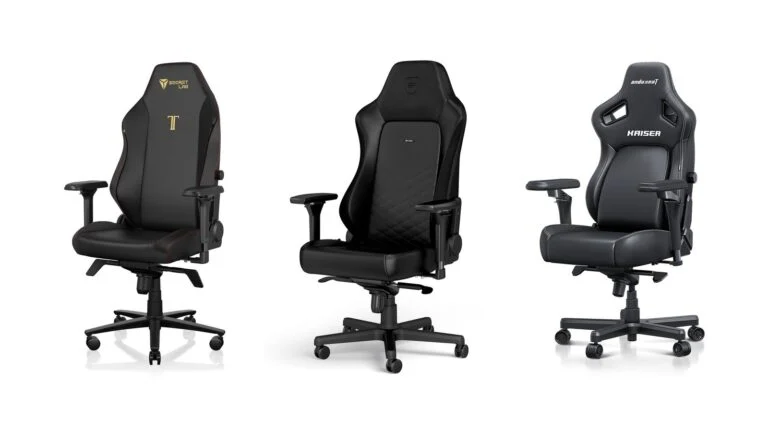
A height-adjustable stand helps you set the top of the screen at eye level: in our list, the range goes from 110 mm (ASUS, LG, MSI, Alienware) to 155 mm (ZOWIE). The ASUS, AOC, LG and Samsung rotate to portrait. Once your monitor is set up, it’s worth choosing a good chair too; see our best gaming chairs ranking.
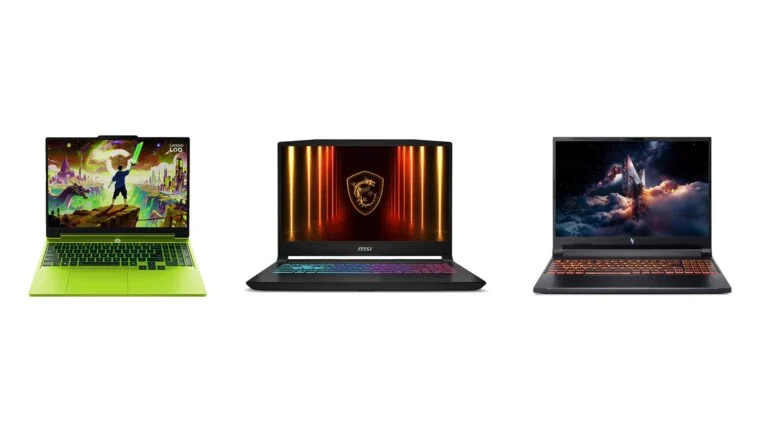
USB-C with DisplayPort is handy for laptop owners: picture and charging travel over one cable. Mind the wattage: the ASUS’s 15W is enough for a phone at most, while the MSI MPG 322URX’s 98W is laptop-charging territory. A gaming laptop usually needs more and runs on its own power adapter; see our budget gaming laptops roundup.
Sources and methodology
Analysis of public sourcesChecked 9 October 2026
- Sony — PS5 resolution, 4K 120Hz and VRR playstation.com
- VESA — DisplayHDR requirements displayhdr.org
- MSI — MPG 322URX QD-OLED datasheet storage-asset.msi.com
- LG — 27GX790A-B: brightness and burn-in protection lg.com
- Specs of the other models are from the manufacturers’ pages (links in the cards); prices are from Telemart
FAQ
Which gaming monitor should I buy in 2026?
For most people, a 27-inch monitor with 2560×1440 resolution and a 240–260Hz refresh rate, such as the ASUS ROG Strix XG27ACMEG for UAH 14,199 or the AOC Q27G4ZR for UAH 9,899 (Telemart, October 9, 2026). For HDR, choose an OLED; for consoles, a 4K model with HDMI 2.1.
How many hertz does a gaming monitor need?
As many as the frames your graphics card delivers in your favorite games. For story games, 144Hz is a sensible minimum; for online shooters, 240–260Hz; for esports, 360–480Hz with a powerful PC. For 400Hz, ZOWIE recommends at least an RTX 30 or RX 6000 graphics card.
What monitor do I need for a PS5?
One with HDMI 2.1: through it the PS5 outputs 4K at 120Hz and enables VRR in games that support it. In our list, the ASUS ROG Strix XG27ACMEG, LG 27GX790A-B, Samsung Odyssey G7 G70F, MSI MPG 322URX and Alienware AW3426DW have this input. A monitor with HDMI 2.0 will also work, but without 4K at 120Hz and VRR.
Do OLED monitors get burn-in?
There is a risk: static elements can leave a mark over time. Manufacturers reduce it with image shifting and cleaning, and MSI on the MPG 322URX and Dell on the AW3426DW offer three-year warranties that include burn-in.
Which is better for gaming: IPS or OLED?
OLED gives true black, a 0.03ms response time and proper HDR, but it costs more and needs care with static images. IPS is brighter on white backgrounds, doesn’t burn in and is cheaper: in our list, a 240Hz QHD monitor costs UAH 9,899, while the LG 27GX790A-B OLED costs UAH 39,999.



Leave a Reply