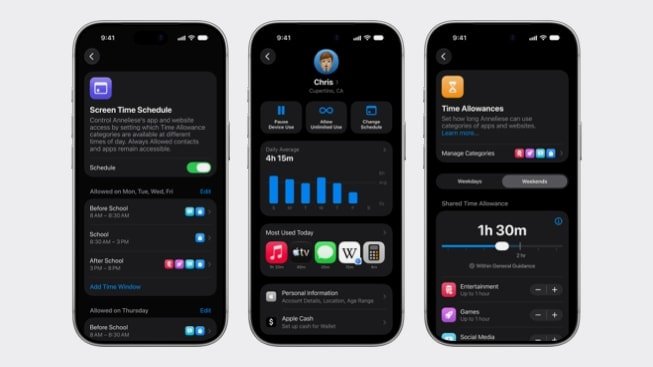
Apple has released new tools for child accounts in iOS, iPadOS and macOS. The update expands Screen Time and Family Sharing: it is now easier for parents to limit websites, apps and time in individual categories.
What’s changing in Screen Time
The main change is a clearer Screen Time dashboard. It shows how much time a child spends in apps and makes it quick to adjust access without digging through settings. For new child accounts, Apple has also added a recommended set of basic apps, so the initial setup does not turn into a manual search for every permission.
Checking new websites in Safari
Ask to Browse lets a parent approve access to a new website before it opens. It is not a substitute for a conversation about digital safety and does not guarantee that the content will be right for the child, but it adds a separate checkpoint for the family account.
Communication Safety and category limits
Communication Safety now covers images and video showing violence, as well as live FaceTime video calls. Time Allowances suggest time guidelines for social media, games and entertainment. Treat them as a starting point: a child’s age, school workload and device habits differ from family to family.
Sources and methodology
Analysis of public sourcesChecked 20 September 2026
- Apple Newsroom apple.com











Leave a Reply