
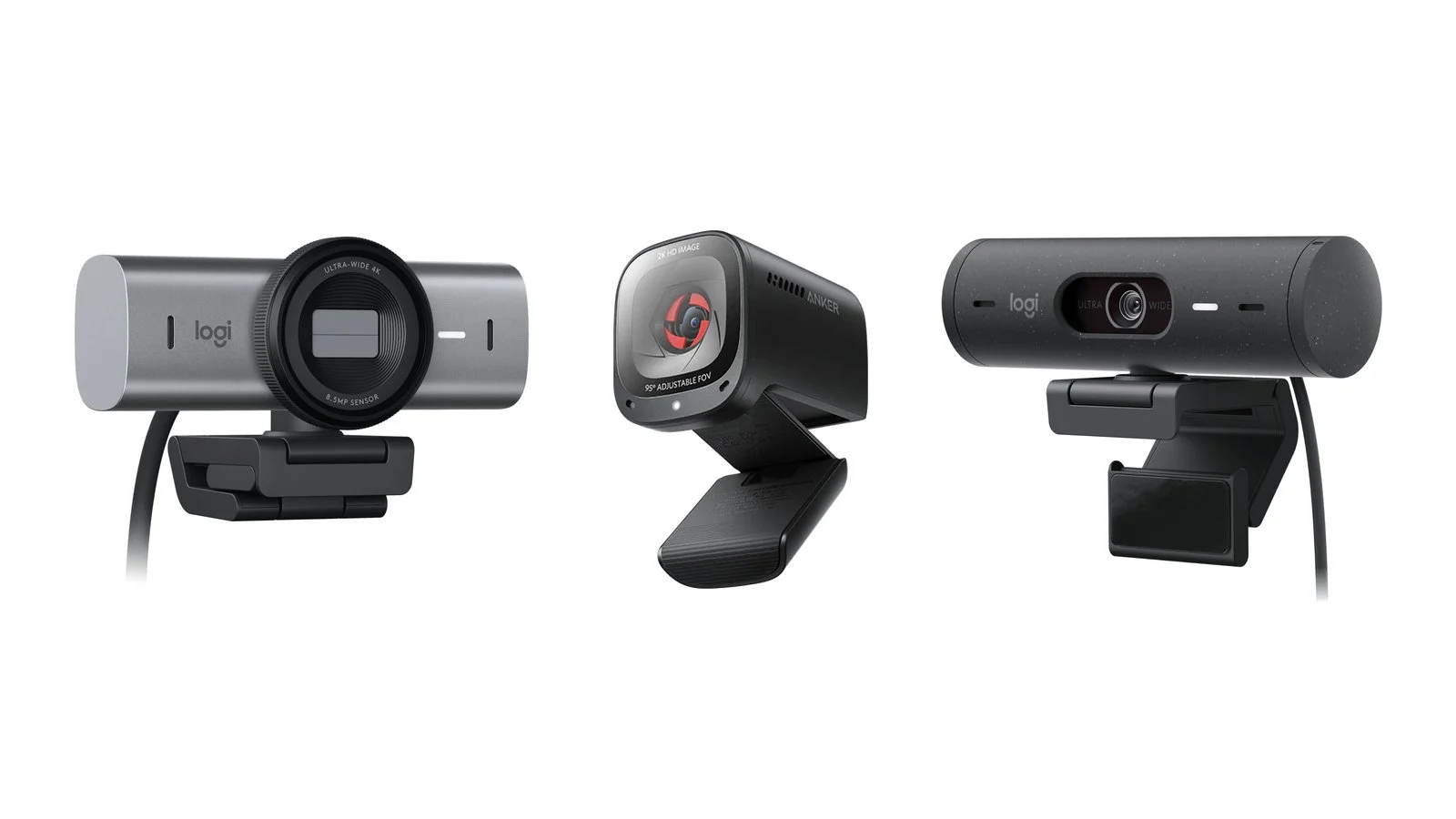
The best webcams of 2026 for work and video calls are the Logitech MX Brio and Insta360 Link 2C Pro; for 4K streaming at 60 fps, the Razer Kiyo V2 Pro and Elgato Facecam 4K; and for lessons and presentations where the camera turns to follow you, the OBSBOT Tiny 3. On a budget, look at the Anker PowerConf C200 for $69.99 and the Logitech Brio 100 for $39.99.
This ranking covers 9 webcams on sale in September 2026. For each one, you get the maker’s specs — resolution and frame rate, sensor, field of view, focus, microphones, HDR, privacy shutter and connection — plus the price in the official store. After the list, you’ll find a comparison table and advice on what to look at besides resolution, which matters less for calls than you might think.
How we picked
- Current models only. All 9 cameras are sold on their makers’ websites in September 2026, and three of them came out in 2026: the Insta360 Link 2C Pro (January 13), OBSBOT Tiny 3 (January 28) and Razer Kiyo V2 Pro (September 24). Most cameras from the previous version of this article are outdated, and Microsoft stopped making Microsoft-branded webcams, including the LifeCam line, back in 2023.
- Different jobs. Video calls and meetings, streaming and recording videos, lessons and presentations where you move around the room, and a cheap upgrade over a weak laptop camera. Spots 1–3 are cameras for work and presentations, 4–6 are for streaming, and 7–9 are affordable models for video calls.
- Manufacturer data. Specs come from the Logitech, Insta360, OBSBOT, Razer, Elgato and Anker websites: resolution and frame rate, sensor, field of view, focus, microphones, HDR, privacy features and connection.
- Prices in dollars. Prices are from the makers’ official US stores as of September 29, 2026, ranging from $39.99 to $349. Store prices differ in other countries, but the gaps between models show what you’re paying extra for.
We didn’t test these webcams: the picks rely on manufacturer specs and on documentation from Zoom, Microsoft Teams and Google Meet.
1. Logitech MX Brio
Best for workWebcam
Logitech MX Brio
- Video
- 4K at 30 fps, 1080p at 60 fps
- Sensor
- Sony STARVIS, 8.5 MP
- Field of view
- 90°, 78° or 65°
- Focus
- autofocus
- Microphones
- 2 beamforming, up to 1.2 m
- HDR
- yes
- Privacy shutter
- built-in
- Connection
- USB-C (USB 3.0), 1.5 m cable
- Certification
- Microsoft Teams, Zoom, Google Meet
WindowsmacOSChromeOS
Price$199.99checked 29 September 2026
For everyday calls and meetings: a sharp picture in poor light, good microphones and a privacy shutter, with no fiddly setup.
- Largest sensor in a Logitech webcam
- Two beamforming microphones
- Certified for Teams, Zoom and Meet
- Needs a USB-C port with USB 3.0
- 4K only at 30 fps
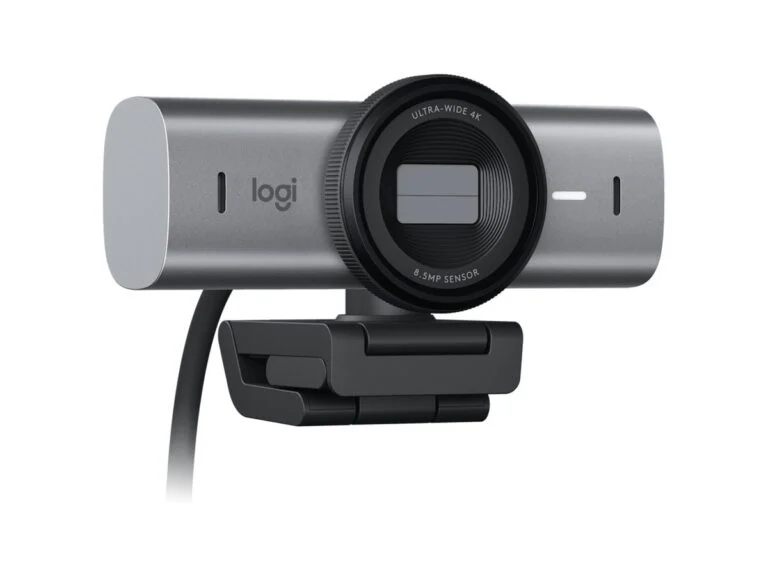
The MX Brio is Logitech’s most advanced webcam. Its 8.5 MP Sony STARVIS sensor is, according to Logitech, the largest in any of its webcams, with up to twice the detail of the Brio 4K. It records 4K at 30 fps or 1080p at 60 fps and adjusts autofocus, exposure, white balance and HDR based on your face.
Two beamforming microphones with noise reduction pick up your voice from up to 1.2 m away. The field of view switches in software between 90, 78 and 65°, and a built-in shutter covers the lens. In Show Mode, you tilt the camera down to show notes or sketches on your desk.
The MX Brio is certified for Microsoft Teams, Zoom and Google Meet and works with Windows, macOS and ChromeOS. It needs a USB-C port that supports USB 3.0, and a 1.5 m USB-C to USB-C cable comes in the box. Manual ISO, shutter speed and white balance are available in Logi Options+ and G HUB.
2. Insta360 Link 2C Pro
Best in low lightAI-framing webcam
Insta360 Link 2C Pro
- Video
- 4K at 30 fps, 1080p at 60 fps
- Sensor
- 1/1.3-inch, dual native ISO
- Lens
- f/1.9, 24 mm equivalent
- Field of view
- 83.9°
- Focus
- phase-detection autofocus, from 12 cm
- Microphones
- omnidirectional and directional, 4 modes
- HDR
- yes
- Privacy shutter
- built-in
- Connection
- USB-C (USB 2.0), USB-A adapter
- Weight
- 48.5 g
WindowsmacOS
Price$199.99checked 29 September 2026
For calls and streams in a dark room or against a window when you want automatic framing without a motorized gimbal.
- Large 1/1.3-inch sensor
- Fast phase-detection autofocus
- Mic modes for noise and groups
- App doesn’t run on Windows on ARM
- Digital framing only
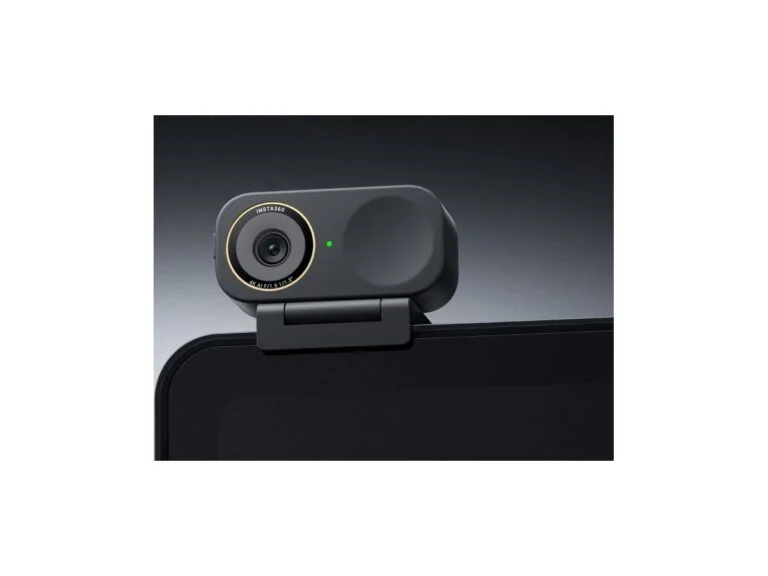
The Link 2C Pro launched on January 13, 2026, alongside the Link 2 Pro. Its headline feature is a 1/1.3-inch sensor: according to Insta360, it has 2.23 times the area of the Link 2’s sensor, with an equivalent pixel size of 2.4 µm. Dual native ISO and HDR help in a dark room and against a window, and the phase-detection autofocus works from 12 cm.
The 2C Pro has no motorized gimbal: AI finds one person or a group and frames the shot with digital zoom. There are two microphones, one omnidirectional and one directional, and four modes; the narrowest isolates voices about a meter in front of the camera and suppresses everything else. You also get vertical 4K video for social media, a whiteboard mode and DeskView for showing your desk.
The camera connects over USB-C (USB 2.0), the box includes a USB-A adapter and a magnetic mount, and a shutter covers the lens. The Link Controller app runs on Windows 10 and later and macOS 11 and later but doesn’t support Windows on ARM. The version with a two-axis gimbal that turns to follow you is the Link 2 Pro at $249.99.
3. OBSBOT Tiny 3
Follows youAI-tracking PTZ webcam
OBSBOT Tiny 3
- Video
- 4K at 30 fps, 1080p at 120 fps
- Sensor
- 1/1.28-inch, 50 MP, ISO up to 12,800
- Lens
- f/1.8, 24 mm equivalent
- Field of view
- 82.4° (4:3), 74° (16:9)
- Focus
- all-pixel phase-detection autofocus, from 14 cm
- Gimbal
- 2-axis, ±130° pan
- Microphones
- 3 (1 omnidirectional, 2 directional), 5 modes
- Privacy
- lens tilts down, sleep mode
- Connection
- USB-C, USB-A adapter
- Weight
- 63 g
WindowsmacOS
Price$349checked 29 September 2026
For teachers, coaches and streamers who move around: the camera turns to follow you and responds to gestures and voice commands.
- Motorized gimbal with AI tracking
- 1080p at 120 fps
- Three mics plus wireless Vox SE support
- Most expensive camera here
- Voice commands only in English and Chinese
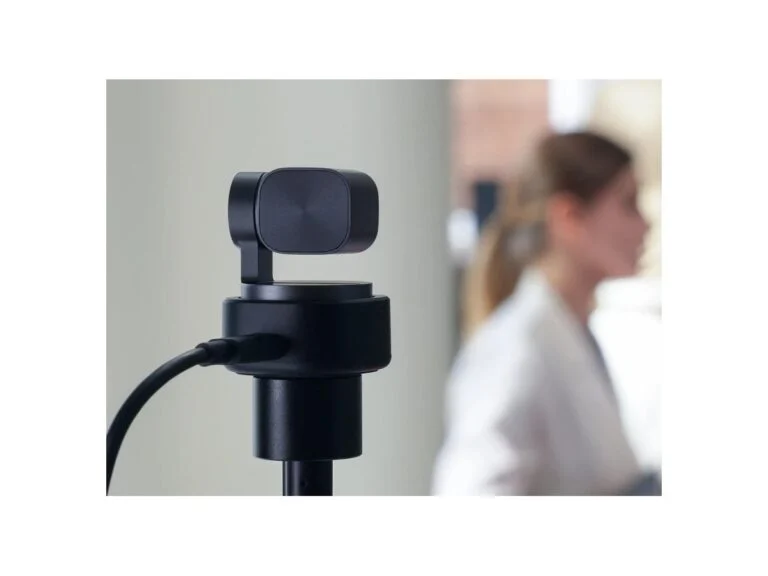
OBSBOT unveiled the Tiny 3 on January 28, 2026. It sits on a two-axis gimbal that pans ±130° and tilts to keep you in the frame. Second-generation AI tracking follows people and objects, Voice Tracking turns the camera toward whoever is speaking, and you can control it with gestures and voice commands in English and Chinese.
The 1/1.28-inch sensor with ISO up to 12,800 is built for dark rooms, and its single-frame DCG HDR, according to OBSBOT, causes less motion blur. Besides 4K at 30 fps, the camera records 1080p at 120 fps. Three microphones capture 24-bit/48 kHz audio in five modes, and the OBSBOT Vox SE wireless mic connects to the camera without a receiver.
For privacy, you tilt the lens down, and there’s also an automatic sleep mode. The Tiny 3 weighs 63 g and costs $349, making it the most expensive camera here. The $199 Tiny 3 Lite has a 1/2-inch sensor and ISO up to 6,400 but keeps the gimbal, 4K and the three microphones.
4. Razer Kiyo V2 Pro
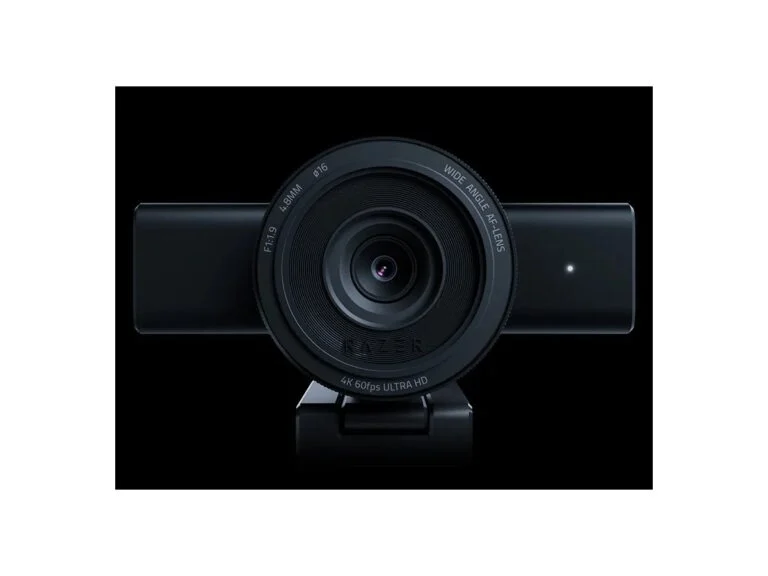
4K at 60 fpsStreaming webcam
Razer Kiyo V2 Pro
- Video
- 4K at 60 fps, 1440p and 1080p at 60 fps
- Sensor
- Sony STARVIS 2, 8.3 MP
- Field of view
- 86°, adjustable
- Focus
- auto and manual
- HDR
- yes, at 30 fps
- Microphone
- none
- Privacy shutter
- built-in, twist
- Connection
- USB-C (USB 3.0), 2 m cable
- Weight
- 380 g
Windows
Price$299.99checked 29 September 2026
For streamers and video creators who want smooth 4K at 60 fps and already own a separate microphone.
- 4K at 60 fps in MJPEG and H.264
- STARVIS 2 sensor for low light
- Camo Studio Pro license included
- No built-in microphone
- HDR only at 30 fps
Razer announced the Kiyo V2 Pro on September 24, 2026, making it the newest model here. Its main upgrade over the Kiyo V2 is 4K at 60 fps in MJPEG and H.264, for smoother motion with less blur. It has an 8.3 MP Sony STARVIS 2 sensor, a lens with a 24 mm equivalent focal length and an 86° field of view, and auto or manual focus.
AI framing digitally pans and zooms the image, and Razer Synapse offers manual ISO, shutter speed, white balance and exposure. A lifetime Camo Studio Pro license is included. There’s no built-in microphone, HDR works only at 30 fps, and Razer’s requirements list a direct USB-C port with USB 3.0 and Windows 10 or later.
For live streams, you connect the camera to software such as OBS Studio or XSplit, which Razer lists as compatible.
5. Elgato Facecam 4K
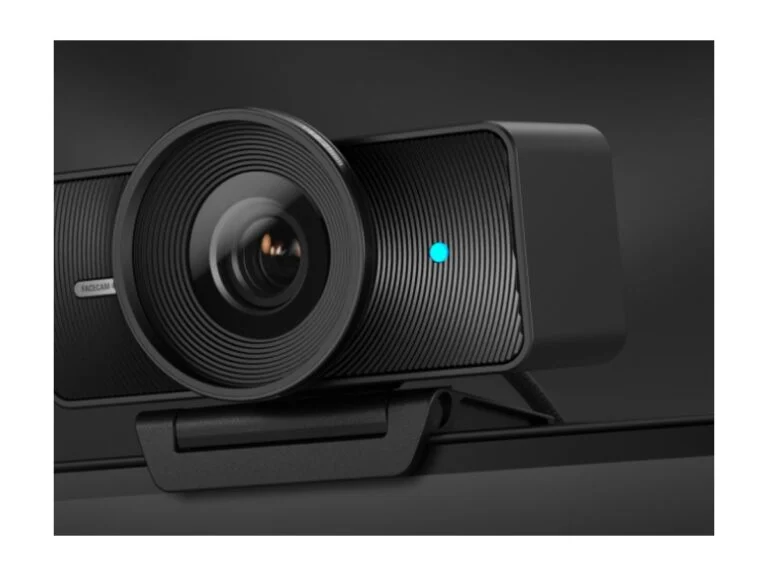
Manual controlsStreaming webcam
Elgato Facecam 4K
- Video
- 4K at 60 fps, 1080p at 60 fps
- Sensor
- Sony STARVIS 2, 1/1.8-inch
- Lens
- f/4.0, fixed focus 30–120 cm
- Field of view
- up to 90°
- HDR
- up to 4K at 30 fps
- Microphone
- none
- Privacy
- lens cap (accessory)
- Connection
- USB-C, USB 3.0 recommended
- Lens filters
- 49 mm thread
WindowsmacOS
Price$199.99checked 29 September 2026
For streamers who stay in one spot in front of the camera and want to tune the image by hand, the way you would on a dedicated camera.
- 4K at 60 fps for less than the Kiyo V2 Pro
- Large 1/1.8-inch sensor
- 49 mm lens filter thread
- Fixed focus from 30 cm
- No microphone or built-in shutter
The Facecam 4K is Elgato’s most powerful webcam: 4K at 60 fps, a 1/1.8-inch Sony STARVIS 2 sensor and an Elgato Prime lens with up to a 90° field of view. The missing microphone is deliberate: Elgato says all the hardware goes into the picture. Over USB 3.0, it sends uncompressed video up to 4K at 30 fps, and HDR works up to 4K at 30 fps too.
Focus is fixed at 30 to 120 cm, which is enough when you sit at a desk, but you can’t hold an object up close to the lens. Elgato says it’s the first webcam with a thread for 49 mm lens filters; a polarizing filter, for example, reduces glare on glass. There’s no built-in shutter, so you cover the lens with a cap from Elgato’s accessories.
The Camera Hub app for Windows and Mac gives you manual ISO and shutter speed, digital panning and LUTs for color grading, and settings are saved in the camera’s memory. Background blur and face tracking in the app work only with an NVIDIA RTX graphics card. At the same 60 fps in 4K, the Facecam 4K costs $100 less than the Kiyo V2 Pro.
6. Razer Kiyo V2
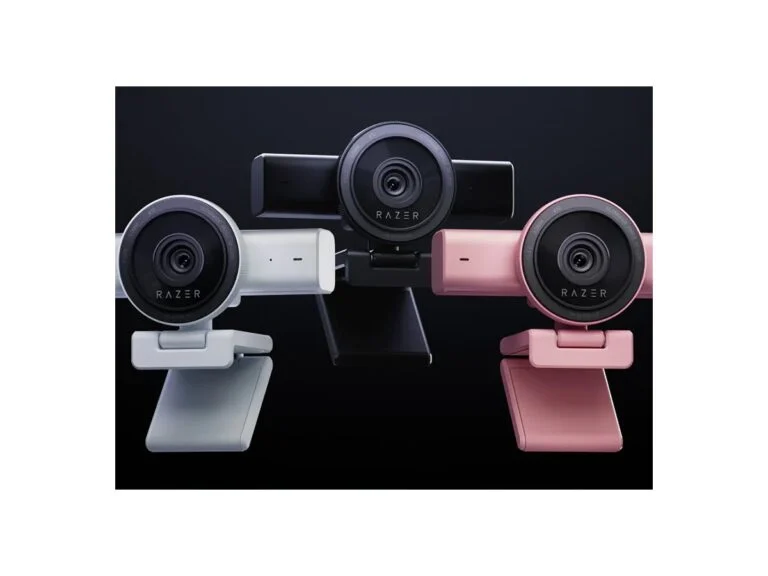
Affordable 4KWebcam
Razer Kiyo V2
- Video
- 4K at 30 fps, 1080p at 60 fps
- Sensor
- Sony STARVIS, 8.3 MP
- Field of view
- 93°, adjustable
- Focus
- auto and manual
- HDR
- yes, at 30 fps
- Microphone
- stereo, with noise cancellation
- Privacy shutter
- built-in
- Connection
- USB-C (USB 3.0), 2 m cable
- Weight
- 255 g
Windows
Price$149.99checked 29 September 2026
The most affordable 4K camera here, good for both streaming and calls, especially when you need to fit two people or the room in the frame.
- 4K for $149.99, 1080p at 60 fps
- Wide 93° field of view
- Stereo mic and privacy shutter
- 4K only at 30 fps
- Needs a direct USB-C port with USB 3.0
The Kiyo V2 costs half as much as the V2 Pro but shares much of its foundation: 4K at 30 fps or 1080p at 60 fps, an 8.3 MP Sony STARVIS sensor, autofocus, HDR at 30 fps and AI framing. Its field of view is wider — 93° versus 86° on the Pro — and you can narrow it in software.
Unlike the V2 Pro, the Kiyo V2 has a stereo microphone with noise cancellation, so it works for calls without a headset. It has a built-in shutter and a mount for monitors and tripods, needs a direct USB-C port with USB 3.0 and comes with the same Camo Studio Pro license. For comparison, the Logitech StreamCam from our previous version still costs $169.99 but tops out at Full HD.
7. Logitech Brio 500
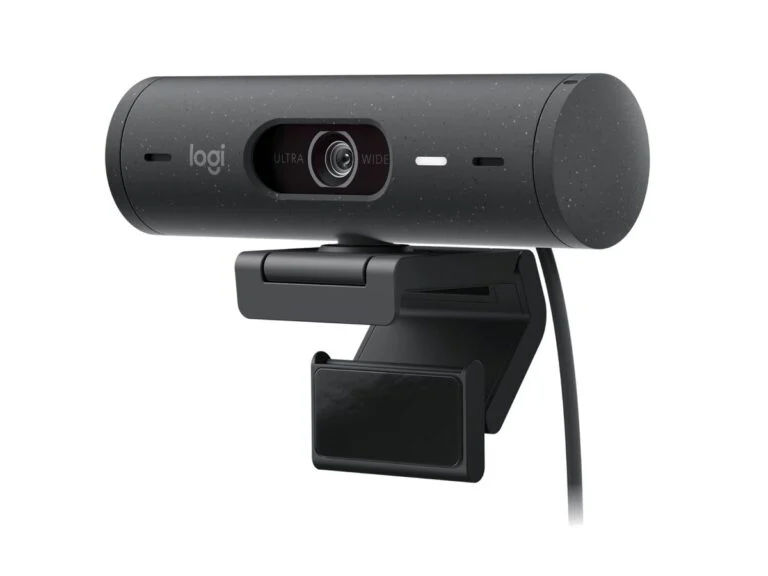
Best for video callsWebcam
Logitech Brio 500
- Video
- 1080p at 30 fps, 720p at 60 fps
- Sensor
- 4 MP
- Field of view
- 90°, 78° or 65°
- Focus
- autofocus
- Microphone
- stereo, up to 1.22 m
- HDR
- yes (RightLight 4)
- Privacy shutter
- built-in
- Connection
- USB-C, 1.5 m cable
- Certification
- Microsoft Teams, Zoom, Google Meet
WindowsmacOSChromeOS
Price$129.99checked 29 September 2026
For video calls from home or the office: a wide field of view, auto-framing and desk sharing without paying extra for 4K.
- Up to 90° with software adjustment
- Auto-framing and Show Mode
- Certified for Teams, Zoom and Meet
- Tops out at 1080p at 30 fps
- Needs a USB-C port
The Brio 500 is a camera for calls without the 4K premium: 1080p at 30 fps, a 4 MP sensor, a glass lens and autofocus. RightLight 4 with HDR evens out the brightness of your face in low light and against a window, and auto-framing keeps you centered.
As on the MX Brio, the field of view switches between 90, 78 and 65°, and Show Mode lets you tilt the camera toward your desk to share notes. The stereo mic reaches up to 1.22 m, and the shutter is built in. It needs a USB-C port; settings live in Logi Tune. Versus the MX Brio, it has lower resolution and frame rate and costs $70 less.
8. Anker PowerConf C200
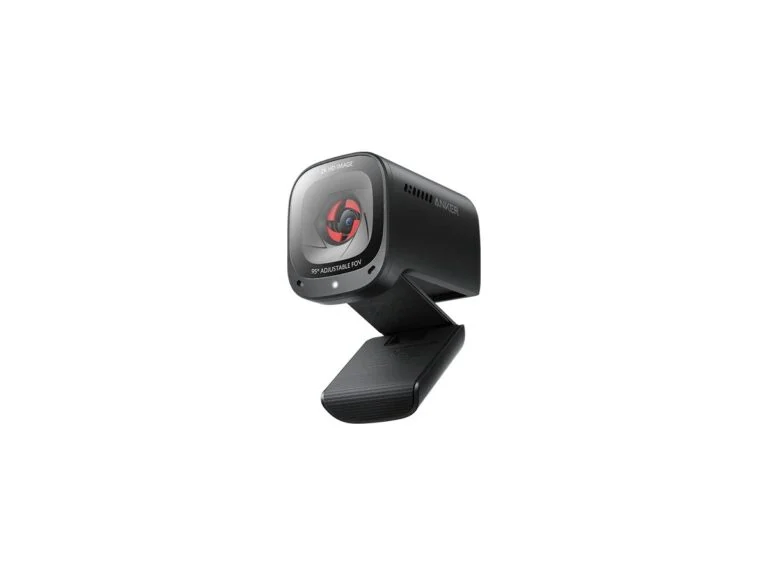
Budget pickWebcam
Anker PowerConf C200
- Video
- 2K at 30 fps, 1080p at 30 fps
- Lens
- glass
- Field of view
- 95°, 78° or 65°
- Focus
- autofocus
- Microphones
- 2, stereo, with noise cancellation
- Privacy
- built-in cover
- Connection
- USB-C to USB-A cable, 0.9 m
WindowsmacOS
Price$69.99checked 29 September 2026
An inexpensive camera for calls when you want a sharper picture than Full HD and a wide field of view.
- 2K and autofocus for $69.99
- Wide field of view up to 95°
- Two mics with noise cancellation
- No AI framing
- Cable is only 0.9 m long
The PowerConf C200 is the cheapest camera here with autofocus and higher-than-Full-HD resolution: 2K at 30 fps, a glass lens and adaptive brightness correction. You choose the field of view in the AnkerWork app — 65, 78 or 95° — and the wide setting is useful when there’s more than one person in the frame.
Two microphones with AI noise cancellation record stereo sound, and a built-in cover closes over the lens. The weak spots are the lack of AI framing and a short cable: 0.9 m to the USB-A plug. Anker lists compatibility with Windows 7 and later and macOS 10.11 and later.
9. Logitech Brio 100
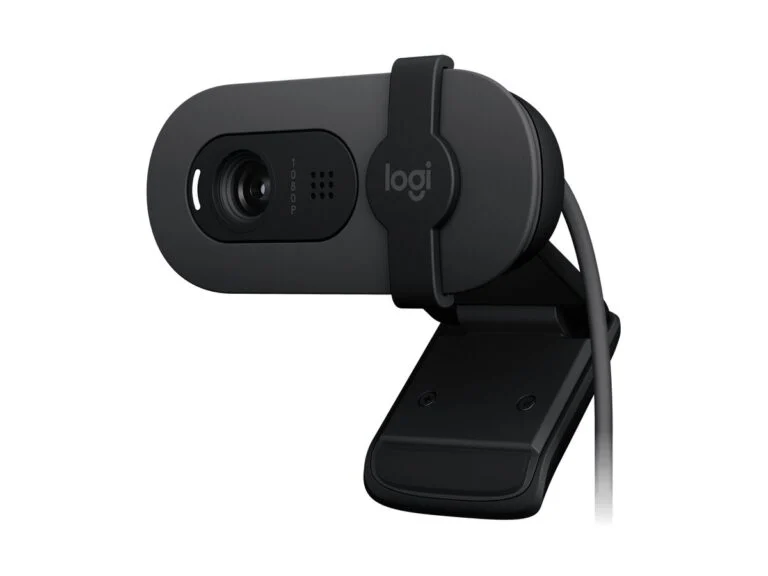
Cheapest pickWebcam
Logitech Brio 100
- Video
- 1080p at 30 fps
- Sensor
- 2 MP
- Field of view
- 58°
- Focus
- fixed
- Microphone
- omnidirectional, up to 1 m
- Privacy shutter
- built-in
- Connection
- USB-A, 1.5 m cable
- Weight
- 75 g
WindowsmacOSChromeOS
Price$39.99checked 29 September 2026
A replacement for a weak laptop camera for school and occasional calls on the smallest budget.
- Full HD for $39.99
- Privacy shutter and microphone
- Plugs into a regular USB-A port
- Fixed focus
- Narrow 58° field of view
The Brio 100 is the cheapest camera here and a simple upgrade over a built-in laptop webcam: Full HD at 30 fps, a 2 MP sensor and fixed focus. RightLight 2 evens out brightness; in Logitech’s tests, your face comes out 50% brighter on average than with the older C270.
The 58° field of view is designed for one person, the omnidirectional microphone picks up your voice from up to 1 m, and there’s a built-in privacy shutter. The camera plugs into a regular USB-A port. For $59.99, Logitech sells the Brio 300 with a 70° field of view, USB-C and certification for Teams, Zoom and Meet.
If it’s time to replace the work laptop itself, check out our roundup of the best business laptops of 2026: some models have built-in 5 MP and 8 MP cameras.
Best webcams of 2026: comparison
| Model | Best for | Video, fps | Field of view | Microphones | US price |
|---|---|---|---|---|---|
| Logitech MX Brio | Work and meetings | 4K/30, 1080p/60 | 65–90° | 2, beamforming | $199.99 |
| Insta360 Link 2C Pro | Calls in low light | 4K/30, 1080p/60 | 83.9° | 2, four modes | $199.99 |
| OBSBOT Tiny 3 | Lessons and presentations | 4K/30, 1080p/120 | 74° (16:9) | 3, five modes | $349 |
| Razer Kiyo V2 Pro | 4K streaming | 4K/60 | 86° | None | $299.99 |
| Elgato Facecam 4K | Streaming with manual control | 4K/60 | up to 90° | None | $199.99 |
| Razer Kiyo V2 | Affordable 4K | 4K/30, 1080p/60 | 93° | Stereo | $149.99 |
| Logitech Brio 500 | Video calls | 1080p/30 | 65–90° | Stereo | $129.99 |
| Anker PowerConf C200 | Calls on a budget | 2K/30 | 65–95° | 2, stereo | $69.99 |
| Logitech Brio 100 | Smallest budget | 1080p/30 | 58° | 1 | $39.99 |
How to choose a webcam
Resolution vs. real image quality
You don’t need 4K for video calls. Microsoft Teams sends video at up to 1080p and 30 fps, Google Meet offers 1080p on some Workspace plans and you have to turn it on manually, and in Zoom, HD means 720p, while 1080p is available on Business, Education and Enterprise plans after Zoom support enables it.
4K matters for recording videos and streaming: YouTube accepts live streams in 2160p, and since June 2026 Twitch has let Partners and Affiliates stream in 1440p. 4K also helps with framing: the camera crops part of the frame, and the 1080p image stays sharp.
Image quality depends more on the sensor and lens. A bigger sensor gathers more light: it’s 1/1.3 inch on the Insta360 Link 2C Pro, 1/1.28 inch on the OBSBOT Tiny 3 and 1/1.8 inch on the Elgato Facecam 4K. Logitech and Razer list only megapixels, not sensor size, and those say little: the Tiny 3 has a 50 MP sensor but records the same 4K.
30 fps is enough for calls; for streams and videos with motion, 60 is better, and the Razer Kiyo V2 Pro and Elgato Facecam 4K deliver it in 4K. The OBSBOT Tiny 3 records 1080p at 120 fps, which comes in handy for slow-motion video.
Lighting and HDR
Every camera gets noisy in the dark, so lighting matters more than resolution: put the light in front of you, not behind you. HDR balances a bright window and a shadowed face, but many models offer it only at 30 fps, including the Razer Kiyo V2 and V2 Pro and the Elgato Facecam 4K. The OBSBOT Tiny 3 uses single-frame DCG HDR, which, OBSBOT says, causes less motion blur.
Field of view
For one person at a desk, 65–78° is enough, showing less of the room and less edge distortion. Two people, a small meeting room or a stream with a set need 90° or more: 93° on the Kiyo V2, up to 95° on the Anker C200. Adjustable ones are handiest: the MX Brio and Brio 500 switch between 90, 78 and 65°, and Razer and Anker can narrow theirs.
Autofocus and framing
Fixed focus is set for a certain distance: 30–120 cm on the Elgato Facecam 4K, so a document or product held closer than 30 cm will be blurry. The Logitech Brio 100 is fixed-focus too. The MX Brio, Brio 500, Razer cameras and Anker C200 have autofocus, and phase-detection autofocus (PDAF) is faster: from 12 cm on the Insta360 Link 2C Pro and 14 cm on the OBSBOT Tiny 3.
Auto-framing can be digital or mechanical. Digital framing on the Brio 500, Link 2C Pro and Razer cameras crops part of the frame and follows your face, and the higher the source resolution, the less sharpness you lose. Mechanical framing comes with a gimbal: the OBSBOT Tiny 3 and Insta360 Link 2 Pro physically turn to follow you, which is handy for lessons at a whiteboard and workouts.
Microphone
Built-in mics are fine for calls in a quiet room. The MX Brio’s two beamforming mics reach up to 1.2 m, and Insta360 and OBSBOT cameras have modes: directional ones isolate the voice in front and suppress the rest, while omnidirectional mode hears the whole room. The Razer Kiyo V2 Pro and Elgato Facecam 4K have no mic at all, so you’ll need a separate one or a headset.
In a noisy apartment or open-plan office, a mic near your mouth will still hear you better than a camera on your monitor. Even inexpensive models with a microphone from our best cheap headphones roundup will do for calls.
USB and compatibility
Many 4K cameras need USB 3.0: the MX Brio requires a USB-C port with USB 3.0, and the Razer Kiyo V2 and V2 Pro a direct USB-C port with USB 3.0, not a hub. Elgato says USB 3.0 has the bandwidth for uncompressed video up to 4K at 30 fps. The Insta360 Link 2C Pro gets by with USB 2.0 and compressed video, and the Brio 100 uses regular USB-A.
A webcam usually works in calling apps without drivers, and the maker’s software is there for fine-tuning. Check the requirements: Razer lists Windows 10 or later, the Insta360 app doesn’t run on Windows PCs with ARM processors, OBSBOT requires Windows 10 (64-bit) or macOS 11, and Logitech’s cameras also work with ChromeOS.
Software
The software determines what the camera can do. Logitech offers Logi Tune, Logi Options+ and G HUB, Razer has Synapse plus a Camo Studio Pro license, and Elgato has Camera Hub with manual ISO, shutter speed and LUTs. Insta360 Link Controller adds a whiteboard mode, desk view and a teleprompter, and OBSBOT Center adds gesture and voice control.
Before you buy, check that your computer can handle the features you want: background blur and face tracking in Camera Hub require an NVIDIA RTX graphics card, and Insta360’s natural bokeh needs an NVIDIA GTX 1080 or RTX 2060 or newer, or a Mac with M1 or later. Some AI features of the Insta360 InSight assistant require a subscription.
Sources and methodology
Analysis of public sourcesChecked 29 September 2026
- Logitech — webcam specs and prices logitech.com
- Razer — Kiyo V2 Pro and Kiyo V2 comparison razer.com
- Insta360 — Link 2 Pro and Link 2C Pro specs insta360.com
- OBSBOT — Tiny 3 and Tiny 3 Lite specs obsbot.com
- Microsoft — video quality in Teams learn.microsoft.com
FAQ
What webcam resolution do you need for Zoom, Teams and Google Meet?
1080p is enough. Microsoft Teams sends video at up to 1080p and 30 fps, Google Meet offers 1080p on some Workspace plans, and Zoom offers it on Business, Education and Enterprise plans once support enables it. On calls, a 4K camera helps with its bigger sensor, HDR and sharp framing, not with resolution.
Which budget webcam should you buy?
The cheapest camera here is the Logitech Brio 100 at $39.99: Full HD, a privacy shutter and a microphone, but fixed focus and a 58° field of view. For $69.99, the Anker PowerConf C200 adds 2K, autofocus, two microphones and up to a 95° field of view, while the $59.99 Logitech Brio 300 brings USB-C and Teams, Zoom and Meet certification.
Which webcam is best for video conferencing?
For calls from an office or home, get the Logitech MX Brio or Brio 500: both are certified for Microsoft Teams, Zoom and Google Meet, offer up to 90° and have a shutter. If the presenter walks around, you need a gimbal camera: the OBSBOT Tiny 3 or Insta360 Link 2 Pro. Large meeting rooms use dedicated conference cameras, like the Logitech Rally AI Camera ($2,499 list price).
Can you use a smartphone as a webcam?
Yes. On a Mac, it’s the Continuity Camera feature: you need an iPhone XR or later with iOS 16 and a Mac with macOS Ventura or later, and it works wired or wirelessly. In Windows 11, you can connect the camera of a phone running Android 10 or later through the Link to Windows app and the Mobile devices section in Settings.
Do you need a separate microphone for your webcam?
For calls in a quiet room, the built-in one is enough: the MX Brio has two beamforming mics with a range of up to 1.2 m, and the OBSBOT Tiny 3 has three. The Razer Kiyo V2 Pro and Elgato Facecam 4K have no microphone, and for streams and videos, a mic near your mouth or a headset gives cleaner sound than a camera on your monitor.





Leave a Reply