
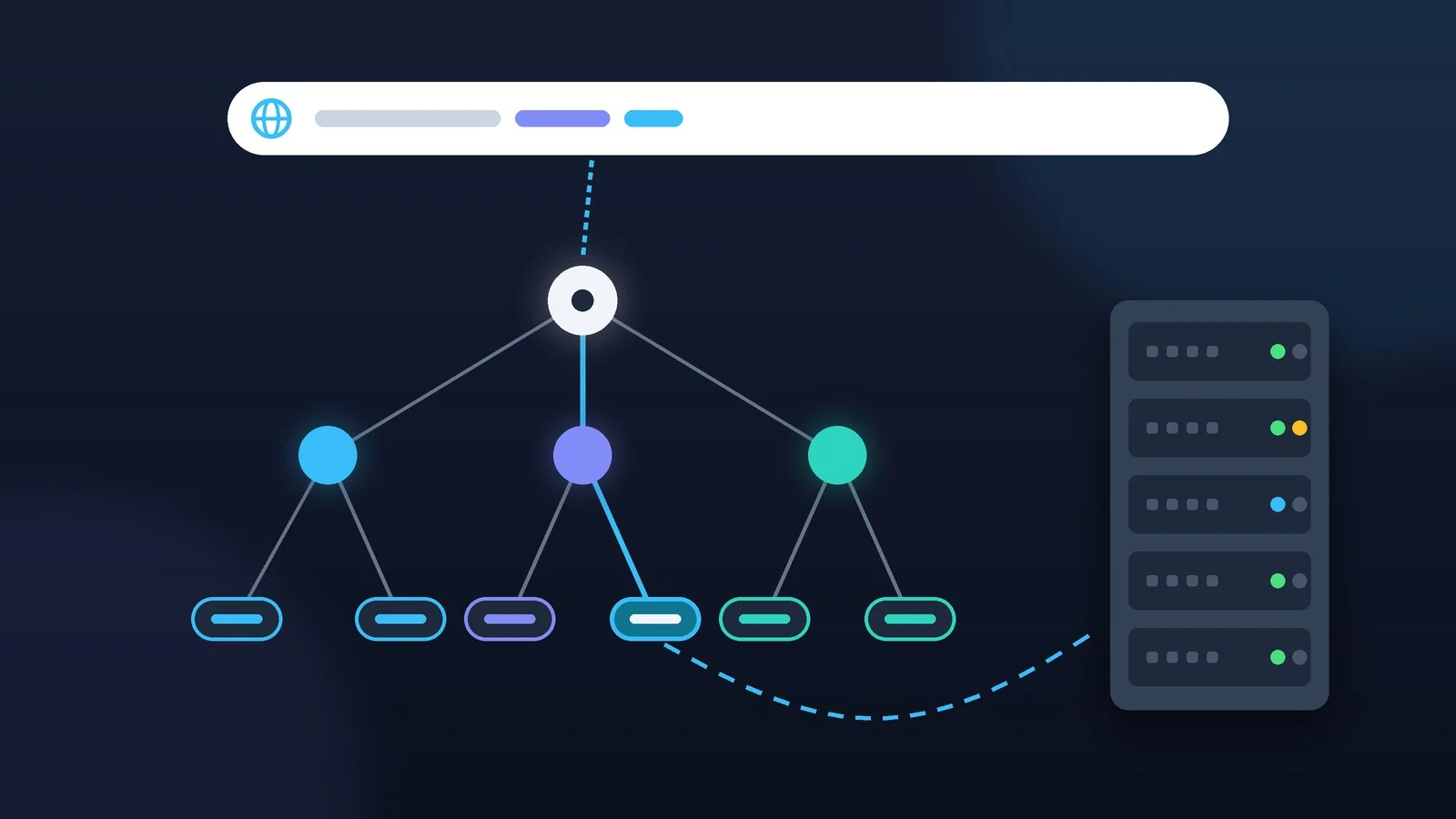
A domain name, in plain terms, is a website address written in words instead of numbers: appmaxx.com, hostmaster.ua, google.com.ua. Servers on the internet find each other by IP addresses such as 192.0.2.10, and DNS turns the name into the right address, the way your phone fills in the number when you pick a contact by name.
Below: how DNS finds a website, how the .com, .ua, .com.ua and .укр zones differ, how to register a domain and what it costs, which records a site and email need, and how to avoid losing the name to a missed renewal or a hack. The facts were checked against documents from ICANN, IANA and the .UA administrator, and against RFC standards, as of September 30, 2026.
What is a domain name, in plain terms
A domain name is a unique name on the internet that points to a website, email or another service. Each name has DNS records: the IP address of the website’s server, the addresses of mail servers and others. If the site moves to a new server, the address visitors use stays the same — the owner simply updates a record.
You don’t buy a domain forever. You register it for 1 to 10 years and renew it: as ICANN explains, you can use the name for as long as you have paid for. If you miss the renewal, the name is released after the grace periods, and anyone can register it.
Three things people often confuse with a domain:
- Hosting is the server that stores the website’s files. A domain and hosting are separate services, and you can keep them with different companies.
- URL is the full address of a specific page: protocol, domain and path, such as https://appmaxx.com/2026/… The domain name is only part of the URL.
- Website is the content that opens at the address. A domain can exist without a website, for example just for email.
How DNS turns a name into an IP address
DNS (Domain Name System) is a distributed system: no single server knows every address, but each one knows whom to ask next. Its basics are described in RFC 1034 and RFC 1035, published in 1987. When you open a site for the first time, the query goes through this chain:
Cache
The browser and the OS check whether they looked up this address recently
Resolver
If not, the query goes to your ISP’s DNS server or a public one such as 1.1.1.1
Root server
Replies with the servers that handle the .com zone
Zone server
Names the NS servers responsible for appmaxx.com
Domain’s NS server
Returns the IP address, and the resolver caches it for the TTL
The resolver walks the whole chain, and the browser gets a ready answer. Your internet provider usually supplies the resolver, but you can set a public one in your settings. At the top of the system are the root servers:
13
root servers
run by 12 independent organizations
2,045
root server instances
operating worldwide
1,438
top-level domains
listed in the root zone
Source: root-servers.org, IANA · data as of 30 September 2026
Caching and TTL: why changes don’t show up right away
A resolver remembers each answer for the time set in the record’s TTL field (time to live, in seconds). A TTL of 3600 is one hour: for up to an hour after a change, some visitors may still reach the old server.
The longest wait comes when you change NS servers, for example when you move a domain’s DNS to another provider. The .com zone servers publish a domain’s NS records with a TTL of 172,800 seconds, or two days; the .com.ua zone servers use a TTL of 28,800 seconds, or 8 hours. Hence the familiar “changes may take up to 48 hours.”
What a domain name is made of
A name is read from right to left, from general to specific. In blog.example.com, .com is the top-level domain (TLD), example is the second-level domain that the owner registers, and blog is a subdomain the owner creates without a registrar. www is a subdomain too. In example.com.ua, the zone is com.ua, and the registered name sits at the third level.
The technical rules are almost the same everywhere (Hostmaster regulations, RFC 1035):
- each part of the name is 1 to 63 characters long;
- Latin letters, digits and hyphens are allowed, but a hyphen can’t come first or last;
- case doesn’t matter: AppMaxx.com and appmaxx.com are the same address;
- Cyrillic names (IDNs) are stored in DNS in Punycode with the
xn--prefix: the .укр zone appears in the root asxn--j1amh.
Domain zones: gTLDs, ccTLDs, .ua, .com.ua and .укр
IANA maintains the list of all top-level domains, known as the root zone. As of September 30, 2026, it holds 1,438 zones: 1,111 generic ones (gTLDs) such as .com, .org and .shop, 309 country-code ones (ccTLDs) such as .ua and .de, including the Cyrillic .укр, and 18 zones with special rules, for example .gov, .edu and the technical .arpa.
Generic zones are run by registry companies under contracts with ICANN: Verisign runs .com and .net, and Public Interest Registry runs .org. Common ICANN rules on renewals, transfers and domain disputes apply to gTLDs. In 2026, ICANN accepted applications for new zones again: more than 1,600 arrived by August 12.
Country-code zones follow the rules set by their administrators. The .UA domain has existed since 1992, and its administrator is Hostmaster LLC. The Cyrillic .укр is run by the Ukrainian Network Information Centre (UANIC).
| Zone | Who can register | Administrator |
|---|---|---|
| .com, .net | Any person or company | Verisign |
| .org | Any person or company | Public Interest Registry |
| .ua (example.ua) | A trademark owner in Ukraine | Hostmaster |
| .com.ua | Anyone, no restrictions | Hostmaster |
| .kyiv.ua and .kiev.ua | Anyone | Hostmaster |
| .укр | Anyone, Cyrillic names | UANIC |
The .ua rule is strict: a name like example.ua is delegated only if it matches the word part of a trademark protected in Ukraine that the domain owner holds rights to. Other Ukrainian domains are open to all: in.ua, net.ua, org.ua and city domains such as lviv.ua, many with their own administrators. Separate rules apply to gov.ua (government bodies) and edu.ua (educational institutions).
How to choose and register a domain
Mistakes at this stage are costly to fix later, so follow this order:
Pick a name and a zone
Choose a short name that is easy to spell out over the phone, with no confusing hyphens or digits. For an audience in Ukraine, .com.ua or .ua works; for an international one, .com. Check that the name doesn’t match someone else’s trademark: such a domain can be taken away in a domain dispute, under the UDRP in gTLDs or the UA-DRP in Ukrainian domains, where WIPO handles the cases.
Result: You have two or three name options in a suitable zone.
Check whether the name is available
Check .ua and .com.ua domains in the WHOIS service on the Hostmaster website, and .com and other generic zones in ICANN Lookup. For gTLDs, the main data source since January 28, 2025, has been the RDAP protocol, which replaced WHOIS. Owners’ personal data is usually hidden from public view, as ICANN’s Registration Data Policy, in force since August 21, 2025, sets out.
If the name belonged to someone before, check the web archive (web.archive.org) to see which site used to be there.
Result: You can see whether the name is free and, if not, which registrar holds it.
Choose a registrar, not a middleman
A registrar enters the domain into the registry itself: for .com, an ICANN-accredited company; for .ua and .com.ua, a company on Hostmaster’s registrar list. A reseller, such as a hosting company without its own accreditation, sells domains through a registrar. That’s allowed, but under ICANN rules a reseller must name the registrar on request, and the registrar remains responsible for servicing the domain.
Compare the renewal price, not just the first year
Discounts often apply only to the registration. Look at the renewal price and the cost of restoring a deleted domain: for gTLDs, ICANN rules require registrars to show them up front. Price examples are in the next section.
Register the domain in your name and turn on auto-renewal
List yourself or your company as the owner (registrant), with up-to-date contact details. Hostmaster warns plainly: if a third party registers the domain in its own name, you may lose control of it. The term is 1 to 10 years. Turn on auto-renewal and make sure your payment card doesn’t expire.
Result: The domain is in your name and won’t expire unnoticed.
How much a domain costs
The price is the registry fee plus the registrar’s markup. For example, the Verisign registry charges registrars $10.26 a year for .com, rising to $10.97 on November 1, 2026, and ICANN collects another $0.20 for each year of registration. The registry charges $40 to restore a deleted .com.
| Zone and registrar | Registration, 1 year | Renewal, 1 year | Restore after deletion |
|---|---|---|---|
| .com — ukraine.com.ua | ₴804 | ₴804 | ₴9,252 |
| .com.ua — ukraine.com.ua | ₴720 | ₴720 | ₴1,356 |
| .com.ua — redo.ua | ₴399 | ₴599 | ₴1,198 |
| .ua — ukraine.com.ua | ₴3,528 | ₴3,528 | ₴6,732 |
| .укр — ukraine.com.ua | ₴1,086 | ₴1,086 | ₴1,440 |
At ukraine.com.ua, registration and renewal cost the same, while at redo.ua the first year of .com.ua is cheaper but renewal costs ₴200 more than registration. In every example, restoring a deleted domain costs more than renewing it, and for .com more than 11 times as much. So calculate the cost over several years, not just the first one.
How to transfer a domain to another registrar
A transfer changes the company that services the domain. The owner and the paid term stay the same. If the domain’s DNS is handled not by the registrar but by a hosting company or a separate DNS service, the site and email keep working during the transfer.
- Remove the transfer lock (the clientTransferProhibited status) in your current registrar’s control panel.
- Get the transfer code, also called an auth code, EPP code or AuthInfo. Under ICANN rules, a gTLD registrar must provide it within 5 calendar days and can’t refuse solely because of a payment dispute.
- Give the code to the new registrar and pay for the transfer: a year will be added to the registration term, as long as the total doesn’t exceed 10 years.
- Wait for it to complete. The previous registrar can object within 5 days; if it stays silent, the transfer goes through automatically.
There are limits. In gTLDs, a registrar may deny a transfer within 60 days of registration or a previous transfer, and a change of owner triggers a 60-day lock unless you opted out in advance. In .com.ua, the transfer code is valid for 30 days. If DNSSEC is on, Hostmaster advises the old registrar to remove the DS record temporarily and the new one to add it after the transfer.
What you need to run a website and email on a domain
For a site to open on the domain, you first delegate it: at the registrar you set the NS servers that will answer queries about the domain, whether they belong to your host, a DNS service or the registrar itself. Delegation means exactly this choice of NS servers, not a move to another registrar. Without NS servers, a domain in the .com.ua zone isn’t even published.
Then you create records on those NS servers. The main ones:
| Record | What it’s for | Example value |
|---|---|---|
| A | IPv4 address of the website server | 192.0.2.10 |
| AAAA | IPv6 address of the website server | 2001:db8::10 |
| CNAME | Alias: one name points to another | www → example.com |
| MX | The domain’s mail servers | 10 mx1.example.net |
| TXT | SPF, DKIM, DMARC, ownership checks | v=spf1 mx -all |
| NS | Servers that handle the domain | ns1.example.net |
An MX record has a priority: the lower the number, the sooner senders try that server. A CNAME can’t go on the bare domain (example.com): under the DNS standard, no other records may sit next to a CNAME, and the domain root always has NS records. Use A and AAAA for the root. If you have nowhere to host the site yet, start with this comparison of hosting providers in Ukraine: the A record will point to the IP address your host provides.
Email on your own domain: SPF, DKIM and DMARC
- SPF is a TXT record like
v=spf1 …that lists the servers allowed to send email on behalf of the domain. There must be only one: RFC 7208 treats two SPF records as an error. - DKIM is a digital signature on messages. The public key is published in a TXT record at a name like
selector._domainkey.example.com(RFC 6376), and your email service provides the record value. - DMARC tells receivers what to do with messages that fail the checks:
nonemeans only send reports,quarantinemeans treat them as suspicious, andrejectmeans turn them away. The record goes at_dmarc.example.com; since May 2026, DMARC has been an IETF standard (RFC 9989).
Since February 2024, Gmail has required SPF or DKIM from all senders, and SPF, DKIM and DMARC from those who send more than 5,000 messages a day to Gmail addresses.
What happens if you don’t renew a domain
Your registrar must remind you about renewal in advance: for gTLDs, ICANN rules require notices roughly a month and a week before expiration and one more within 5 days after. If you don’t renew, the domain goes through several stages:
| Stage | .com and other gTLDs | .com.ua (Hostmaster) |
|---|---|---|
| Grace period after expiration | Up to 45 days at the .com registry | Usually up to 30 days |
| Website and email | Switched off for at least 8 days | May be switched off right away |
| Restore after deletion | 30 days, for an extra fee | 30 days, costs more than renewal |
| Final deletion | 5 more days, then the name is free | 5 more days, then the name is free |
During the grace period you can still renew the domain, sometimes at the regular price and sometimes for more; the registrar’s terms spell this out. They also say how many of the 45 days allowed by the .com registry the registrar actually gives you. After deletion, the domain can only be restored, and that costs more than a renewal.
How to protect a domain from hijacking
- Registrar account. A long, unique password, which is easy to keep in a password manager, plus two-factor authentication if the registrar supports it.
- Transfer lock. The clientTransferProhibited, clientUpdateProhibited and clientDeleteProhibited statuses block transfers, changes and deletion of the domain until they are removed at your request. For especially important domains there is also a lock at the registry level (registry lock), which you order through your registrar.
- DNSSEC. It adds a digital signature to DNS records, and a validating resolver will discard a forged answer, which protects against DNS spoofing. The root zone has been signed since July 15, 2010, and .ua and .com.ua support DNSSEC. It is turned on in two steps: the DNS provider signs the zone, and the registrar publishes a DS record.
- CAA record (RFC 8659) sets which certificate authorities may issue SSL certificates for the domain.
- Regular checks. Every few months, look up the domain in WHOIS or RDAP: the registrar, expiration date, statuses and NS servers should be what you expect.
Common mistakes
- The domain is registered to a web agency, contractor or employee, which makes it hard to get back in a dispute.
- Choosing by the first-year price, even though renewal may cost more.
- A contact email on the same domain and an expired card for auto-renewal.
- Panicking an hour after changing NS servers: old data leaves caches within the TTL, up to two days for .com.
- Two SPF records on one domain, or a CNAME at the root next to MX: email checks break or records conflict.
- Paying for a “renewal” after an email from an unknown company. ICANN doesn’t charge domain owners directly: bills come only from your registrar or its reseller, and the registrar’s name is visible in WHOIS or RDAP.
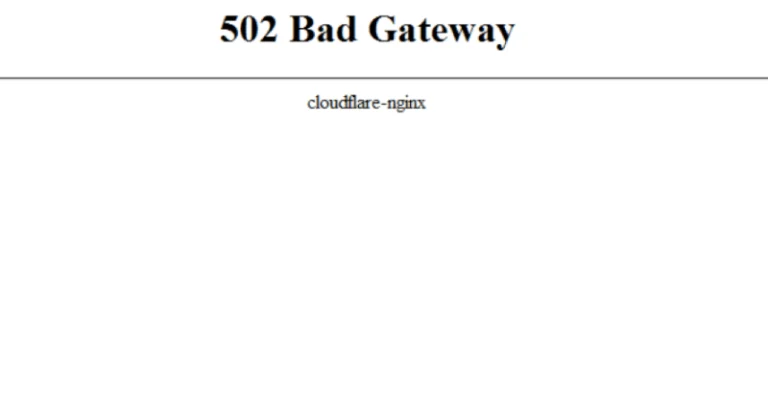
- Blaming the domain when the server is at fault. If the browser shows a 502 Bad Gateway error, DNS has already done its job, and the failure is on the server or proxy.
Glossary
| Term | What it means |
|---|---|
| Registrant | The domain owner: a person or company |
| Registrar | A company that enters domains into the registry |
| Reseller | A middleman selling domains through a registrar |
| Registry | The zone operator: Verisign for .com, Hostmaster for .ua |
| NS servers | Servers that store a domain’s DNS records |
| Delegation | Setting a domain’s NS servers in the registry |
| Resolver | A DNS server that finds the answer along the chain |
| TTL | How many seconds a record stays in the cache |
| Auth code | A code for moving a domain to another registrar |
| WHOIS and RDAP | Services with domain data; RDAP is the newer one |
| DNSSEC | A digital signature for DNS records |
| IDN and Punycode | Non-Latin names and their form with xn-- |
Sources and methodology
Analysis of public sourcesChecked 30 September 2026
- ICANN: Domain Name Renewals and Expiration FAQs icann.org
- ICANN: Transfer Policy icann.org
- IANA: Root Zone Database iana.org
- Hostmaster: help on .UA domains hostmaster.ua
- RFC 1034: Domain Names, Concepts and Facilities rfc-editor.org
FAQ
Can I buy a domain forever?
No. A domain is registered for 1 to 10 years and then renewed, and you can’t pay more than 10 years ahead. As long as you renew on time, the domain stays yours.
What’s the difference between a domain and hosting?
A domain is a name; hosting is the server that stores the website’s files. You can buy them from different companies and link them with DNS records: the domain’s A record points to the hosting server’s IP address.
How long does it take for a domain to start working?
New records start working as soon as they are saved on the NS servers, and resolver caches pick them up once the old TTL runs out. After you change NS servers, old data can linger for up to two days in the .com zone and up to 8 hours in .com.ua.
Can I register a .ua domain without a trademark?
No. A name like example.ua goes only to the owner of a trademark protected in Ukraine, and it must match the word part of the mark. Without a trademark, .com.ua, .kyiv.ua and other public domains will do; they are open to everyone.
How do I find out who owns a domain?
Look it up in WHOIS or RDAP: .ua and .com.ua domains on the Hostmaster website, .com and other generic zones in ICANN Lookup. Owners’ personal data is usually hidden, but you can see the registrar, dates and statuses; the most reliable source of information about the owner is the domain’s registrar.








Leave a Reply