
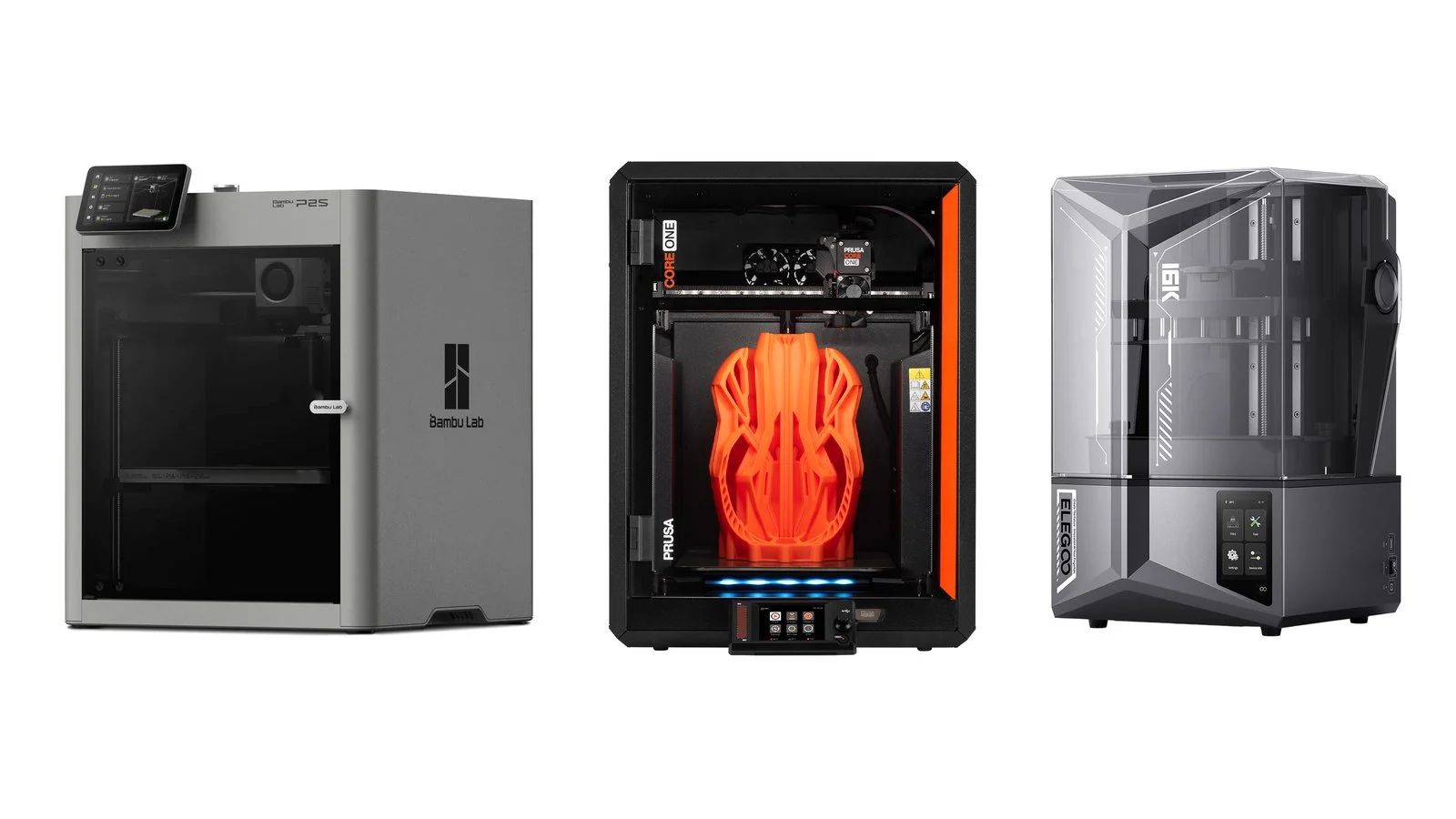
The best 3D printer for most homes in 2026 is the Bambu Lab P2S: enclosed, self-calibrating and ready for multicolor printing, for €519 (€699 with the AMS 2 Pro). The cheapest start is the Bambu Lab A1 mini at €189, and the most affordable enclosed option is the Elegoo Centauri Carbon 2 at €349. Miniatures and fine detail call for a resin printer such as the Elegoo Saturn 4 Ultra 16K.
This list covers 9 models on sale as of October 1, 2026, one per job: a first printer, a tight budget, a small desk, engineering plastics, multicolor printing, large models, an open platform and resin printing. Each entry has the manufacturer’s specs and the official store price, followed by a comparison and buying advice. Printers for paper are in our separate guide to the best home printers.
How we picked
- Current models only. All 9 printers are listed in the manufacturers’ official stores as of October 1, 2026, including launches from the past year: the Bambu Lab X2D (April 2026), the Elegoo Centauri Carbon 2 (January 2026) and the Bambu Lab P2S (October 2025). Models from the 2021 version of this article are outdated: instead of the Original Prusa i3 MK3S, Prusa’s lineup now has the MK4S and CORE One+.
- One job, one model. A first printer, a budget enclosed printer, a compact one, one for engineering plastics, a multicolor printer, a large one, an open and repairable one, plus two resin printers — for miniatures and for small parts.
- Manufacturer data. Specs come from the Bambu Lab, Elegoo, Snapmaker, Anycubic and Prusa Research websites: technology, build volume, speed, nozzle and bed temperatures, chamber heating, calibration, multicolor system, connectivity, and noise where the maker lists it.
- Prices with a date and a source. Prices are from the manufacturers’ official European stores, VAT included, as of October 1, 2026; the final amount depends on the delivery country. For Bambu Lab we also give the price at its authorized reseller in Ukraine, the Artline store.
We did not test these printers: the list is based on manufacturer specs and documentation, and the safety advice follows recommendations from NIOSH, the US National Institute for Occupational Safety and Health.
1. Bambu Lab P2S
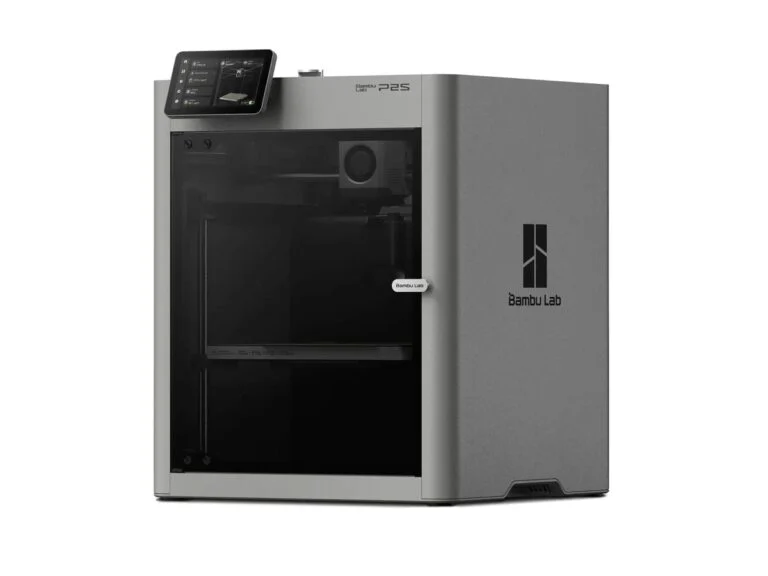
Best for beginnersEnclosed FDM printer
Bambu Lab P2S
- Technology
- FDM, CoreXY, enclosed
- Build volume
- 256 × 256 × 256 mm
- Speed
- up to 600 mm/s, acceleration up to 20,000 mm/s²
- Nozzle
- up to 300 °C, hardened steel
- Bed
- up to 110 °C
- Chamber heating
- none, the enclosure retains heat
- Calibration
- automatic (bed and flow)
- Multicolor
- AMS 2 Pro with 4 spools, up to 20 colors with several AMS units
- Connectivity
- Wi-Fi 2.4 and 5 GHz, USB drive
- Dimensions
- 392 × 406 × 478 mm
Price€519 (Combo with AMS 2 Pro — €699)checked 1 October 2026
An enclosed printer that calibrates itself and prints PLA, PETG, ABS, ASA and composites out of the box, and adds multicolor printing with the AMS 2 Pro.
- Auto calibration and AI error detection
- Hardened nozzle for composites
- AMS 2 Pro with filament drying in the Combo
- No active chamber heating
- No Ethernet, Wi-Fi only
Best for: first-time buyers who want an enclosure from day one, for household items in PLA and PETG, parts in ABS and ASA, and multicolor models. The P2S launched in October 2025 as a reworked P1S. Bambu Lab still sells the P1S for €379, but the P2S adds a servo extruder with up to 8.5 kg of force, eddy current flow calibration and AI error detection via a 1080p camera.
The P2S has no active chamber heating: ventilation flaps keep the heat in, and a carbon filter cleans the air. With four AMS 2 Pro units and four AMS HT units, it prints up to 20 colors. In Ukraine, the P2S Combo costs UAH 44,999 at Artline, Bambu Lab’s authorized reseller.
2. Elegoo Centauri Carbon 2
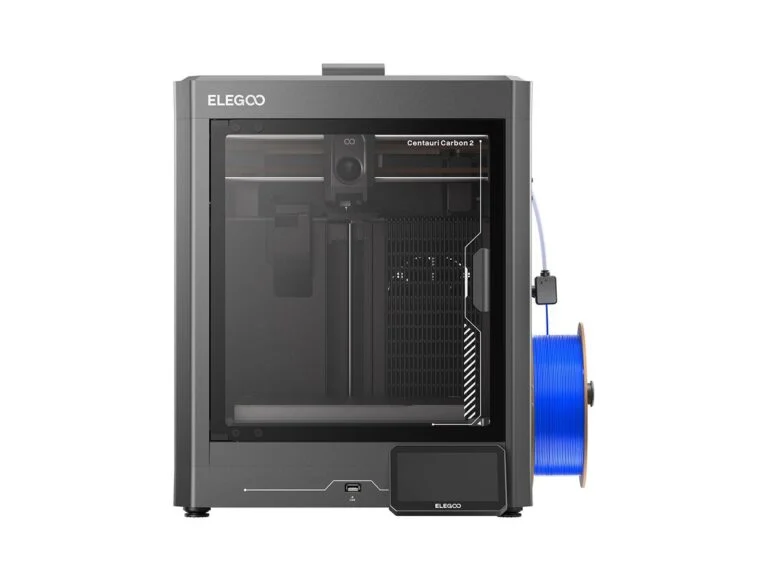
Budget pickEnclosed FDM printer
Elegoo Centauri Carbon 2
- Technology
- FDM, CoreXY, enclosed
- Build volume
- 256 × 256 × 256 mm
- Speed
- up to 500 mm/s (250 recommended), acceleration up to 20,000 mm/s²
- Nozzle
- up to 350 °C, brass with hardened steel
- Bed
- up to 110 °C
- Chamber heating
- none, an automatic grille retains heat
- Calibration
- automatic, 121-point mesh
- Multicolor
- CANVAS with 4 spools (sold separately or in the Combo)
- Filter
- HEPA and activated carbon
- Noise
- up to 45 dB in silent mode
- Connectivity
- Wi-Fi, USB
Price€349 (Combo with CANVAS — €399, pre-order)checked 1 October 2026
The most affordable enclosed CoreXY printer on the list: a 350 °C nozzle, auto calibration and a HEPA filter.
- Enclosed printer for €349
- 350 °C nozzle for engineering plastics
- HEPA filter with carbon
- No active chamber heating
- CANVAS Combo is still on pre-order
Best for: anyone who wants an enclosed CoreXY printer but won’t spend more than €400. The Centauri Carbon 2 launched in January 2026. Compared with the original Centauri Carbon, it has a 350 °C nozzle instead of 320 °C, a HEPA filter with carbon, a nozzle clog sensor and a silent mode of up to 45 dB instead of 50 dB.
The chamber is not actively heated: a grille in the enclosure opens and closes automatically to retain heat. Elegoo rates ABS, ASA, PC and nylon as materials the printer handles well, and PPS and PPA-CF as possible. The four-color CANVAS system is sold separately or in the €399 Combo, but on October 1 the Combo was available for pre-order only.
3. Bambu Lab A1 mini
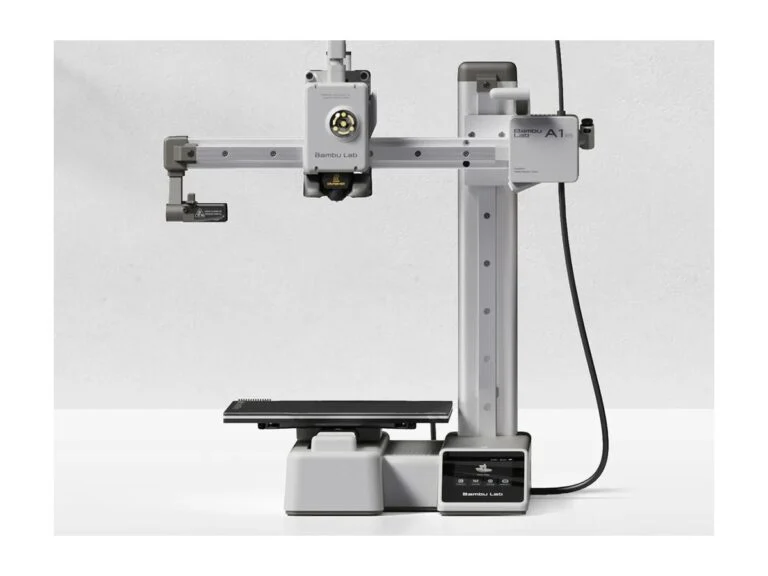
Compact pickCompact FDM printer
Bambu Lab A1 mini
- Technology
- FDM, open frame, moving bed
- Build volume
- 180 × 180 × 180 mm
- Speed
- up to 500 mm/s, acceleration up to 10,000 mm/s²
- Nozzle
- up to 300 °C
- Bed
- up to 80 °C
- Calibration
- automatic before every print
- Multicolor
- AMS lite with 4 spools (in the Combo)
- Materials
- PLA, PETG, TPU, PVA
- Noise
- up to 48 dB in silent mode
- Connectivity
- Wi-Fi 2.4 GHz, microSD
- Dimensions and weight
- 347 × 315 × 365 mm, 5.5 kg
Price€189 (Combo with AMS lite — €299)checked 1 October 2026
The cheapest way to start: it arrives assembled, calibrates itself and prints PLA and PETG quietly.
- Auto calibration before every print
- Silent mode down to 48 dB
- Four colors with the AMS lite
- Only 180 mm of build space
- ABS, ASA and composites not recommended
Best for: beginners, students and anyone short on space. The printer arrives assembled, and Bambu Lab says getting to the first print takes about 20 minutes. Before every print, the A1 mini sets the nozzle height, levels the bed and calibrates resonance and nozzle pressure on its own.
The trade-offs are an open frame, a bed that tops out at 80 °C and a 180 mm build volume: Bambu Lab does not recommend ABS, ASA, PC or composites on it. Multicolor printing needs the four-spool AMS lite, which comes in the €299 Combo. In Ukraine, the A1 mini costs UAH 12,499 at Artline; the Combo was out of stock on October 1.
4. Bambu Lab X2D
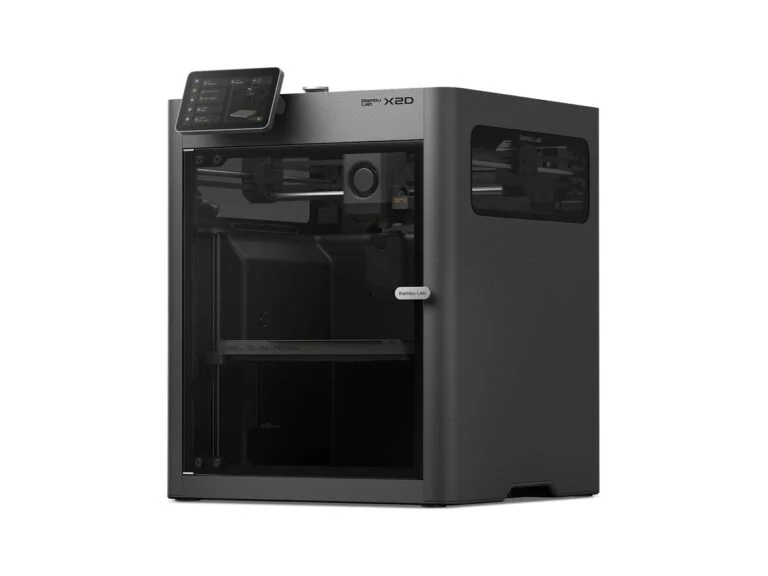
For engineering plasticsDual-nozzle FDM printer
Bambu Lab X2D
- Technology
- FDM, CoreXY, enclosed, dual nozzle
- Build volume
- 256 × 256 × 260 mm
- Speed
- up to 1,000 mm/s, acceleration up to 20,000 mm/s²
- Nozzles
- up to 300 °C, hardened steel
- Bed
- up to 120 °C
- Chamber heating
- active, up to 65 °C
- Filter
- G3, HEPA H12 and activated carbon
- Calibration
- automatic (bed and flow)
- Multicolor
- two nozzles and AMS, up to 25 colors
- Noise
- under 50 dB in typical conditions
- Connectivity
- Wi-Fi 2.4 and 5 GHz, USB drive
Price€629 (Combo with AMS 2 Pro — €849)checked 1 October 2026
For parts in ABS, ASA, nylon and composites: a chamber heated to 65 °C and a second nozzle for another material or soluble supports.
- Active chamber heating up to 65 °C
- Two nozzles: two materials in one model
- Three-stage filter with HEPA H12
- 300 °C nozzle, no PPS-CF
- No Ethernet, Wi-Fi only
Best for: anyone printing functional parts in ABS, ASA, nylon and carbon fiber composites. The X2D actively heats its chamber to 65 °C, and its nozzles and extruder gears are hardened steel. The second nozzle lets you print with two materials, for example a model with soluble PVA supports, and Bambu Lab says multicolor models print faster.
The X2D launched in April 2026 as the successor to the X1 series. Bambu Lab promises feature updates until April 14, 2031, and security fixes until April 14, 2033. If you need a larger build volume, the Creality K2 Pro offers 300 × 300 × 300 mm and chamber heating up to 60 °C for €549. In Ukraine, the X2D costs UAH 43,999 at Artline, and the Combo UAH 54,999.
5. Snapmaker U1
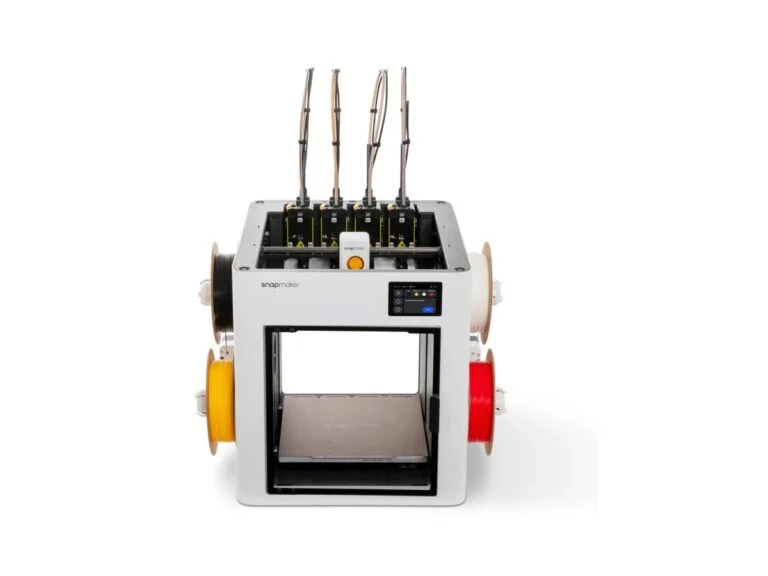
Multicolor pickTool-changing FDM printer
Snapmaker U1
- Technology
- FDM, CoreXY, 4 swappable toolheads
- Build volume
- 270 × 270 × 270 mm
- Speed
- up to 500 mm/s, acceleration up to 20,000 mm/s²
- Nozzles
- 4 × 0.4 mm, up to 300 °C, stainless steel
- Bed
- up to 100 °C
- Toolhead swap
- about 5 s
- Top Cover
- for an enclosed chamber, sold separately
- Calibration
- automatic (bed mesh, toolhead offsets)
- Materials
- PLA, PETG, TPU, PVA; with the cover — ABS, ASA, PA, PC
- Firmware and slicer
- Klipper, Snapmaker Orca
- Connectivity
- Wi-Fi 2.4 GHz, USB drive
Price€849checked 1 October 2026
Four toolheads switch color and material in 5 seconds with almost no purging — for people who print multicolor models all the time.
- Up to 85% less waste, according to Snapmaker
- Rigid and flexible plastic in one model
- Klipper and a slicer based on OrcaSlicer
- ABS and ASA need a €159 cover
- Wi-Fi 2.4 GHz only
Best for: people who print multicolor models often rather than once in a while. When several spools feed one nozzle, as with the AMS on the P2S, the printer purges the old plastic at every color change. On the U1, each color sits in its own toolhead and a swap takes about 5 seconds: in Snapmaker’s tests, that means up to 85% less waste than single-nozzle printers.
Four toolheads let you combine rigid and flexible plastic, such as PETG and TPU, or print soluble supports. ABS and ASA require the €159 Top Cover: on October 1 it was on pre-order, shipping November 1–15. The firmware is Klipper, and the Snapmaker Orca slicer is built on the open-source OrcaSlicer.
6. Anycubic Kobra S1 Max
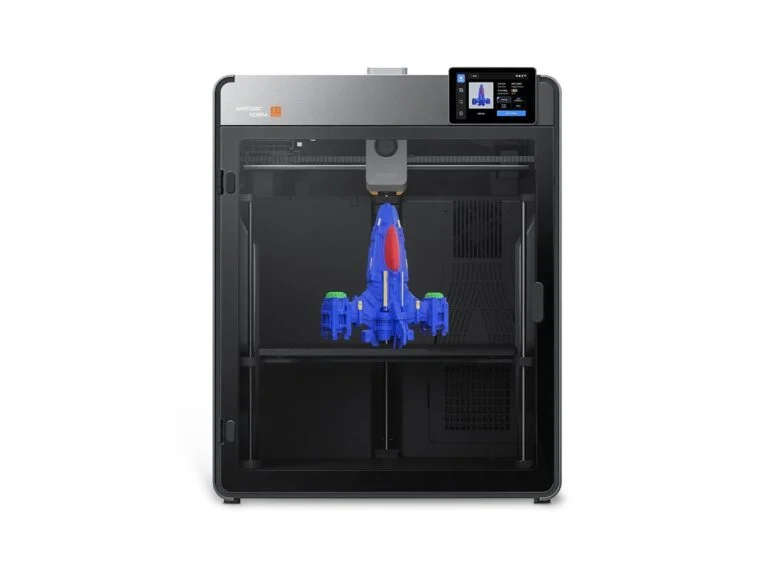
Large-format pickLarge-format FDM printer
Anycubic Kobra S1 Max
- Technology
- FDM, CoreXY, enclosed
- Build volume
- 350 × 350 × 350 mm
- Speed
- up to 600 mm/s (300 recommended), acceleration up to 20,000 mm/s²
- Nozzle
- up to 350 °C, hardened steel
- Bed
- up to 120 °C
- Chamber heating
- active, up to 65 °C
- Calibration
- automatic LeviQ 3.0, 49 points
- Multicolor
- ACE 2 Pro, up to 16 colors (4 in the Combo)
- Noise
- up to 48 dB, down to 45 dB in quiet mode
- Connectivity
- Wi-Fi 6, Ethernet, LAN mode
- Dimensions and weight
- 502.7 × 483 × 584 mm, about 25.7 kg
Price€699 (Combo with ACE 2 Pro — €899)checked 1 October 2026
Helmets, shoes and big parts in one piece: 350 mm on every axis, a heated enclosure and engineering plastics.
- 350 × 350 × 350 mm build volume
- Chamber heating up to 65 °C, 350 °C nozzle
- Ethernet and cloud-free operation
- Weighs about 26 kg
- Monitoring camera is only 720p
Best for: cosplayers, model makers and workshops that outgrow a 256 mm bed. Anycubic says the 350 × 350 × 350 mm build volume is 174% larger than the Kobra S1’s, so a helmet or a shoe prints in one piece. It is also a fully enclosed printer, with chamber heating up to 65 °C, a 350 °C nozzle and a 120 °C bed.
At 50 × 48 × 58 cm and about 26 kg, the printer needs a sturdy table. It has Ethernet and Wi-Fi 6, and the Anycubic cloud can be turned off in favor of your local network. If an open printer for PLA and PETG will do, the Bambu Lab A2L offers 330 × 320 × 325 mm for €379; the enclosed Creality K2 Plus with a 350 mm build volume is €999.
7. Prusa CORE One+ (Gen 2)
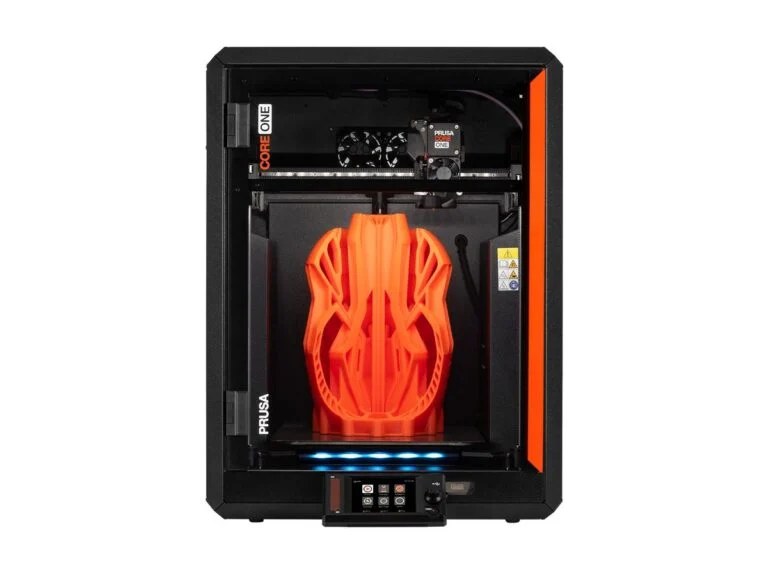
Open and repairableFDM printer with open-source firmware
Prusa CORE One+ (Gen 2)
- Technology
- FDM, CoreXY, enclosed steel frame
- Build volume
- 250 × 220 × 270 mm
- Nozzle
- up to 290 °C (400 °C with the HT hotend, coming soon)
- Bed
- up to 120 °C
- Chamber heating
- active, up to 55 °C
- Calibration
- automatic, load cell — the nozzle acts as the probe
- Multicolor
- MMU3 with 5 colors or INDX with up to 8 tools
- Connectivity
- Ethernet, Wi-Fi, USB; works without internet
- Firmware and slicer
- open source, PrusaSlicer
- Power draw
- PLA — 90 W, ABS — 110 W
- Dimensions and weight
- 415 × 444 × 555 mm, 22.5 kg
Price€1,349 (assembly kit — €1,049)checked 1 October 2026
For people who want to fully own their printer: open firmware and design files, spare parts for years and printing without the cloud.
- Open firmware, CAD files and PrusaSlicer
- Ethernet and printing without internet
- The kit is €300 cheaper
- Most expensive on the list
- Monitoring camera is optional
Best for: people who want to repair and upgrade their printer themselves and print without the cloud. Prusa publishes the firmware source code on GitHub along with CAD files, PrusaSlicer is open source, and the printer never has to go online: the Wi-Fi module can be removed, and there is Ethernet and printing from a USB drive.
Nothing is glued, everything comes apart with a screwdriver, and Prusa says it stocks spare parts for years; the electronics are made in Prague. Add-ons include the MMU3 for five colors and the INDX tool changer for up to eight materials — the INDX bundle costs €2,209 and ships from October 15. For delivery to Ukraine, Prusa’s official store shows $1,199 ($949 for the kit).
8. Elegoo Saturn 4 Ultra 16K
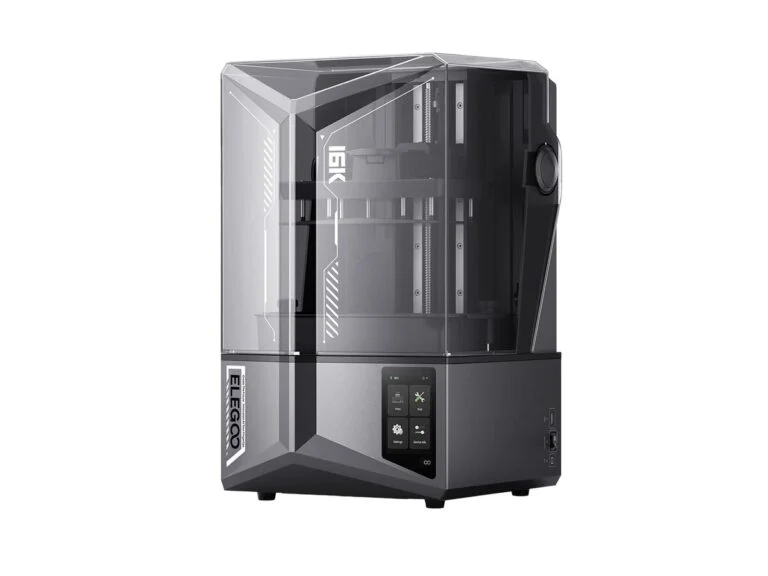
For miniaturesResin printer (MSLA)
Elegoo Saturn 4 Ultra 16K
- Technology
- MSLA, photopolymer resin
- Screen
- 10 inches, 16K (15,120 × 6,230)
- XY resolution
- 14 × 19 µm
- Build volume
- 211.68 × 118.37 × 220 mm
- Layer height
- 0.01–0.2 mm
- Speed
- up to 150 mm/h
- Part release
- tilting vat
- Vat heating
- yes
- Leveling
- automatic
- Camera
- AI camera with light
- Connectivity
- Wi-Fi, USB
- Weight
- 16.1 kg
Price€469checked 1 October 2026
The smallest pixel on the list — for miniatures, figurines and jewelry master models.
- 14 × 19 µm pixel on a 10-inch screen
- Vat heating and auto leveling
- AI camera watches the print
- Needs an alcohol wash and UV curing
- Heavy: 16.1 kg
Best for: people printing tabletop miniatures, figurines and jewelry master models: its 14 × 19 µm pixel is the smallest on the list. The tilting vat releases the model from the film more gently, and the heater keeps the resin warm: Elegoo told a customer that the vat warms up to 30 °C before printing.
Resin printing needs post-processing: the model is washed in isopropyl alcohol and cured under UV light. Elegoo includes gloves and a mask in the box. Resin costs more than filament: a kilogram of Anycubic Standard Resin V2 is €23.99 on sale in the official store, down from €34.99.
9. Anycubic Photon Mono 4 Ultra
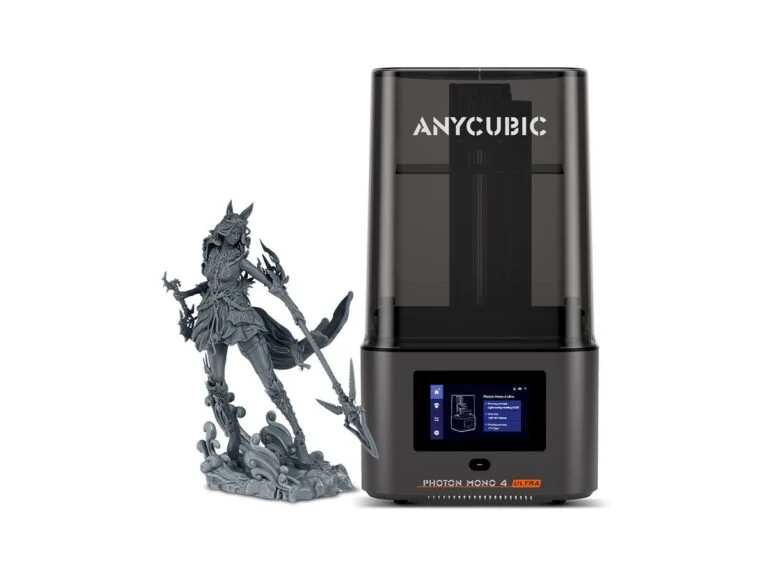
Budget resin pickResin printer (MSLA)
Anycubic Photon Mono 4 Ultra
- Technology
- MSLA, photopolymer resin
- Screen
- 7 inches, 10K (9,024 × 5,120)
- XY resolution
- 17 × 17 µm
- Build volume
- 153.4 × 87 × 165 mm
- Layer height
- 0.02–0.15 mm
- Speed
- up to 80 mm/h, up to 120 mm/h with fast resin
- Leveling
- manual, 4 points
- Connectivity
- Wi-Fi, USB
- Slicer
- Photon Workshop
- Dimensions and weight
- 231 × 236 × 430 mm, 5 kg
Price€299checked 1 October 2026
A compact, affordable way into resin printing: figurines, tabletop game pieces and small models.
- Square 17 × 17 µm pixel
- Compact, weighs 5 kg
- Up to 120 mm/h with High Speed Resin 2.0
- Manual bed leveling
- No vat heating or app support
Best for: anyone who wants to try resin printing without spending much: figurines, tabletop game pieces, small models. The build volume is 153.4 × 87 × 165 mm (2.2 L); for bigger models you need a printer with a 10-inch screen like the Saturn 4 Ultra 16K.
The savings show in the details: you level the bed by hand at four points, and there is no vat heating or Anycubic app support. For washing and curing, Anycubic sells the Wash & Cure 3 station for €89. The basic Photon Mono 4 has the same 17 × 17 µm pixel for €209, but prints slower, at up to 50 mm/h.
Best 3D printers 2026: comparison
| Model | Type | Build volume, mm | Best for | EU price, € |
|---|---|---|---|---|
| Bambu Lab P2S | FDM, enclosed | 256 × 256 × 256 | First printer | 519 (Combo 699) |
| Elegoo Centauri Carbon 2 | FDM, enclosed | 256 × 256 × 256 | Tight budget | 349 |
| Bambu Lab A1 mini | FDM, open | 180 × 180 × 180 | Small desk, PLA and PETG | 189 (Combo 299) |
| Bambu Lab X2D | FDM, enclosed, 2 nozzles | 256 × 256 × 260 | ABS, ASA, nylon | 629 (Combo 849) |
| Snapmaker U1 | FDM, 4 toolheads | 270 × 270 × 270 | Frequent multicolor printing | 849 |
| Anycubic Kobra S1 Max | FDM, enclosed | 350 × 350 × 350 | Large models | 699 (Combo 899) |
| Prusa CORE One+ (Gen 2) | FDM, enclosed | 250 × 220 × 270 | Repairs, no cloud | 1,349 (kit 1,049) |
| Elegoo Saturn 4 Ultra 16K | MSLA, resin | 211.68 × 118.37 × 220 | Miniatures and jewelry | 469 |
| Anycubic Photon Mono 4 Ultra | MSLA, resin | 153.4 × 87 × 165 | First resin printer | 299 |
How to choose a 3D printer for home
FDM or resin
An FDM printer extrudes melted plastic, called filament, layer by layer, while a resin (MSLA) printer cures liquid resin with UV light through an LCD screen. Most people start with FDM at home: it prints household and functional items, and resin is for when fine detail matters.
| Criterion | FDM | Resin (MSLA) |
|---|---|---|
| What it prints | Household items, parts, large models | Miniatures, figurines, small parts |
| Detail | Depends on the nozzle, usually 0.4 mm | Screen pixel of 14–19 µm |
| Layer height | From 0.05 mm | From 0.01 mm |
| Model size on this list | Up to 350 mm per axis | Up to 220 mm tall |
| Post-processing | Remove supports | Alcohol wash and UV curing |
| Best for | A first home printer | Miniatures and jewelry |
Enclosure and materials
PLA and PETG print on any printer, but ABS, ASA, polycarbonate and nylon shrink as they cool, and parts warp. According to Prusa, these materials need an enclosure, ideally with a heated chamber. The Bambu Lab X2D and Anycubic Kobra S1 Max (up to 65 °C) and the Prusa CORE One+ (up to 55 °C) heat the chamber actively, while the P2S and Centauri Carbon 2 only retain heat.
| Material | Nozzle, °C | Bed, °C | Enclosure | Used for |
|---|---|---|---|---|
| PLA | 210–220 | 50–60 | Not needed | Models, toys, household items |
| PETG | 230–250 | 70–90 | Not needed | Tough, watertight parts |
| TPU | 220–240 | 50–60 | Not needed | Flexible cases, gaskets |
| ABS and ASA | 250–265 | 100–110 | Needed | Heat-resistant parts, ASA for outdoors |
| PA (nylon) | 260–280 | 80–90 | Needed, heated | Gears, hinges, load-bearing parts |
| PC | 270–285 | 80–120 | Needed, heated | Strongest, most heat-resistant parts |
Carbon and glass fiber composites (CF, GF) wear down a regular nozzle, so you need a hardened steel one: the P2S, X2D, Centauri Carbon 2 and Kobra S1 Max have it, while for the A2L and Snapmaker U1 you buy it separately. Nylon absorbs moisture, so keep spools in a dry box; the AMS 2 Pro and Anycubic ACE 2 Pro, for example, can dry filament.
CoreXY or moving bed
On a moving-bed printer like the A1 mini or A2L, the bed slides back and forth with the model on it. These printers are usually cheaper, but vibrations change as the model gets taller and heavier; the A2L uses adaptive compensation for this. In a CoreXY printer, two fixed motors pull a light toolhead and the bed only moves down, which allows higher speeds. All enclosed printers on this list are CoreXY.
Build volume
Bambu Lab estimates that most everyday models — phone cases, desk organizers, small figurines — fit within 180 mm, like on the A1 mini. 256 mm is enough for prototypes and decor, while cosplay helmets and architectural models need 300 mm or more. A big bed also means a big printer: the Kobra S1 Max takes up 50 × 48 × 58 cm.
Multicolor printing
Most multicolor systems — Bambu Lab’s AMS, Creality’s CFS, Elegoo’s CANVAS, Anycubic’s ACE 2 Pro — feed several spools into one nozzle. At every color change the printer purges the previous plastic, so models with frequent color changes take longer and create waste. Tool-changing printers such as the Snapmaker U1 or the Prusa CORE One+ with INDX keep each material in its own toolhead and spend almost no plastic on purging.
Slicer, cloud and privacy
Before printing, a model is prepared in a slicer: Bambu Studio for Bambu Lab, the open-source PrusaSlicer for Prusa, Snapmaker Orca (based on the open-source OrcaSlicer) for Snapmaker, and Chitubox and SatelLite for Elegoo resin printers. Bambu Studio and Snapmaker Orca run on Windows, macOS and Linux, so a regular work computer is enough — see our guide on how to choose a laptop for work.
Bambu Lab printers are designed around Bambu Cloud, but in LAN Only mode they print over your local network without internet; in that mode the Bambu Handy app, remote printing from outside the home and print history do not work. The Kobra S1 Max can also switch between the cloud and the local network, and the Prusa CORE One+ never has to be connected to a network at all.
Bambu Lab also publishes support periods: for the P2S, it promises feature updates until October 14, 2030, and security fixes until October 14, 2032. After that, the company says, the printers will keep working with the same features.
Running costs
After the purchase, your main expense is filament or resin. In official European stores, a kilogram of PLA costs about €16–17: Bambu Lab PLA Basic lists at €16.99, and Anycubic PLA Basic is €15.99 on sale. A kilogram of resin costs more: Anycubic Standard Resin V2 is €23.99 on sale, down from €34.99. Prusa estimates that most owners spend $25–50 a month on filament.
An FDM printer uses little power: printing PLA, the P2S draws about 200 W and the CORE One+ 90 W, while the X2D draws about 550 W printing PC. Nozzles and print sheets wear out over time: at Prusa, a nozzle costs about $20 and a sheet about $37. Printers are cheaper during sales — we covered when Black Friday 2026 takes place and what tech to buy separately.
Safety
According to NIOSH, FDM printers release substances that irritate the airways, and the amount of volatile organic compounds depends on the material and even the filament color. Keep the printer in a ventilated room; enclosed models with a filter, like the X2D with HEPA H12 and carbon, cut odors. The X2D and A2L are certified to the UL 2904 indoor air quality standard with Bambu Lab’s own PLA and PETG.
Sources and methodology
Analysis of public sourcesChecked 1 October 2026
- Bambu Lab — P2S, X2D and H2D compared bambulab.com
- Bambu Lab Wiki — LAN mode wiki.bambulab.com
- Prusa Research — CORE One+ (Gen 2) specs and materials prusa3d.com
- NIOSH — safe resin printing cdc.gov
- NIOSH — 3D printing hazards cdc.gov
FAQ
Which 3D printer should a beginner buy for home?
The simplest start is the Bambu Lab A1 mini for €189: it arrives assembled and calibrates itself before every print. If you need an enclosure and materials tougher than PLA, get the Bambu Lab P2S for €519 or the more affordable Elegoo Centauri Carbon 2 for €349.
How much does a good 3D printer cost in 2026?
In official European stores on October 1, 2026, the models on this list ranged from €189 (Bambu Lab A1 mini) to €1,349 (Prusa CORE One+). In Ukraine, the A1 mini cost UAH 12,499 at Artline, Bambu Lab’s authorized reseller, and the P2S Combo UAH 44,999.
Which is better: an FDM or a resin 3D printer?
For home use and a first purchase, FDM: it prints household and functional items, and filament needs no gloves or washing. Resin is the choice for miniatures and small parts: a 14–19 µm pixel gives finer detail, but you need an alcohol wash, UV curing and protective gear.
Does a 3D printer need an enclosure?
Not for PLA and PETG. ABS, ASA, polycarbonate and nylon shrink as they cool, so Prusa recommends an enclosure for them, ideally with a heated chamber like on the X2D, Kobra S1 Max and CORE One+.
Is 3D printing at home harmful?
There are risks, but you can reduce them. According to NIOSH, FDM printers release substances that irritate the airways, and liquid resin can cause dermatitis and asthma. That is why you need ventilation and a filtered enclosure, plus gloves and safety glasses when working with resin.

Leave a Reply