
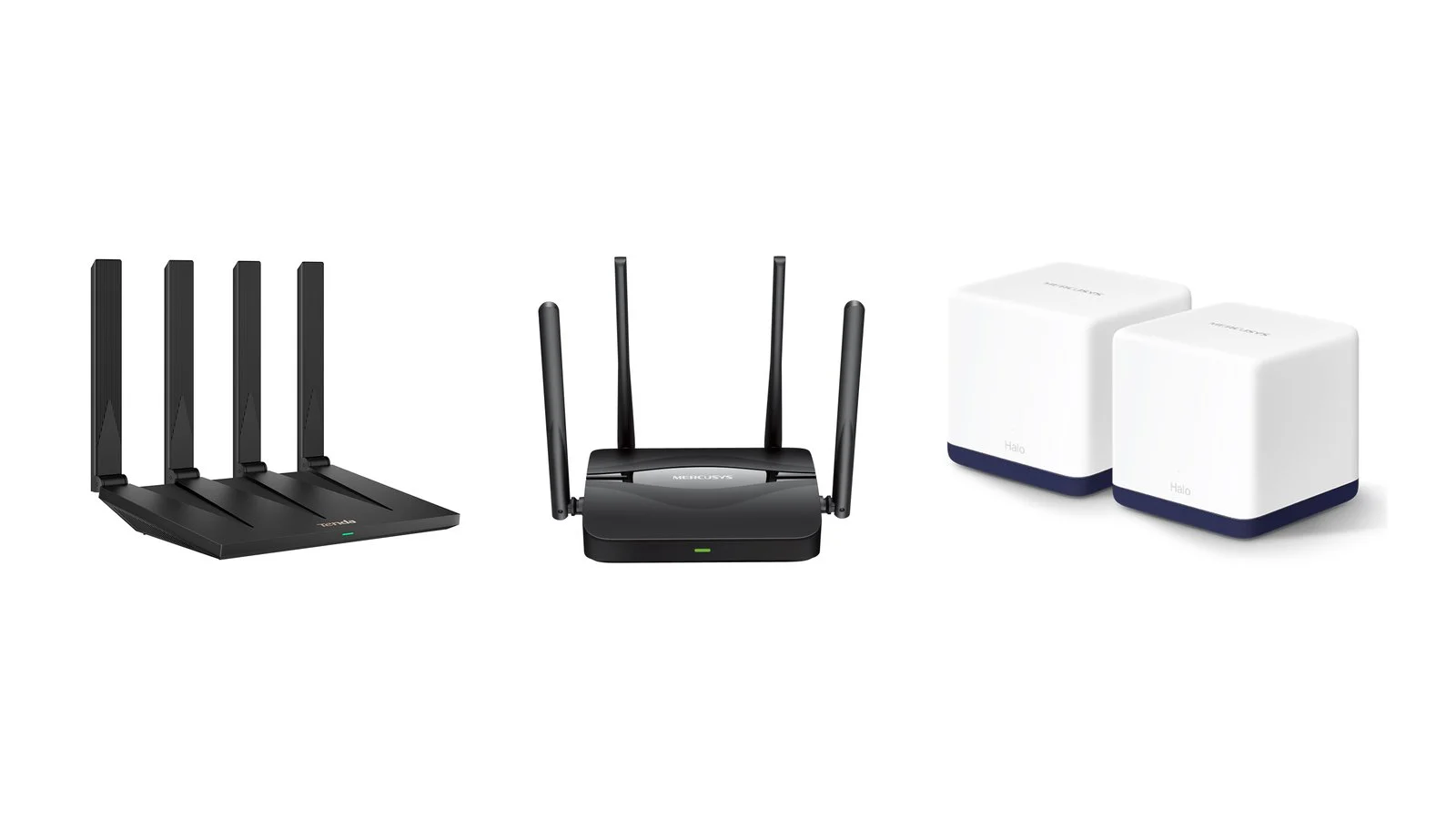
The best budget routers for home in 2026 cost between UAH 1,599 and UAH 2,999 in Ukraine. The Tenda AX12 Pro at UAH 1,999 is enough for most apartments: it is an AX3000 Wi-Fi 6 router with three gigabit LAN ports. Wi-Fi 7 costs only a little more — the Mercusys MR25BE is UAH 2,339 — and for a country house or backup internet during power outages, the TP-Link TL-MR100 4G router fits.
This list has 7 models sold in Ukraine as of October 5, 2026 — one per task: the cheapest Wi-Fi 6, 2.5 Gbps ports, mesh for a large apartment, USB for a drive, and 4G. Below you will find a comparison, what AX3000 and BE3600 mean, which ports your plan needs, how to connect to your ISP, and how to keep Wi-Fi running without power.
How we picked
- Only current models. All 7 routers are listed on the makers’ websites and in stock at Foxtrot, MOYO or Brain; none of the models from the 2021 version of this article made the cut.
- Budget up to UAH 3,000. The most expensive pick is a two-unit mesh kit at UAH 2,999.
- One task, one model. An apartment, the tightest budget, Wi-Fi 7, a plan faster than 1 Gbps, a large house, a network drive, and 4G backup.
- Maker data. Specs come from the Tenda, Mercusys, ASUS and TP-Link websites; prices are as of October 5, 2026, with the store named in the comparison table.
The editors did not test these routers: the list relies on manufacturer data and store prices.
1. Tenda AX12 Pro
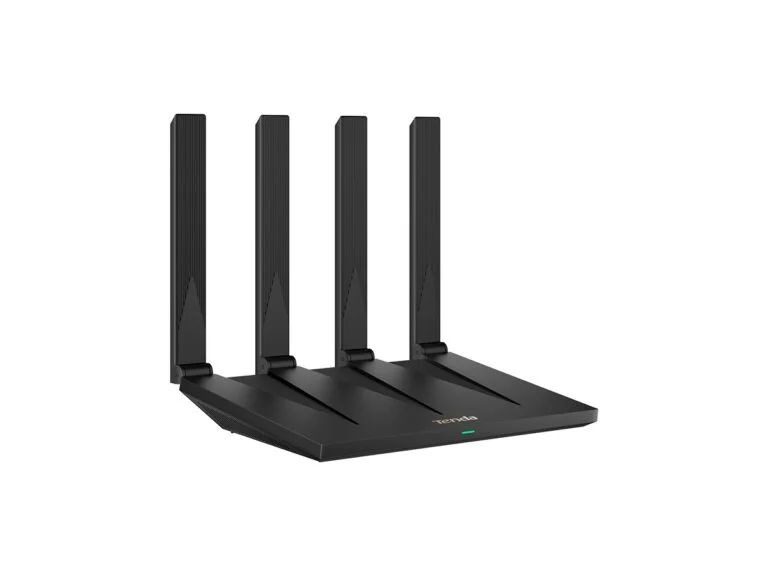
Best Wi-Fi 6Wi-Fi 6 router
Tenda AX12 Pro
- Standard
- Wi-Fi 6, AX3000 class
- Wi-Fi speed
- up to 2,402 Mbps on 5 GHz (160 MHz channel) and up to 574 Mbps on 2.4 GHz
- Ports
- 1 WAN and 3 LAN, all 1 Gbps
- Antennas
- 4 external on version V3
- Mesh
- EasyMesh and Tenda Wi-Fi+
- VPN
- OpenVPN, WireGuard, L2TP and PPTP clients, PPTP server
- Security and protocols
- WPA3, IPv6, IPTV
- Power
- 12 V, 1 A
- Management
- Tenda Wi-Fi app and web interface
PriceUAH 1,999checked 5 October 2026
For an apartment with a plan of up to 1 Gbps and a dozen devices: a full AX3000 router at a budget Wi-Fi 6 price.
- AX3000 and 160 MHz for under UAH 2,000
- EasyMesh: add a second router later
- VPN clients for VPN services
- Only three LAN ports
- PPTP is the only VPN server
The AX12 Pro is an AX3000 router for under UAH 2,000. It uses a 160 MHz channel on the 5 GHz band, so a laptop or phone that supports such channels connects at up to 2,402 Mbps — twice the link rate of AX1500 models.
Three gigabit LAN ports cover a TV, a set-top box and a computer, and if the signal doesn’t reach a far room, a second router with EasyMesh or Tenda Wi-Fi+ connects over Wi-Fi or a cable. If you need four LAN ports, the TP-Link Archer AX53 in the same class costs UAH 2,999 — UAH 1,000 more. Tenda describes the V3 version with four antennas on its website, so check the version with the seller.
2. Mercusys MR25BE
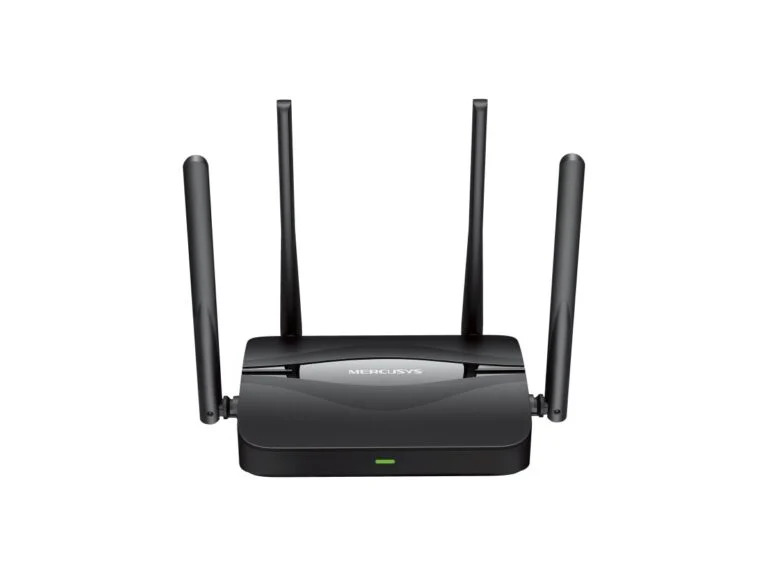
Affordable Wi-Fi 7Wi-Fi 7 router
Mercusys MR25BE
- Standard
- Wi-Fi 7, BE3600 class, 2.4 and 5 GHz bands
- Wi-Fi speed
- up to 2,880 Mbps on 5 GHz and up to 688 Mbps on 2.4 GHz
- Wi-Fi 7 features
- MLO, 4K-QAM, channels up to 160 MHz
- Ports
- 1 WAN and 3 LAN, all 1 Gbps
- Antennas
- 4 external
- Mesh
- EasyMesh
- VPN
- OpenVPN, WireGuard, L2TP and PPTP server and clients
- Security and protocols
- WPA3, IPv6, IPTV, parental controls
- Management
- MERCUSYS app and web interface
PriceUAH 2,339checked 5 October 2026
If your phone or laptop already has Wi-Fi 7, or you are buying a router for several years: Wi-Fi 7 for the price of a good Wi-Fi 6 router.
- Wi-Fi 7 for the price of Wi-Fi 6 routers
- WireGuard and OpenVPN VPN server
- EasyMesh
- No 6 GHz band or 320 MHz channels
- Ports are only 1 Gbps
The MR25BE is one of the most affordable Wi-Fi 7 routers in Ukrainian stores: MOYO sold it for UAH 2,339, less than the popular TP-Link Archer AX53 Wi-Fi 6 router. Until you have Wi-Fi 7 devices, it works as a regular fast Wi-Fi 6 router; with them you also get MLO — working on two bands at once — and 4K-QAM modulation.
It is a dual-band model without 6 GHz, so it has no 320 MHz channels: those exist only on the 6 GHz band. Useful extras for home are a VPN server with WireGuard and OpenVPN, which lets you reach your home network while traveling, and parental controls.
3. Tenda TX2L Pro
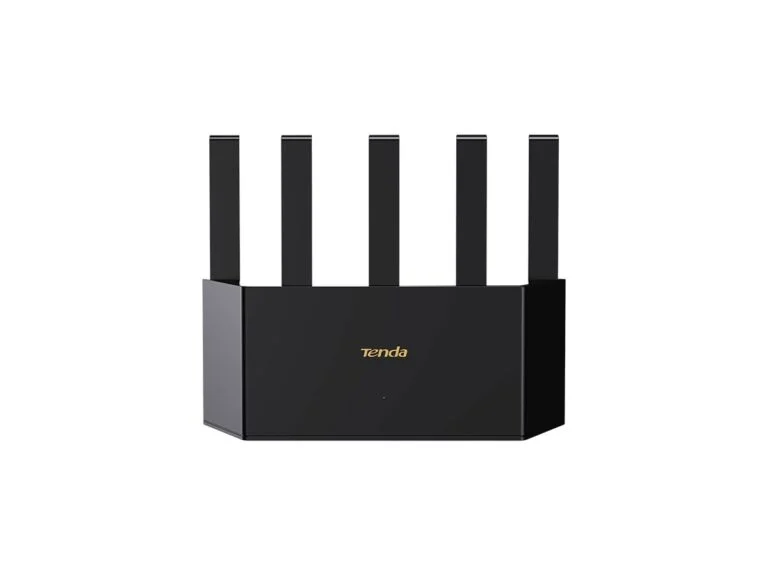
CheapestWi-Fi 6 router
Tenda TX2L Pro
- Standard
- Wi-Fi 6 on 5 GHz and Wi-Fi 4 on 2.4 GHz, AX1500 class
- Wi-Fi speed
- up to 1,201 Mbps on 5 GHz and up to 300 Mbps on 2.4 GHz
- Ports
- 1 WAN and 3 LAN, all 1 Gbps
- Antennas
- 5 external
- Mesh
- Tenda Wi-Fi+
- VPN
- PPTP server, PPTP and L2TP clients
- Security and protocols
- WPA3, IPv6, IPTV
- Power
- 12 V, 1 A
- Management
- app and web interface
PriceUAH 1,599checked 5 October 2026
For a one- or two-room apartment and a plan of up to 500 Mbps, when every hryvnia counts.
- Wi-Fi 6 and gigabit ports for UAH 1,599
- Three LAN ports
- WPA3 and IPv6
- Only Wi-Fi 4 on 2.4 GHz
- No EasyMesh, only Tenda mesh
For UAH 1,599, the TX2L Pro gives you Wi-Fi 6 on the 5 GHz band, three gigabit LAN ports and WPA3. The trade-offs: on 2.4 GHz it uses the older Wi-Fi 4 standard, and the 5 GHz speed tops out at 1,201 Mbps — enough for a plan of up to 500 Mbps and one or two rooms. You can extend the network only with Tenda Wi-Fi+ devices; EasyMesh is not in the spec sheet.
A close alternative is the Mercusys MR60X in the same AX1500 class for UAH 1,699, but it has two LAN ports instead of three.
4. Mercusys MR27BE
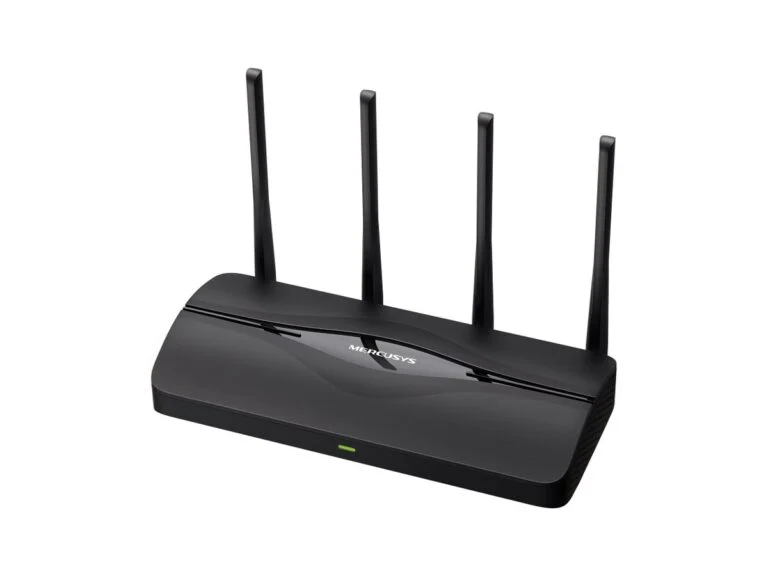
2.5 Gbps portsWi-Fi 7 router
Mercusys MR27BE
- Standard
- Wi-Fi 7, BE3600 class, 2.4 and 5 GHz bands
- Wi-Fi speed
- up to 2,880 Mbps on 5 GHz and up to 688 Mbps on 2.4 GHz
- Wi-Fi 7 features
- MLO, 4K-QAM, channels up to 160 MHz
- Ports
- 2.5 Gbps WAN, 2.5 Gbps LAN and 1 Gbps LAN (2 on version V1, 3 on V2)
- Antennas
- 4 external
- Mesh
- EasyMesh
- VPN
- OpenVPN, WireGuard, L2TP and PPTP server and clients
- Security and protocols
- WPA3, IPv6, IPTV
- Management
- MERCUSYS app and web interface
PriceUAH 2,713checked 5 October 2026
For a plan faster than 1 Gbps, or to connect a computer or NAS at 2.5 Gbps.
- 2.5 Gbps ports for the ISP and for a PC
- Wi-Fi 7 and a WireGuard VPN server
- EasyMesh
- No 6 GHz band
- Versions differ in LAN port count
The MR27BE is the same BE3600 Wi-Fi 7 class as the MR25BE, but with two 2.5 Gbps ports: a WAN port for the ISP cable and a LAN port for a computer or NAS. That helps if your plan is faster than 1 Gbps — Kyivstar, for example, is already testing a plan of up to 8 Gbps in Kyiv — or if you need to connect a computer or NAS to the router at 2.5 Gbps.
There is only one 2.5 Gbps LAN port, so only one wired device can run at that speed. On a plan of up to 1 Gbps, a 2.5 Gbps port won’t make your internet faster, and the MR25BE is the simpler choice. Versions V1 and V2 have a different number of gigabit LAN ports — two or three — so check the version with the seller.
5. Mercusys Halo H50G (2-pack)
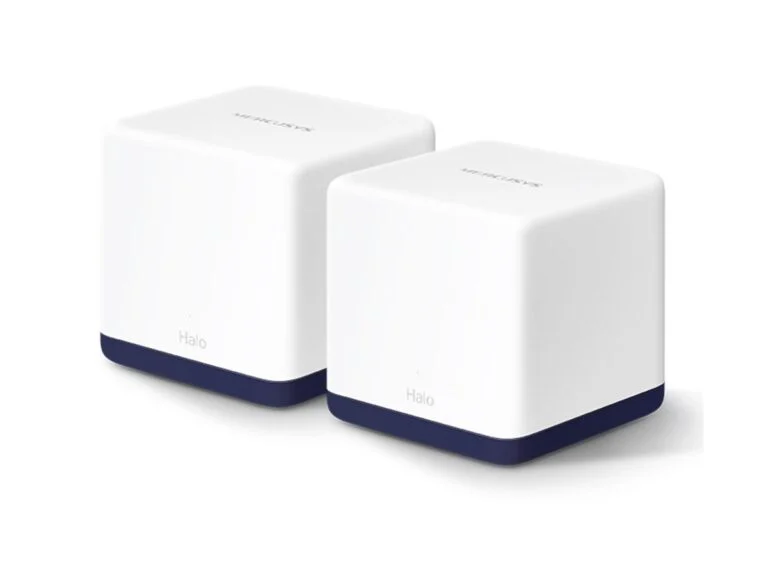
For a large homeWi-Fi 5 mesh system
Mercusys Halo H50G (2-pack)
- Standard
- Wi-Fi 5, AC1900 class per unit
- Wi-Fi speed
- up to 1,300 Mbps on 5 GHz and up to 600 Mbps on 2.4 GHz
- Coverage per Mercusys
- up to 350 m² for two units
- Ports
- 3 gigabit per unit, WAN and LAN detected automatically
- Unit link
- Wi-Fi or Ethernet cable
- Roaming
- 802.11k/v/r, one network with Smart Connect
- Security and protocols
- WPA2, IPv6
- Management
- MERCUSYS app
PriceUAH 2,999checked 5 October 2026
For an apartment with concrete walls, a two-story home or a house where one router doesn’t reach the far rooms.
- Two units for under UAH 3,000
- Units can be linked by cable
- Three gigabit ports on each
- Wi-Fi 5 and no WPA3
- Not a new model
A mesh system is a set of units that create one network with a shared name and password: your phone switches to the nearest unit on its own. According to Mercusys, two Halo H50G units cover up to 350 m², and if you can run a cable between them, they connect over Ethernet, so the walls between the units don’t cut the speed.
The trade-off is Wi-Fi 5 and WPA2 encryption without WPA3: this is not a new model. Wi-Fi 6 kits cost noticeably more: a two-unit TP-Link Deco X10 was UAH 5,399 at Foxtrot. Another option is two identical routers with EasyMesh, such as two Tenda AX12 Pro units: Mercusys warns that devices from different brands may conflict in EasyMesh.
6. ASUS RT-AX53U
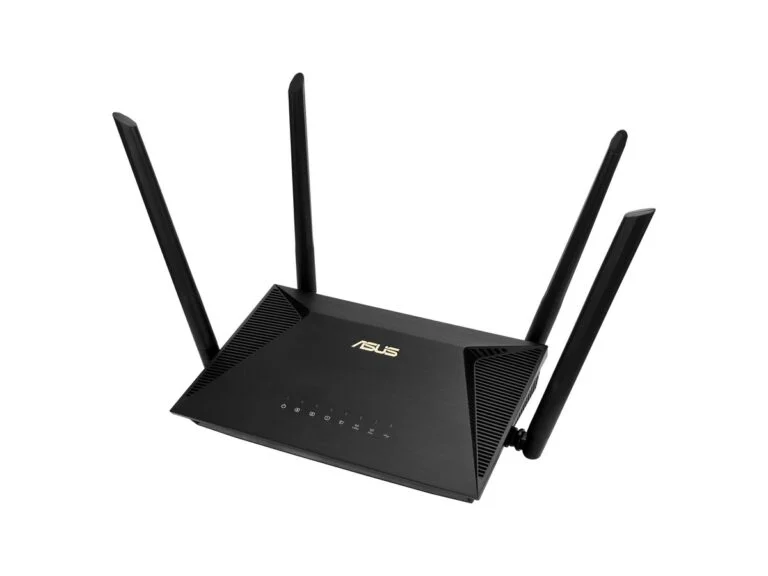
With USBWi-Fi 6 router with USB
ASUS RT-AX53U
- Standard
- Wi-Fi 6, AX1800 class
- Wi-Fi speed
- up to 1,201 Mbps on 5 GHz and up to 574 Mbps on 2.4 GHz, channels up to 80 MHz
- Ports
- 1 WAN and 3 LAN, all 1 Gbps, USB 2.0
- USB
- AiDisk, Samba, FTP, media server, Download Master, 3G/4G modem
- Internet
- Dual WAN, PPPoE, L2TP, PPTP, automatic and static IP
- Mesh
- AiMesh
- VPN
- OpenVPN, IPSec and PPTP servers, OpenVPN, L2TP and PPTP clients
- Security and protocols
- WPA3, AiProtection, IPv6, IPTV
- Memory
- 256 MB RAM
- Power
- 12 V, up to 1.5 A
PriceUAH 2,149checked 5 October 2026
To share an external drive over the network or keep a 4G modem as a backup connection.
- USB for a drive and a 4G modem
- Dual WAN: automatic switch to backup
- OpenVPN server and AiMesh
- USB 2.0 is slow for large files
- No 160 MHz channel
The RT-AX53U is the only router here with USB. Plug in an external drive, and the ASUS firmware shares it over the network via Samba and FTP and works as a media server for your TV. ASUS warns that a hard drive may need its own power supply, and USB 2.0 is noticeably slower than a gigabit network, so this suits movies and backups rather than constant work with large files.
The second use is backup internet: in Dual WAN mode, a 4G modem in the USB port becomes a backup connection that the router switches to on its own when the main one drops; check that the modem is compatible with the router before buying. A print server is not in the spec sheet. The model isn’t new, but it is still in the ASUS catalog and on sale.
7. TP-Link TL-MR100
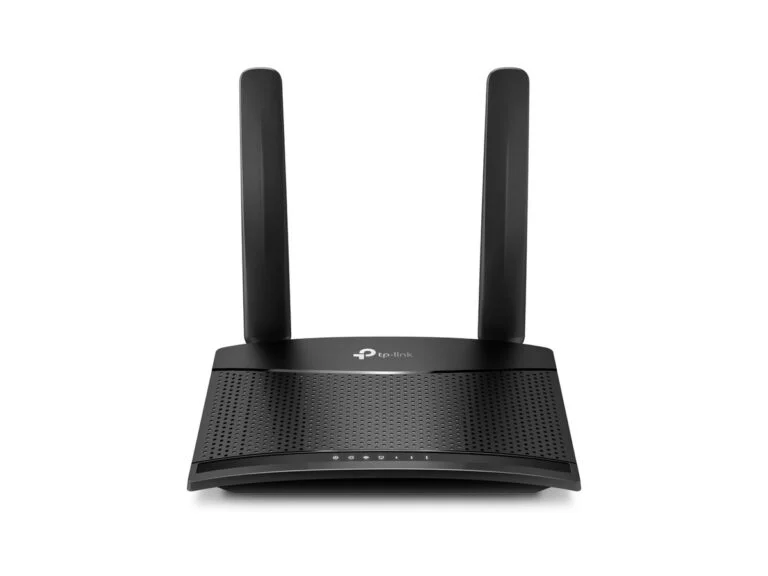
Country house and backup4G router
TP-Link TL-MR100
- Internet
- 4G LTE up to 150 Mbps download, micro-SIM slot
- Wi-Fi
- Wi-Fi 4 (802.11n), up to 300 Mbps, 2.4 GHz only, up to 32 devices
- Ports
- 1 LAN and 1 LAN/WAN, both 100 Mbps
- Antennas
- 2 detachable external LTE
- Backup
- WAN Failover switches to 4G when wired internet drops
- Security and protocols
- WPA2, IPv6, parental controls
- Power
- 9 V, 0.85 A
PriceUAH 2,799checked 5 October 2026
For a country house without wired internet, or as a backup if wired internet goes down during power outages.
- Automatic switch from cable to 4G
- Detachable LTE antennas
- Just insert a SIM card
- Wi-Fi 4 and 100 Mbps ports
- No WPA3
The TL-MR100 is a regular Wi-Fi router that gets internet from a SIM card: TP-Link promises up to 150 Mbps download over 4G LTE and up to 32 connected devices. In Wi-Fi router mode, you plug the ISP cable into the LAN/WAN port and 4G becomes the backup: once you turn this feature on in the settings, the router switches to the mobile network when wired internet drops.
Weak spots: Wi-Fi 4 on 2.4 GHz only, 100 Mbps ports and no WPA3; the model isn’t new, but it is on TP-Link Ukraine’s website and on sale. If you don’t need backup, the Mercusys MB110-4G is cheaper at UAH 2,121 at MOYO. For travel, a pocket router with a battery is handier — see our review of the Huawei E5785 portable 4G router.
Comparison
| Model | Best for | Key strength | Price, UAH (store) |
|---|---|---|---|
| Tenda AX12 Pro | Apartments, plans up to 1 Gbps | AX3000, 160 MHz, EasyMesh | 1,999 (Foxtrot) |
| Mercusys MR25BE | Owners of Wi-Fi 7 devices | Wi-Fi 7 and WireGuard VPN | 2,339 (MOYO) |
| Tenda TX2L Pro | Small apartments | Wi-Fi 6 and 3 LAN for less | 1,599 (Brain) |
| Mercusys MR27BE | Plans over 1 Gbps, NAS | Two 2.5 Gbps ports | 2,713 (MOYO) |
| Mercusys Halo H50G (2-pack) | Large apartments and houses | Mesh up to 350 m² | 2,999 (MOYO) |
| ASUS RT-AX53U | Network drives, 4G modems | USB and Dual WAN | 2,149 (Foxtrot) |
| TP-Link TL-MR100 | Country houses and backup | 4G with auto failover | 2,799 (Brain) |
How to choose a budget router for home
Wi-Fi 5, 6, 6E and 7 in plain words
Wi-Fi 5 (802.11ac) is the previous generation, and its fast mode works only on 5 GHz. The savings have almost disappeared: the gigabit Wi-Fi 5 Mercusys MR30G costs UAH 1,369 at Brain — only UAH 230 less than the Wi-Fi 6 Tenda TX2L Pro — so there is no separate Wi-Fi 5 pick in this list.
Wi-Fi 6 (802.11ax), with OFDMA and MU-MIMO, handles many devices at once better — for most apartments it is the best choice. Wi-Fi 6E adds the 6 GHz band, but only 6E devices can use it; the budget models in this list don’t have that band.
Wi-Fi 7 (802.11be), according to the Wi-Fi Alliance, brings MLO — working on several bands at once — 4K-QAM modulation, which is 20% faster than Wi-Fi 6’s 1024-QAM, and 320 MHz channels on the 6 GHz band. Budget BE3600 routers lack the 6 GHz band, and the new features work only if your phone or laptop also supports Wi-Fi 7.
What AX3000 and BE3600 mean
The number in the class is the sum of the maximum speeds of all bands. For the Tenda AX12 Pro, AX3000 is 2,402 Mbps on 5 GHz plus 574 Mbps on 2.4 GHz; for the Mercusys MR25BE, BE3600 is 2,880 plus 688 Mbps. A phone is usually connected to one band (to two at once only via MLO in Wi-Fi 7), and its own Wi-Fi module limits its speed too.
Even the speed of one band is a theoretical limit of the IEEE 802.11 standard: TP-Link and Mercusys state plainly that real speed depends on walls, interference, network load and client devices. Also, 2,402 Mbps requires a 160 MHz channel, which, as the makers note, can’t be used in some countries.
Ports and your plan: 500 Mbps, 1 Gbps and more
- Up to 100 Mbps — any router on this list will do, including the 4G model with 100 Mbps ports.
- 500 Mbps and 1 Gbps — you need gigabit WAN and LAN ports: a 100 Mbps port can’t pass more than its limit. Mercusys notes that the cable and the ISP also limit speed.
- Over 1 Gbps — you need a 2.5 Gbps WAN, like on the Mercusys MR27BE, and a computer with a 2.5 Gbps network card.
Real speed over Wi-Fi is usually lower than over a cable, so a computer or TV that needs your full plan is better connected by wire. If you need to shorten a cable or make one to length, see our guide on how to crimp an Ethernet cable.
Coverage: router placement or mesh
TP-Link advises placing the router higher up and closer to the center of the home, away from microwave ovens and cordless phones: walls, floors and interference cause the most signal loss, and 5 GHz gets through obstacles worse than 2.4 GHz. For one floor, set the antennas vertically; for several floors, at about 30 degrees.
If the far rooms still have no signal, you need a second node: a mesh kit like the Halo H50G or a second router of the same model with EasyMesh. It works best when the nodes are linked by cable. One network name for 2.4 and 5 GHz (band steering, called Smart Connect by Mercusys) is convenient: each device picks the band itself. If a camera or smart plug that works only on 2.4 GHz won’t connect, you can split the bands while setting it up.
Your ISP’s connection type
How your ISP delivers internet is stated in your contract or online account. The most common options:
- Dynamic IP — the router gets its address and settings automatically. This is how Kyivstar home internet works, for example: the operator says every subscriber is automatically assigned a dynamic IP address.
- PPPoE — you enter the login and password from your contract in the router; the Ukrainian ISP ZeusNet, for example, connects its subscribers this way.
- Static IP — a permanent address entered manually; at Kyivstar, it is a separate service.
All routers on this list support dynamic IP, static IP and PPPoE, and most also support L2TP and PPTP (the Tenda TX2L Pro doesn’t list them). If your ISP provides TV over the same cable, check IPTV support: it is listed for the Tenda AX12 Pro and TX2L Pro, the Mercusys MR25BE and MR27BE, and the ASUS RT-AX53U.
Internet during power outages
Routers run on a DC power adapter: 12 V and 1 A for the Tenda AX12 Pro and TX2L Pro, 12 V and up to 1.5 A for the ASUS RT-AX53U, and 9 V and 0.85 A for the TP-Link TL-MR100; Mercusys doesn’t list the voltage in its specs, but you can see it on the adapter label.
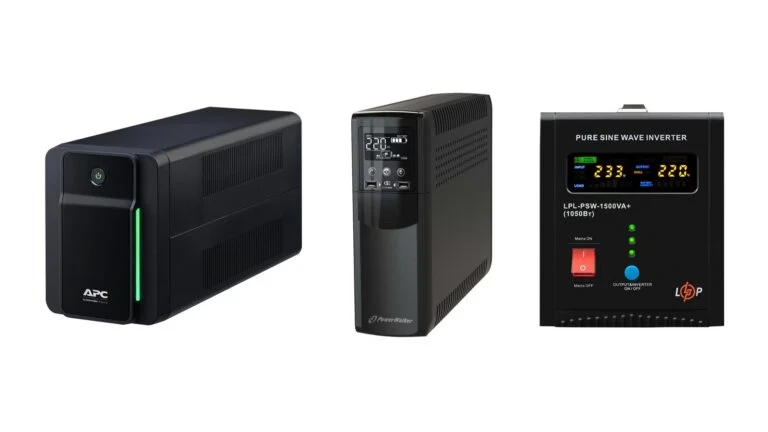
For a load like this, a DC mini UPS is more convenient than a regular 230 V UPS: for example, the 2E Mini DC 36W LFP with a LiFePO4 battery outputs 12 V and 9 V. Models and runtime math are in our roundup of UPS units for a router, PC and boiler.
If your internet comes over GPON fiber, you also need to power the ONU terminal: Kyivstar says plainly that for internet without power, you connect the ONU terminal and the router to a power bank. Whether the ISP’s own network keeps working depends on its backup power, so a backup channel helps: the TP-Link TL-MR100 switches to 4G on its own, and the ASUS RT-AX53U switches to a USB modem in Dual WAN mode.
Sources and methodology
Analysis of public sourcesChecked 5 October 2026
- Wi-Fi Alliance — Wi-Fi CERTIFIED 7 wi-fi.org
- TP-Link — how to improve Wi-Fi signal and range tp-link.com
- TP-Link — 3G/4G backup on LTE routers tp-link.com
- ASUS — Dual WAN failover asus.com
- Kyivstar — GPON fiber internet without power kyivstar.ua
FAQ
Which budget router should I buy for an apartment?
For most apartments, the Tenda AX12 Pro: AX3000 Wi-Fi 6, three gigabit LAN ports and EasyMesh for UAH 1,999 at Foxtrot as of October 5, 2026. On the tightest budget, the Tenda TX2L Pro for UAH 1,599.
Is it worth buying a Wi-Fi 7 router in 2026?
If the price gap is small, yes: the Mercusys MR25BE costs UAH 2,339 — less than the TP-Link Archer AX53 Wi-Fi 6 router at UAH 2,999. But MLO and 4K-QAM work only with Wi-Fi 7 devices, and budget BE3600 routers have no 6 GHz band or 320 MHz channels.
What router do I need for a 1 Gbps plan?
One with gigabit WAN and LAN ports — every model on this list has them except the TL-MR100 4G router. A 2.5 Gbps port, like on the Mercusys MR27BE, is needed only for a plan faster than 1 Gbps or for a NAS.
Will Wi-Fi work during a power outage?
Yes, if you power the router from a DC mini UPS or a power bank with the right output voltage, plus the ONU terminal if you are on GPON. The voltage is on the adapter: 12 V for the Tenda and ASUS models in this list. Internet works as long as the ISP’s equipment does; in case it fails, you need a 4G backup.
Why is Wi-Fi speed lower than the box says?
AX3000 or BE3600 is the sum of the maximum speeds of all bands under the standard, while a device usually uses one band and is limited by its own Wi-Fi module. Walls, interference and network load lower real speed further.






Leave a Reply