
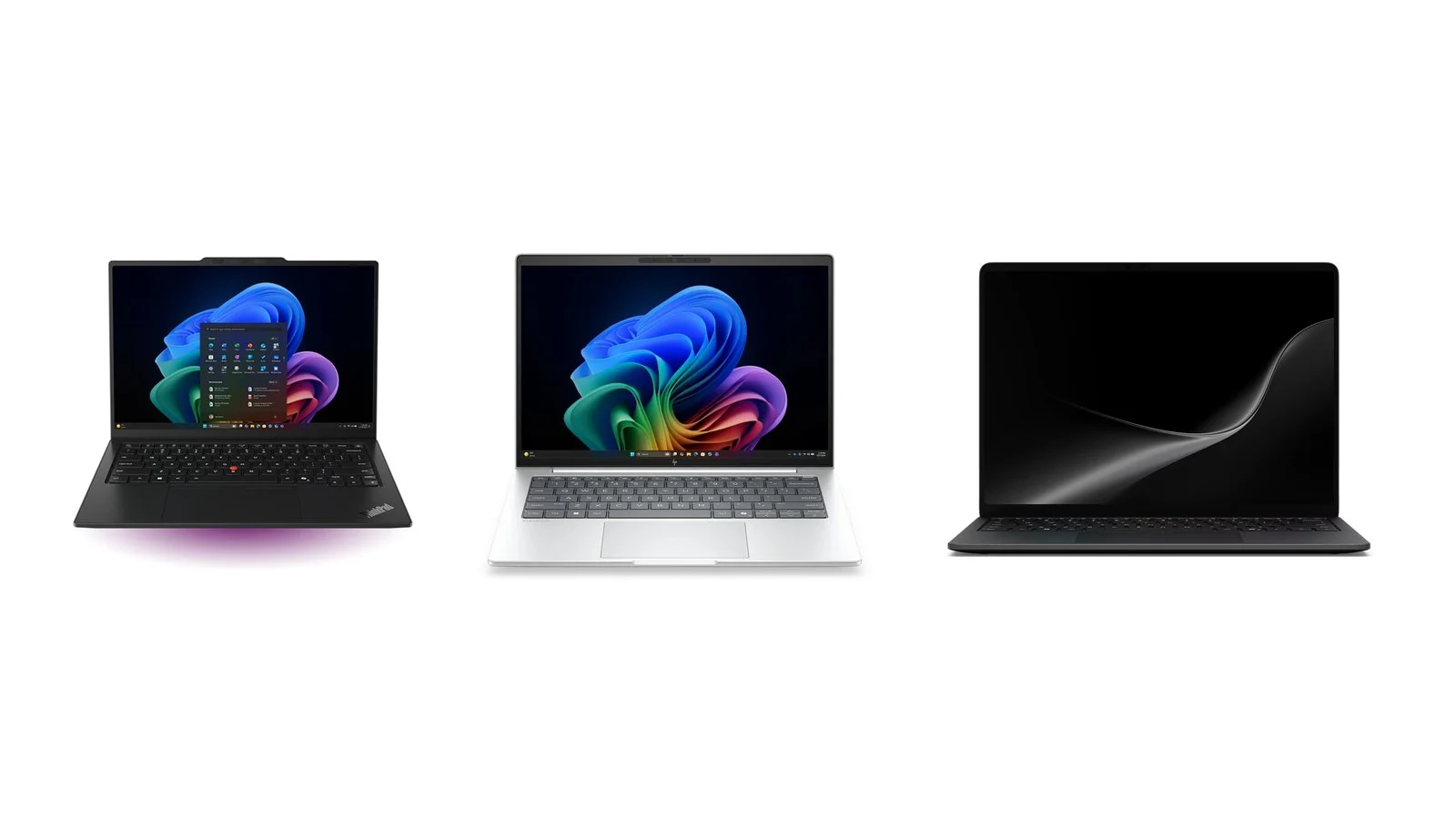
The best business laptops of 2026 are nine current models from Lenovo, Apple, HP, Microsoft, Dell, ASUS and Framework that are on sale in September 2026. First place goes to the ThinkPad X1 Carbon Gen 14 Aura Edition: under 1 kg, a discrete TPM 2.0 chip and, according to Lenovo, up to 19.2 hours in MobileMark 30. The best macOS pick is the MacBook Air 13 (M5) at $1,299, and the best value on Windows is the HP EliteBook 8 G2i 14 at $1,349 with a three-year warranty.
Below you’ll find specs from the manufacturers’ sites, prices in their US stores as of September 25, 2026, two comparison tables and a breakdown of what sets a business laptop apart from a home one: Windows 11 Pro, TPM 2.0, remote management, ports and warranty. We also note which models let you replace the memory and storage.
How we picked
- Current models only. All nine laptops are listed on the manufacturers’ sites in September 2026 and run on Intel Core Ultra (Series 3), AMD Ryzen, Snapdragon X2 or Apple M5 chips.
- Features for company use. Windows 11 Pro configurations, TPM 2.0, fingerprint or face sign-in, and remote management through Intel vPro, AMD DASH, Microsoft Intune or Apple Business.
- Official specs. Weight, ports, battery and claimed battery life come from Lenovo PSREF, HP QuickSpecs and the spec pages of Apple, Microsoft, Dell, ASUS and Framework. Manufacturers measure battery life with different methods, so hours from different brands can’t be compared directly.
- Dated prices. Prices are from the manufacturers’ official US online stores on September 25, 2026, before sales tax. In Ukraine and other countries, prices and configurations differ.
- Different use cases. An ultralight laptop for travel, an office workhorse, an affordable option with a long warranty, Macs, a powerful laptop for heavy workloads and models a company can upgrade and repair itself.
We did not test these laptops ourselves: the comparison is based on manufacturer data. Models that suit most companies come first, followed by laptops for specific tasks.
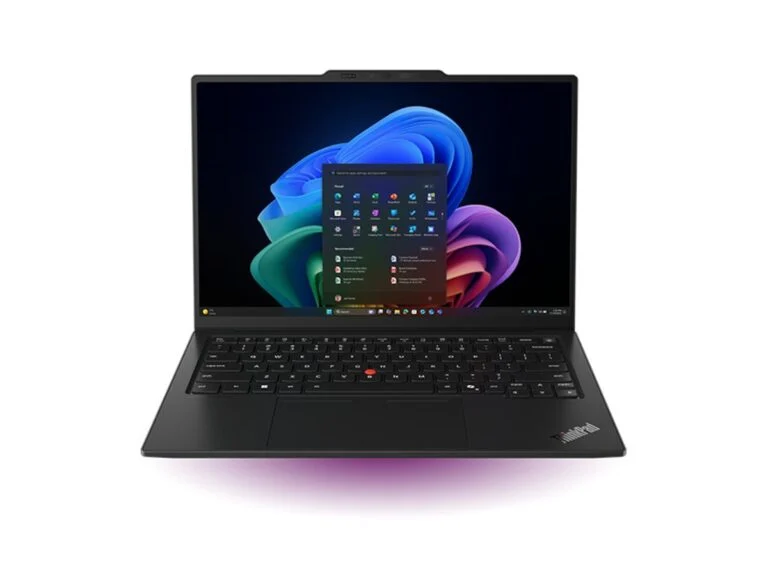
1. Lenovo ThinkPad X1 Carbon Gen 14 Aura Edition
Best overallUltralight 14-inch laptop
Lenovo ThinkPad X1 Carbon Gen 14 Aura Edition
- Processor
- Intel Core Ultra 5, 7 or X7 (Series 3), NPU up to 50 TOPS
- Memory
- 16–64 GB LPDDR5X, soldered
- Storage
- up to 2 TB, PCIe 4.0 or 5.0
- Display
- 14-inch, WUXGA IPS 500 nits or 2.8K OLED 120 Hz
- Weight
- from 0.977 kg
- Battery
- 58 Wh, up to 19.2 h in MobileMark 30
- Ports
- 3 × Thunderbolt 4, USB-A, HDMI 2.1, 3.5 mm; optional 4G or 5G
- Security
- discrete TPM 2.0, fingerprint reader, IR camera with shutter, optional vPro Enterprise
- Standard
- MIL-STD-810H
Windows 11 ProWindows 11 HomeUbuntuFedora
Pricefrom $2,534checked 25 September 2026
For executives and road warriors: under 1 kg, three Thunderbolt 4 ports, optional 5G and Lenovo’s full set of enterprise security features.
- From 0.977 kg
- Up to 19.2 h in MobileMark 30
- Discrete TPM 2.0 and vPro Enterprise
- Soldered memory
- Base configuration ships with Windows 11 Home
The X1 Carbon Gen 14 Aura Edition is Lenovo’s flagship 14-inch ThinkPad with Intel Core Ultra (Series 3) processors. The lid is carbon fiber, the bottom is magnesium on OLED versions and aluminum on IPS versions, and the chassis passed MIL-STD-810H military-standard tests. Three Thunderbolt 4 ports, USB-A and HDMI 2.1 mean you can skip the dongles, and a 4G or 5G modem is optional.
Security is what matters most for a company: a TCG-certified discrete TPM 2.0 chip, a fingerprint reader in the power button, an IR camera with a shutter, and Intel vPro Enterprise on some configurations. Battery life depends on the configuration: with a WUXGA screen and a Core Ultra 5 325, Lenovo promises up to 19.2 hours in MobileMark 30, but with the 2.8K OLED and a Core Ultra X7 368H it’s up to 11.4 hours. H-series processors aren’t sold in North America.
In Lenovo’s US store on September 25, 2026, a configurable version with a Core Ultra 5 335 vPro, 32 GB of memory, a 256 GB SSD and Windows 11 Home cost $2,534, or $2,407.30 with the coupon shown on the page. To join a domain, you need to pick Windows 11 Pro when ordering — we explain why below.
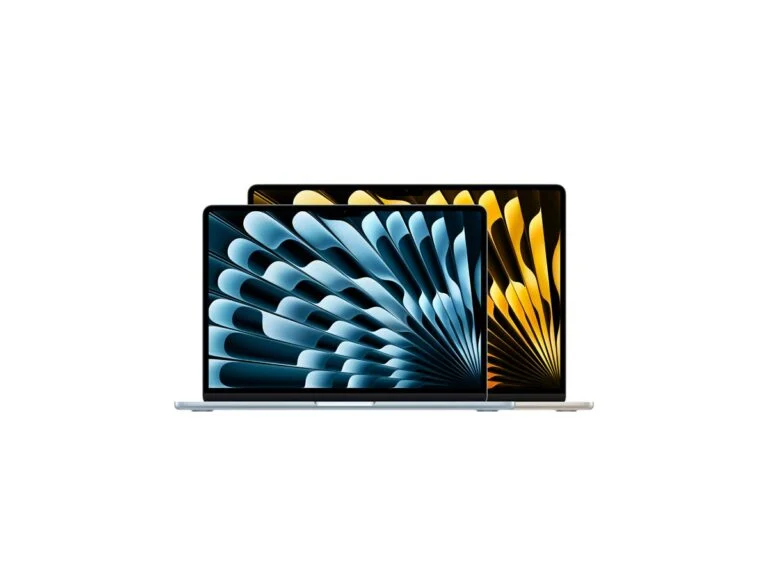
2. Apple MacBook Air 13 (M5)
Best on macOS13.6-inch macOS laptop
Apple MacBook Air 13 (M5)
- Processor
- Apple M5, 10-core CPU, 8- or 10-core GPU
- Memory
- 16, 24 or 32 GB
- Storage
- 512 GB to 4 TB
- Display
- 13.6-inch, 2560×1664, 500 nits
- Weight
- 1.23 kg
- Battery
- 53.8 Wh, up to 18 h of video and up to 15 h of web browsing
- Ports
- 2 × Thunderbolt 4, MagSafe 3, 3.5 mm; up to two external displays
- Wireless
- Wi-Fi 7, Bluetooth 6
- Security
- Touch ID, automatic drive encryption, FileVault
macOS
Pricefrom $1,299; 15-inch from $1,499checked 25 September 2026
For small teams and freelancers whose software runs on macOS: long battery life, Wi-Fi 7 and setup through Apple Business.
- Up to 18 h of video, per Apple
- 16 GB and 512 GB in the base model
- Wi-Fi 7 and Bluetooth 6
- No HDMI or Ethernet
- Memory and SSD are chosen only at purchase
The M5 MacBook Air is one of the most affordable laptops here: for $1,299, Apple gives you 16 GB of memory and a 512 GB SSD. According to Apple, it lasts up to 18 hours of video streaming and up to 15 hours of wireless web browsing, and it weighs 1.23 kg. The 15-inch version with the same chip starts at $1,499 and weighs 1.51 kg.
On Macs with Apple chips, data on the drive is encrypted automatically, and FileVault keeps anyone from decrypting it without the user’s password. With Apple Business, a company can set a Mac to enroll in its device management (MDM) system right out of the box, the first time it’s turned on. The main limits: only two Thunderbolt 4 ports, no HDMI or Ethernet, and no more than two external displays.
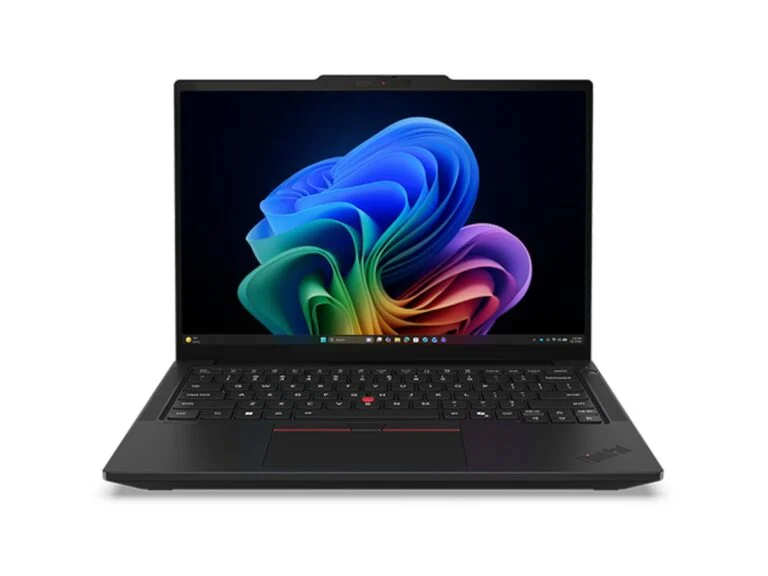
3. Lenovo ThinkPad T14 Gen 7
Best for company fleets14-inch office laptop
Lenovo ThinkPad T14 Gen 7
- Processor
- Intel Core Ultra 5, 7 or X7 (Series 3) or AMD Ryzen AI 5/7 PRO 400
- Memory
- Intel — LPCAMM2 module up to 64 GB; AMD — 2 SO-DIMM slots up to 96 GB
- Storage
- up to 2 TB, PCIe 4.0 or 5.0
- Display
- 14-inch, WUXGA IPS 400–500 nits or 2.8K OLED 120 Hz
- Weight
- from 1.27 kg
- Battery
- 60 or 75 Wh, up to 19.8 h in MobileMark 30 (Intel)
- Ports
- 2 × Thunderbolt 4, 2 × USB-A, HDMI 2.1, RJ-45, 3.5 mm; optional smart card reader, 4G/5G
- Security
- discrete TPM 2.0, fingerprint reader, optional IR camera, shutter, vPro Enterprise or DASH
Windows 11 ProWindows 11 HomeUbuntuFedora
Price$1,729 with Windows 11 Prochecked 25 September 2026
For companies that buy laptops in bulk: Ethernet and two USB-A ports without dongles, replaceable memory and a battery of up to 75 Wh.
- Memory can be replaced and upgraded
- RJ-45 with Wake-on-LAN
- Up to 19.8 h in MobileMark 30
- Almost 0.3 kg heavier than the X1 Carbon
- Base display is 400 nits, 45% NTSC
The T14 is the classic office ThinkPad, and in its seventh generation the memory isn’t soldered. The Intel Core Ultra (Series 3) version uses a single replaceable LPCAMM2 module of up to 64 GB, while the AMD version has two SO-DIMM slots: up to 96 GB of DDR5 with Ryzen AI PRO 400 and up to 64 GB with Ryzen PRO 200. So you don’t have to overbuy memory up front — you can add more later.
The ports are built for an office without dongles: two Thunderbolt 4, two USB-A, HDMI 2.1 and Gigabit Ethernet with Wake-on-LAN. The battery is 60 or 75 Wh: Lenovo promises up to 19.8 hours in MobileMark 30 for the Intel version and up to 18.9 hours for the AMD one. As on the X1 Carbon, you get a discrete TPM 2.0 and a fingerprint reader in the power button, while the AMD versions use DASH management instead of vPro.
A ready-made configuration with a Core Ultra 5 325, 16 GB, a 512 GB SSD, the 75 Wh battery and Windows 11 Pro cost $1,729 in Lenovo’s US store on September 25, with a one-year onsite warranty. The AMD version with a Ryzen AI 5 PRO 440 and Windows 11 Home started at $1,739.
4. HP EliteBook 8 G2i 14
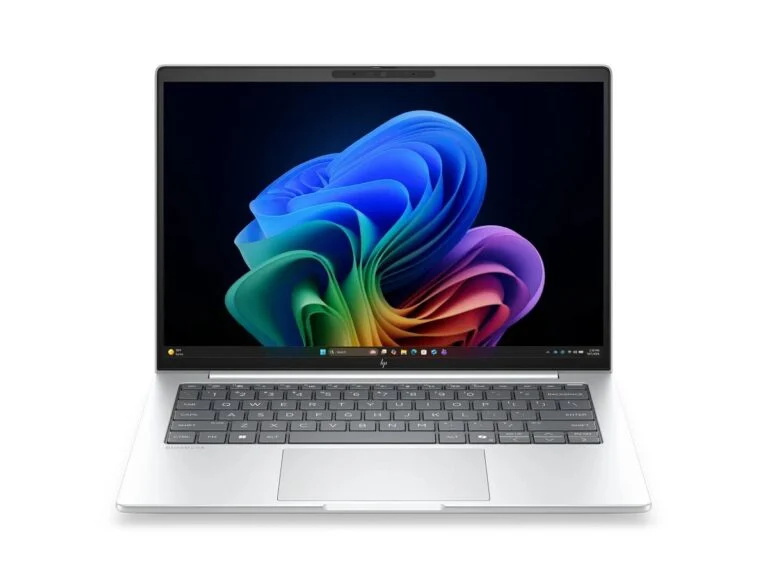
Best value14-inch business laptop
HP EliteBook 8 G2i 14
- Processor
- Intel Core Ultra 5, 7 or X7 (Series 3)
- Memory
- 2 SO-DIMM slots, up to 64 GB DDR5, or soldered LPDDR5X up to 64 GB
- Display
- 14-inch, WUXGA IPS up to 800 nits (Sure View available), 2.5K 120 Hz or OLED
- Weight
- from 1.399 kg
- Battery
- 62 or 68 Wh, up to 21 h 15 min in MobileMark 30
- Ports
- 2 × Thunderbolt 4, USB-C 10 Gbps, USB-A, HDMI 2.1, 3.5 mm; optional RJ-45, smart card reader, 5G
- Security
- TPM 2.0 (FIPS 140-3), HP Sure Start, fingerprint reader, 5 MP IR camera
- Warranty
- 3 years in the $1,349 configuration
Windows 11 ProWindows 11 Home
Price$1,349 with a 3-year warrantychecked 25 September 2026
For small businesses without an IT department: Windows 11 Pro, a three-year warranty, an IR camera and a smart card reader already in the $1,349 configuration.
- 3-year warranty in the base price
- SO-DIMM memory, up to 64 GB
- Up to 21 h 15 min in MobileMark 30
- From 1.4 kg
- Only a 256 GB SSD
- No onsite repair in the warranty
The EliteBook 8 G2i 14 is HP’s business laptop with Intel Core Ultra (Series 3) and Windows 11 Pro. In HP’s US store on September 25, 2026, a configuration with a Core Ultra 5 325, 16 GB and a 256 GB SSD cost $1,349, down from $1,709. The price includes a three-year warranty without onsite repair, a three-year HP Wolf Pro Security license, a 5 MP IR camera, a fingerprint reader and a smart card reader.
Memory in this version sits in SO-DIMM slots: HP supports up to 64 GB of DDR5 across two modules, so doubling the 16 GB is easy. The battery is 62 or 68 Wh; according to HP, with the 68 Wh battery the laptop lasts up to 21 hours 15 minutes in MobileMark 30 and up to 14 hours in a Teams video call. The TPM 2.0 chip is FIPS 140-3 certified, and HP Wolf Security includes HP Sure Start BIOS protection.
Ethernet, a 5G modem and a Sure View privacy screen are available in other configurations.
5. Microsoft Surface Laptop for Business (8th Edition)
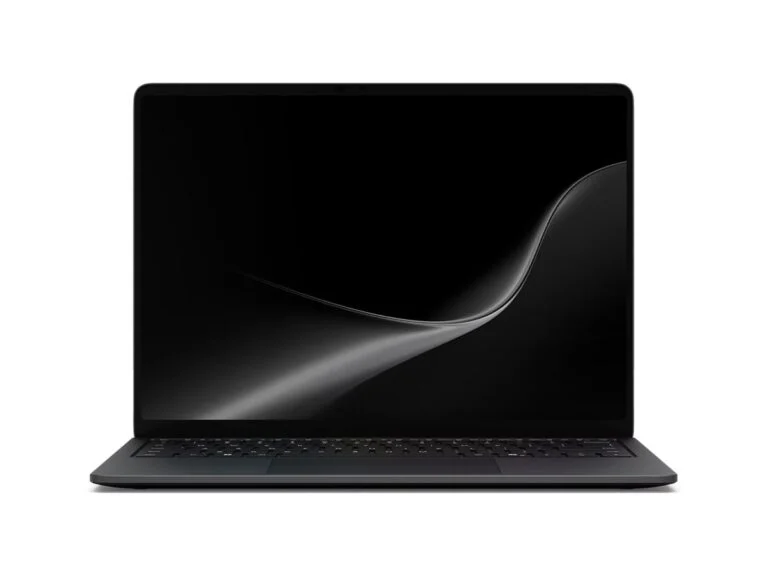
Best for privacy13.8- or 15-inch laptop
Microsoft Surface Laptop for Business (8th Edition)
- Processor
- Intel Core Ultra 5, 7 or X7 (Series 3) or Snapdragon X2 Plus or X2 Elite
- Memory
- 16, 32 or 64 GB LPDDR5x
- Storage
- removable SSD, 256 GB to 1 TB (Intel) or 2 TB (Snapdragon)
- Display
- 13.8-inch 2304×1536 or 15-inch 3270×2180, 120 Hz, 600 nits, touch
- Weight
- from 1.35 kg (13.8-inch)
- Battery
- 54 Wh (13.8-inch), up to 23 h of video (Intel)
- Ports
- 2 × USB4 (Thunderbolt 4 on Intel), USB-A, Surface Connect, 3.5 mm
- Security
- Secured-core PC, TPM 2.0, Microsoft Pluton, Windows Hello face sign-in
Windows 11 Pro
Pricefrom $1,649.99; Intel from $2,149.99checked 25 September 2026
For anyone handling confidential data on trains, in cafes or coworking spaces: the privacy screen turns on with a key, and the SSD is removable.
- Built-in privacy screen (13.8-inch)
- Removable SSD
- Windows 11 Pro on every configuration
- 1-year warranty
- No HDMI or Ethernet
The eighth-generation Surface Laptop for Business comes in two versions: Intel Core Ultra (Series 3) and Snapdragon X2. Its standout feature is a built-in privacy screen on some 13.8-inch models: you turn it on with a key, and it narrows the viewing angles so people next to you on a train or in a cafe can’t see your screen. The 15-inch version has a sharper 262 ppi display and a microSDXC Express slot, and select configurations add a smart card reader.
Every model has a removable SSD. You can keep the drive when the laptop goes in for repair, although without the paid Drive Retention option you may be charged for returning it without the SSD. Security includes Secured-core PC, TPM 2.0, the Microsoft Pluton security processor and Windows Hello face sign-in. Microsoft promises up to 23 hours of video playback for the 13.8-inch Intel model and up to 20 hours for Snapdragon, with a weight of 1.35–1.36 kg.
All models ship with Windows 11 Pro and a one-year warranty. On September 25, the Snapdragon X2 version cost from $1,649.99 in Microsoft’s US store, and the Intel version from $2,149.99. Snapdragon uses the Arm architecture, so before buying, check that your apps, VPN client and printer drivers work on Windows on Arm.
6. Dell Pro 14 Premium
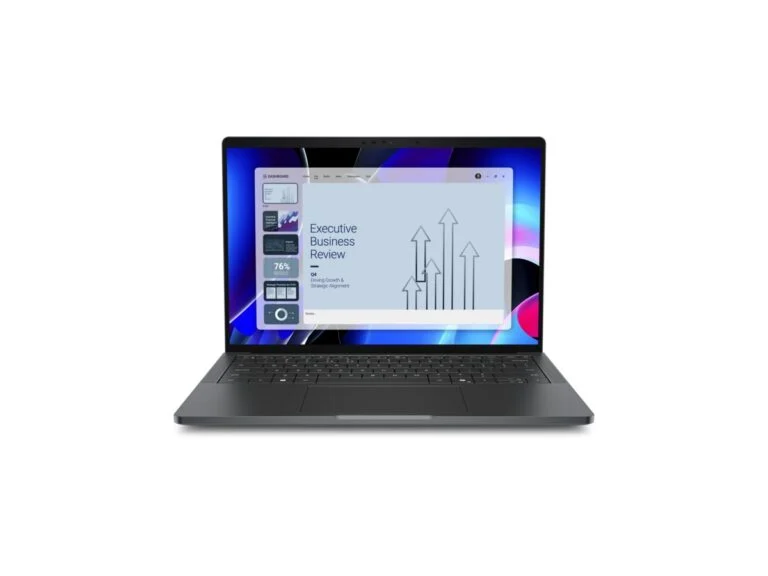
Best for video calls14-inch business laptop
Dell Pro 14 Premium
- Processor
- Intel Core Ultra 5 335, Ultra 7 365 or Ultra 7 366H, all with vPro
- Memory
- 16, 32 or 64 GB LPDDR5x, soldered
- Storage
- 256 GB to 2 TB
- Display
- 14-inch, WUXGA 400–500 nits, 2560×1600 or Tandem OLED
- Weight
- from 1.15 kg
- Battery
- 40 or 60 Wh
- Ports
- 2 × Thunderbolt 4, USB-A, HDMI 2.1, 3.5 mm; optional 5G
- Camera
- 8 MP HDR + IR, 1440p, shutter
- Security
- TPM 2.0 (FIPS 140-3), chassis intrusion switch, optional fingerprint reader
Windows 11 ProWindows 11 HomeUbuntu
Pricefrom $2,736checked 25 September 2026
For executives and managers who spend all day on calls: an 8 MP camera, four speakers and a touchpad with Zoom and Teams controls.
- 8 MP HDR camera with IR sensor
- Touchpad controls for Zoom and Teams
- vPro on every processor
- Pricier than the ThinkPad X1 Carbon Gen 14
- Only two Thunderbolt 4 ports
Since 2025, Dell’s business laptops have been sold under the Dell Pro brand, which replaced Latitude. The Pro 14 Premium is the flagship of the line and, according to Dell, the lightest Dell Pro laptop: from 1.15 kg in a chassis made of 90% recycled magnesium. The Intel Core Ultra (Series 3) version went on sale on March 31, 2026, and all three processors in its spec sheet include vPro.
This laptop is built for people who spend the whole day on calls. The 8 MP HDR camera with an IR sensor records in 1440p, there are four speakers, and the Collaboration Touchpad puts mic, camera, screen-sharing and chat controls for Zoom and Microsoft Teams right on the touchpad. Security features include a FIPS 140-3 certified TPM 2.0, a chassis intrusion switch and a camera shutter, while a fingerprint reader in the power button is optional.
Dell’s spec sheet lists only the battery capacity — 40 or 60 Wh — without claimed hours. On September 25, you could build a configuration in Dell’s US store from $2,736.
7. Apple MacBook Pro 14 (M5)
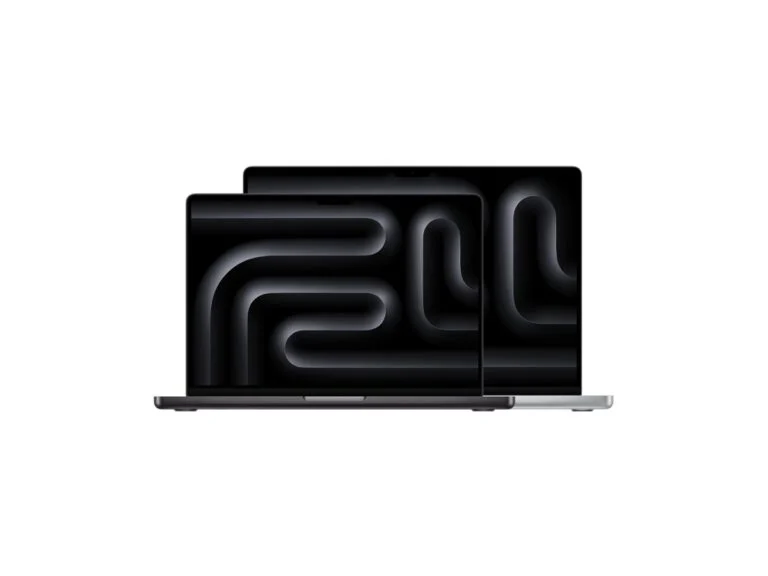
Best for heavy workloads14.2-inch macOS laptop
Apple MacBook Pro 14 (M5)
- Processor
- Apple M5, M5 Pro (15- or 18-core CPU) or M5 Max (18-core)
- Memory
- 16–32 GB (M5), up to 128 GB (M5 Max)
- Storage
- 1 TB to 8 TB
- Display
- 14.2-inch Liquid Retina XDR, 3024×1964, up to 120 Hz, up to 1,000 nits SDR outdoors
- Weight
- from 1.55 kg
- Battery
- 72.4 Wh, up to 24 h of video (M5)
- Ports
- 3 × Thunderbolt 4 (M5) or Thunderbolt 5 (M5 Pro, Max), HDMI, SDXC, MagSafe 3, 3.5 mm
- Wireless
- Wi-Fi 6E (M5), Wi-Fi 7 (M5 Pro, Max)
macOS
Pricefrom $1,999checked 25 September 2026
For analysts, developers, designers and video editors: M5 Pro and M5 Max chips, HDMI and SD cards without dongles, and up to 24 hours of video.
- HDMI, SDXC and three Thunderbolt ports
- Up to 24 h of video, per Apple
- Up to 128 GB of memory with M5 Max
- 0.32 kg heavier than the MacBook Air
- Base M5 has Wi-Fi 6E
The MacBook Pro 14 is for people who need more than a MacBook Air: analysts with heavy spreadsheets, developers, designers and video editors. The $1,999 base model has the M5 chip, 16 GB of memory and a 1 TB SSD, while the M5 Pro and M5 Max offer up to 18 CPU cores and up to 128 GB of memory. The Liquid Retina XDR display runs at up to 120 Hz and reaches up to 1,000 nits in SDR outdoors.
The ports are handy for office work: three Thunderbolt ports (Thunderbolt 4 on M5, Thunderbolt 5 on M5 Pro and Max), HDMI, an SDXC slot and MagSafe 3, so you can connect to a projector or monitor without a dongle. Apple promises up to 24 hours of video on the M5 model. Keep in mind that the M5 supports two external displays, the M5 Pro three and the M5 Max four, and only the M5 Pro and M5 Max have Wi-Fi 7.
If you also need the laptop to record and mix music, see our roundup of the best laptops for music production.
8. ASUS ExpertBook P5 G2
Most upgradeable14-inch business laptop
ASUS ExpertBook P5 G2
- Processor
- Intel Core Ultra 5 322/325 or Ultra 7 355/356H (Series 3); AMD Ryzen AI 9 HX 470 version available
- Memory
- 2 SO-DIMM slots, DDR5 up to 64 GB
- Storage
- 2 M.2 slots — 2280 PCIe 5.0 and 2230 PCIe 4.0
- Display
- 14-inch, 1920×1200 or 2560×1600, IPS
- Weight
- from 1.38 kg
- Battery
- 50 or 63 Wh
- Ports
- 2 × Thunderbolt 4, 2 × USB-A, HDMI 2.1, RJ-45, 3.5 mm
- Security
- TPM 2.0, Secured-core PC, fingerprint reader, IR camera, shutter
- Standard
- MIL-STD-810H
Windows 11 Pro
Price$2,979.99checked 25 September 2026
For IT teams that upgrade laptops in-house: two memory slots, two SSD slots and Ethernet, plus, in the US, a three-year warranty and a year of accidental damage protection.
- 2 SO-DIMM and 2 M.2 slots
- RJ-45 and two USB-A ports
- 3-year warranty + 1 year of accidental damage cover
- Pricier than a ThinkPad T14 Gen 7 with the same memory
- From 1.38 kg
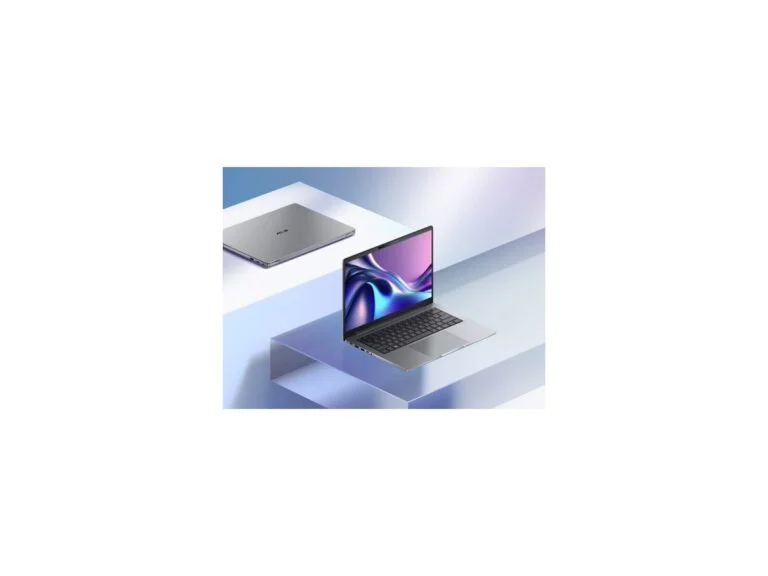
ASUS announced the ExpertBook P5 G2 on January 7, 2026, in 14-inch and 16-inch sizes. It’s a laptop for people who upgrade their own hardware: two SO-DIMM slots for up to 64 GB of DDR5 and two M.2 slots for SSDs — a full-size 2280 with PCIe 5.0 and a short 2230 with PCIe 4.0. The ports are office-friendly too: two Thunderbolt 4, two USB-A, HDMI 2.1 and Gigabit Ethernet.
The chassis passed MIL-STD-810H testing, and security includes TPM 2.0, Secured-core PC status, an IR camera, a fingerprint reader and a camera shutter. The 14-inch version starts at 1.38 kg, with a 50 or 63 Wh battery. Besides the Intel model, the ASUS store also sells a version with an AMD Ryzen AI 9 HX 470.
In the US, it’s expensive: on September 25, the ASUS store charged $2,979.99 for a configuration with a Core Ultra 7 356H, 32 GB and a 1 TB SSD. On the other hand, the price includes a three-year warranty and one year of accidental damage protection.
9. Framework Laptop 13 Pro
Most repairableModular 13.5-inch laptop
Framework Laptop 13 Pro
- Processor
- Intel Core Ultra 5 325, Ultra X7 358H or Ultra X9 388H; AMD Ryzen AI 300 version available
- Memory
- LPCAMM2 module, up to 64 GB
- Storage
- up to 2 TB PCIe 5.0 or up to 8 TB PCIe 4.0
- Display
- 13.5-inch, 2880×1920, 30–120 Hz, 700 nits, touch
- Weight
- 1.41–1.44 kg
- Battery
- 74.45 Wh, up to 20 h of 4K streaming in Framework’s test
- Ports
- 4 expansion card slots (Thunderbolt 4 on each), 3.5 mm
- Security
- fingerprint reader, hardware switches for camera and microphones
Windows 11Ubuntuother Linux
Pricefrom $1,199 without memory, SSD or OSchecked 25 September 2026
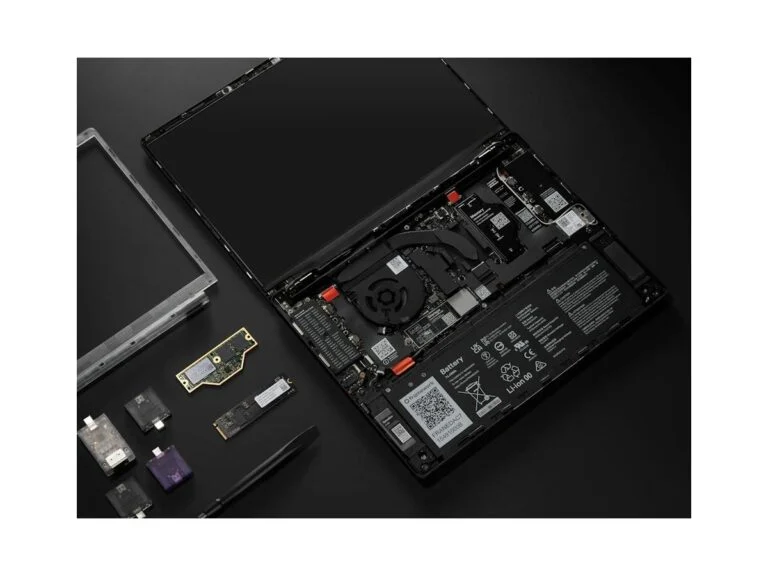
For developers and IT teams who want to repair and upgrade their own laptop: any part can be replaced, and you pick the ports as modules.
- Any part replaceable, including the mainboard
- Ubuntu certified
- 700-nit display and 74.45 Wh battery
- Wi-Fi without vPro
- New pre-orders ship in December
- 1-year warranty; 3 years costs $179
Framework makes modular laptops: you can replace any part, from the battery to the mainboard, and build your port set from expansion cards — USB-C, USB-A, HDMI, Ethernet and more. The 13 Pro came out in 2026 with an aluminum chassis, Intel Core Ultra (Series 3) processors, replaceable LPCAMM2 memory up to 64 GB and a 74.45 Wh battery. In Framework’s tests, the Core Ultra X7 358H model lasts up to 20 hours of 4K streaming and up to 17 hours of web browsing.
Framework pitches the 13 Pro as a laptop for developers: the Intel version is Ubuntu certified, and hardware switches cut off the camera and microphones. For a corporate fleet there are limits: the Wi-Fi module lacks vPro, the base warranty is one year (extending it to three years costs $179), and new pre-orders ship in December 2026. The DIY Edition starts at $1,199 without memory, storage or an OS, and the AMD Ryzen AI 300 version starts at $1,399.
Comparison
| Model | Best for | Key strength | US price |
|---|---|---|---|
| ThinkPad X1 Carbon Gen 14 | Executives and frequent travelers | Under 1 kg, vPro, 5G | from $2,534 |
| MacBook Air 13 (M5) | Companies on macOS | Up to 18 h of video | from $1,299 |
| ThinkPad T14 Gen 7 | Office fleets | Ethernet, replaceable memory | $1,729 |
| HP EliteBook 8 G2i 14 | Small businesses | 3-year warranty included | $1,349 |
| Surface Laptop for Business | Working in public | Privacy screen | from $1,649.99 |
| Dell Pro 14 Premium | Frequent video calls | 8 MP camera, Teams touchpad | from $2,736 |
| MacBook Pro 14 (M5) | Heavy workloads on a Mac | M5 Pro/Max, HDMI and SD | from $1,999 |
| ASUS ExpertBook P5 G2 | IT teams that upgrade in-house | 2 memory and 2 SSD slots | $2,979.99 |
| Framework Laptop 13 Pro | Developers and Linux | Every part replaceable | from $1,199 without RAM or SSD |
Weight, battery and warranty
| Model | Weight from, kg | Battery, Wh | Maker’s battery claim | Ethernet | Base warranty |
|---|---|---|---|---|---|
| ThinkPad X1 Carbon Gen 14 | 0.977 | 58 | MobileMark 30: up to 19.2 h | Via adapter | 1 or 3 years |
| MacBook Air 13 (M5) | 1.23 | 53.8 | Video: up to 18 h | No | 1 year |
| ThinkPad T14 Gen 7 | 1.27 | 60 or 75 | MobileMark 30: up to 19.8 h | Yes | 1 or 3 years |
| HP EliteBook 8 G2i 14 | 1.399 | 62 or 68 | MobileMark 30: up to 21 h 15 min | Optional | 1 year; 3 years in the US |
| Surface Laptop 13.8 (Intel) | 1.35 | 54 | Video: up to 23 h | No | 1 year |
| Dell Pro 14 Premium | 1.15 | 40 or 60 | Not in the spec sheet | No | Depends on configuration |
| MacBook Pro 14 (M5) | 1.55 | 72.4 | Video: up to 24 h | No | 1 year |
| ASUS ExpertBook P5 G2 | 1.38 | 50 or 63 | Not in the spec sheet | Yes | 3 years in the US |
| Framework Laptop 13 Pro | 1.41 | 74.45 | 4K streaming: up to 20 h | Module | 1 year; 3 years for $179 |
How to choose a business laptop
Windows 11 Pro, not Home
The main thing Windows 11 Pro gives you is corporate management. Only the Pro, Enterprise and Education editions can join an Active Directory domain or turn on full BitLocker; Home has only simplified “device encryption.” Pro supports Group Policy and Windows Autopilot, and Windows 11 Enterprise E3 and E5 subscriptions require Pro as the qualifying operating system.
Manufacturers remind you of this themselves: next to Windows 11 Home configurations, Lenovo and HP say they recommend Pro for business. Even so, on September 25 the base configurable versions of the ThinkPad X1 Carbon Gen 14 and T14 Gen 7 in Lenovo’s store came with Home, so check the Windows edition when you order.
TPM 2.0, vPro and remote management
TPM 2.0 is part of Microsoft’s minimum requirements for Windows 11, so every Windows laptop here has one. On the ThinkPads and HP EliteBook it’s a separate (discrete) chip, while the Surface has a built-in TPM 2.0 plus the Microsoft Pluton security processor. On Macs with Apple chips, data on the drive is encrypted automatically.
Intel vPro matters if an IT department manages your laptops: with Intel AMT, an administrator can diagnose, update, repair or retire a computer even when it’s powered off or Windows won’t boot. Intel also aims to keep vPro platforms free of hardware changes for at least 15 months, which makes it easier to maintain identical system images. On AMD laptops, the DASH management standard offers similar capabilities, and the ThinkPad T14 Gen 7 supports it.
Memory: soldered or replaceable
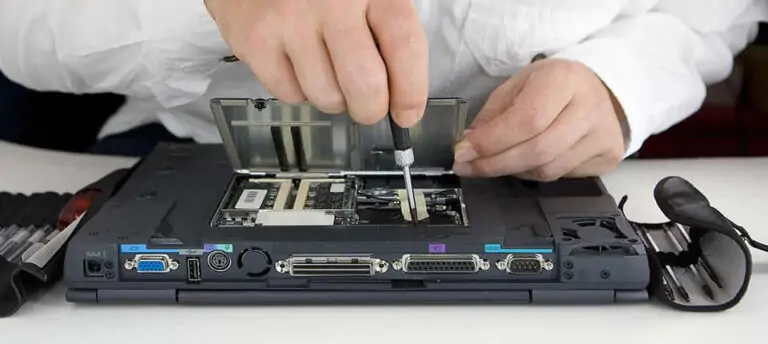
Microsoft requires at least 16 GB of memory for Copilot+ PCs, and every laptop here comes in 16 GB configurations. On the ThinkPad X1 Carbon, Dell Pro 14 Premium and Surface the memory is soldered, and on MacBooks you also choose it only at purchase. You can add memory later on the ThinkPad T14 Gen 7, the HP EliteBook 8 G2i in SO-DIMM versions, the ASUS ExpertBook P5 G2 and the Framework Laptop 13 Pro.
Ports and docking
According to Intel, a Thunderbolt 4 port transfers data at 40 Gbps and can drive two 4K 60 Hz monitors through a dock or adapter. Every model here has Thunderbolt 4 or newer, except the Snapdragon Surface, which has USB4 ports. A single-cable dock is handy when someone splits time between home and the office.
Before buying a dock, check how many external displays the laptop supports: up to three on the ThinkPad X1 Carbon and T14, up to three 4K displays on the Surface Laptop for Business through a dock or daisy chain, and two on the MacBook Air and M5 MacBook Pro. Wired Ethernet is built into the ThinkPad T14 Gen 7 and ASUS ExpertBook P5 G2, available in some HP EliteBook 8 G2i configurations, and offered as an expansion card for the Framework.
Warranty and service
The base warranty on most models is one year: at Apple, Microsoft, Framework and on some Lenovo configurations. In US stores, HP gives three years on the $1,349 EliteBook 8 G2i configuration, and ASUS does the same on the ExpertBook P5 G2, plus a year of accidental damage protection.
For the rest, extended coverage costs extra: HP Care Pack offers up to three years of onsite service, Dell ProSupport Plus adds accidental damage coverage, Microsoft plans go up to four years, and Framework charges $179 for three years. Terms vary by country: HP states outright that warranty options differ by region.
If you’re buying outside the US, check the warranty length and repair terms with the manufacturer’s official representative. And plan ahead for moving your files and settings from the old computer.
Sources and methodology
Analysis of public sourcesChecked 25 September 2026
- Microsoft — Windows 11 and Copilot+ PC requirements microsoft.com
- Microsoft Learn — BitLocker and Windows editions learn.microsoft.com
- Microsoft Learn — Windows 10 Extended Security Updates (ESU) learn.microsoft.com
- Intel — Thunderbolt 4 intel.com
- Specs and prices — manufacturers’ official pages and US stores, linked in the cards
FAQ
How is a business laptop different from a regular one?
It usually has Windows 11 Pro, a TPM 2.0 module (often a separate chip), fingerprint or face sign-in and remote management tools such as Intel vPro. Intel aims to keep vPro platform hardware unchanged for at least 15 months, and most manufacturers let you extend the warranty to three years or more.
Does a small company need Windows 11 Pro?
Yes, if you need an Active Directory domain, full BitLocker or a Windows Enterprise subscription: Home doesn’t have them, and Enterprise E3 and E5 require Pro as the qualifying OS. If one person uses the laptop without an IT department, Home also encrypts the drive automatically when you sign in with a Microsoft account.
How much RAM does a business laptop need in 2026?
At least 16 GB — that’s what Microsoft requires for Copilot+ PCs. If the memory is soldered, as on the ThinkPad X1 Carbon, Surface and MacBooks, pick enough up front; on the ThinkPad T14 Gen 7, ASUS ExpertBook P5 G2 and Framework Laptop 13 Pro, you can add memory later.
What happened to Dell Latitude and XPS?
In January 2025, Dell switched to the Dell, Dell Pro and Dell Pro Max names, and Latitude business laptops now come out as Dell Pro. Dell brought back the XPS brand in January 2026, but as a consumer line — the XPS 14 and XPS 16.
How much does a good business laptop cost in 2026?
In official US stores on September 25, 2026, the MacBook Air 13 started at $1,299, the HP EliteBook 8 G2i 14 with a three-year warranty cost $1,349 and the ThinkPad T14 Gen 7 cost $1,729. The flagship ThinkPad X1 Carbon Gen 14 and Dell Pro 14 Premium started at $2,534 and $2,736, and the ASUS ExpertBook P5 G2 cost $2,979.99.




Leave a Reply