
For Battlefield 6 on PC, EA lists minimum and recommended tiers, and the pre-release announcement from Battlefield Studios also includes Ultra and Ultra+. At every tier, TPM 2.0 and Secure Boot must be enabled. Data verified on October 18, 2026 against EA’s page, the game’s Steam page and the developers’ announcement.
- Minimum: Core i5-8400 / Ryzen 5 2600, 16 GB RAM, RTX 2060 / RX 5600 XT 6 GB / Arc A380, 55 GiB of storage (HDD allowed), Windows 10.
- Recommended: Core i7-10700 / Ryzen 7 3700X, 16 GB RAM, RTX 3060 Ti / RX 6700 XT / Arc B580, 80 GiB on SSD, Windows 11.
Battlefield 6 system requirements in a table
The table mirrors EA’s page, and the values are listed as published. EA gives the disk size in gibibytes (GiB), while Steam uses gigabytes (GB): the numbers are the same.
| Parameter | Minimum | Recommended |
|---|---|---|
| OS | Windows 10 | Windows 11 |
| Processor | AMD Ryzen 5 2600 or Intel Core i5-8400 | AMD Ryzen 7 3700X or Intel Core i7-10700 |
| RAM | 16 GB | 16 GB |
| Graphics card | AMD Radeon RX 5600 XT 6 GB, Nvidia RTX 2060 or Intel Arc A380 | AMD Radeon RX 6700 XT, Nvidia RTX 3060 Ti or Intel Arc B580 |
| VRAM | 6 GB | 8 GB |
| DirectX | DX12 | DX12 |
| Storage | HDD, 55 GiB | SSD, 80 GiB |
| Network connection | Required | Required |
| Additional | TPM 2.0 enabled, UEFI Secure Boot enabled, HVCI and VBS support | TPM 2.0 enabled, UEFI Secure Boot enabled, HVCI and VBS support |
The Battlefield Studios announcement lists dual-channel memory at 2133 MHz for the minimum and 3200 MHz for the recommended tier. For the minimum tier on Windows 10, it also recommends enabling Hardware Accelerated GPU Scheduling.
Graphics targets and top tiers: Ultra and Ultra+
The Battlefield Studios announcement on Steam from October 7, 2025 describes which settings each tier is built for. All tiers except Ultra+ assume native resolution without an upscaler.
- Minimum: 1080p, 30 FPS, low settings.
- Recommended: 1440p, 60 FPS, high settings — or 1080p, 80+ FPS, low.
- Ultra: 2160p (4K), 60 FPS, ultra settings — or 1440p, 144 FPS, medium.
- Ultra+: 4K, 144 FPS, high settings — or 4K, 240+ FPS, ultra settings.
| Parameter | Ultra | Ultra+ |
|---|---|---|
| Graphics card | Nvidia GeForce RTX 4080 or AMD Radeon RX 7900 XTX | Nvidia GeForce RTX 5080 |
| VRAM | 16 GB | 16 GB |
| Processor | Intel Core i9-12900 or AMD Ryzen 7 7800X3D | Intel Core Ultra 9 285K or AMD Ryzen 7 9800X3D |
| RAM | 32 GB, dual-channel, 4800 MHz | 32 GB, dual-channel, 4800 MHz |
| OS | Windows 11, 64-bit | Windows 11, 64-bit |
| Upscaler | Native resolution | DLSS Super Resolution; DLSS Super Resolution with Multiframe Generation |
| Storage | SSD, 90 GB | SSD, 90 GB |
There is a discrepancy: for the recommended and top tiers, the announcement lists an SSD of 90 GB, while EA’s and Steam’s pages currently list 80 GiB for the recommended tier. Follow EA’s page and leave some room for updates.
TPM 2.0 and Secure Boot: without them, Battlefield 6 won’t launch
EA makes TPM 2.0 and Secure Boot a launch requirement at every tier. EA’s Javelin anti-cheat needs Secure Boot to find and remove cheaters. To enable Secure Boot, three conditions must be met: TPM 2.0 is enabled, the Windows drive is partitioned as GPT, and the BIOS mode is UEFI.
If the PC doesn’t support TPM 2.0, you can’t play Battlefield 6: EA’s help page says so directly. These features are turned on in the BIOS or UEFI, and the names of the options depend on the motherboard or PC maker.
How to check your PC
The information you need is in Windows itself, so no third-party software is required. The steps are based on a Microsoft help page and EA’s help.
Check your Windows version, processor and memory
Open Settings → System → About. Under “Device specifications,” you’ll find the processor, RAM amount and system bitness; under “Windows specifications,” the edition and version. Compare them with the table columns.
Result: The Windows edition, processor and RAM amount are visible.
Identify your graphics card and DirectX version
Press Win + R, type dxdiag and confirm. The System tab shows the DirectX version, and the Display tab shows the graphics card name. If the tool asks whether to check driver signatures, Microsoft advises answering “Yes.” Microsoft notes in its help page that Windows 10 and 11 already include the latest version of DirectX.
Result: You know the graphics card model and the DirectX version.
Check the drive: type and free space
In Settings, open System → Storage: you need 55 GiB of free space for the minimum and 80 GiB for the recommended tier. The drive type (SSD or HDD) is shown in Task Manager (Ctrl + Shift + Esc) on the Performance tab when you select the disk.
Result: You know whether there’s enough space and whether your drive will work.
Check Secure Boot
Press Win + R, type msinfo32 and select System Information. “BIOS Mode” must be UEFI, and “Secure Boot State” must be “On.” If Secure Boot is off, EA suggests checking the BIOS mode first and, if it’s Legacy, the disk partitioning: it must be GPT, not MBR. Details are in EA’s help page on Secure Boot.
Result: “BIOS Mode” — UEFI, “Secure Boot State” — “On.”
Check TPM 2.0
Press Win + R, type tpm.msc and click “OK.” If TPM 2.0 is enabled, the window shows the status “TPM is ready for use” and specification version 2.0. If version 2.0 isn’t listed, the module may be disabled or unsupported: the steps to enable it are described in EA’s help page on TPM 2.0.
Result: Status “TPM is ready for use”, specification version 2.0.
What to do if your PC is weaker
First, work out exactly what falls short. Performance gaps can be softened with settings, but a missing TPM 2.0, Secure Boot or the required amount of RAM can’t be fixed that way.
- Lower the preset and resolution. EA’s minimum tier is built around low settings at 1080p. The developers advise fine-tuning in the game’s own settings menu.
- Update your graphics drivers. Battlefield Studios advises installing the latest drivers before launching the game and using the graphics card maker’s optimization software.
- Upscalers. The announcement mentions an upscaler only for the Ultra+ tier (DLSS); the other tiers assume native resolution. The game’s graphics menu shows which scaling options it offers.
- Install the game on an SSD. For the minimum, EA allows an HDD; for the recommended tier and above, it specifies an SSD. The difference is covered in “HDD vs SSD”.
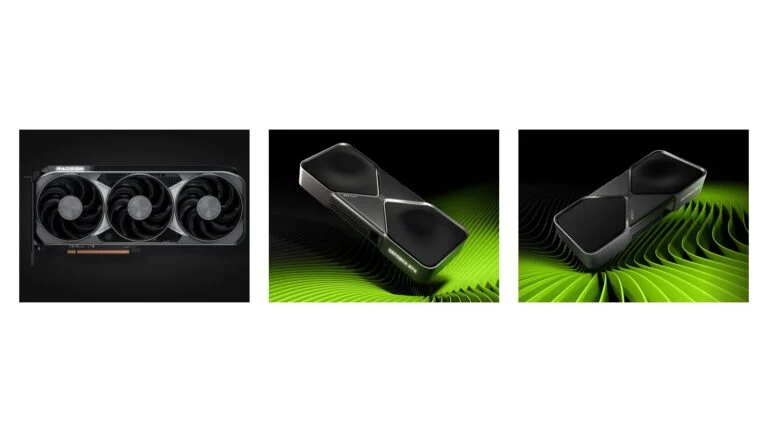
- Plan an upgrade. If the graphics card is the bottleneck, see the graphics card roundup; if you’re on Windows 10, see the guide to upgrading to Windows 11.
Sources and methodology
Analysis of public sourcesChecked 18 October 2026
- EA — Battlefield 6: PC system requirements ea.com
- Battlefield Studios — Get Ready for Battlefield 6 (Steam, October 7, 2025) store.steampowered.com
- EA Help — How to use TPM 2.0 on PC help.ea.com
- EA Help — How to use Secure Boot help.ea.com
- Microsoft — Find information about your Windows device support.microsoft.com
Frequently asked questions
Can Battlefield 6 run on a hard drive?
For the minimum tier, EA lists an HDD and 55 GiB. For the recommended, Ultra and Ultra+ tiers, an SSD is listed.
Can you run Battlefield 6 without Secure Boot?
No. The Battlefield Studios announcement says Secure Boot must be enabled to play the game on PC. TPM 2.0 must also be enabled.
Do you need Windows 11 for Battlefield 6?
EA lists Windows 10 for the minimum tier and Windows 11 for the recommended tier. The announcement also lists Windows 11 for Ultra and Ultra+.
Is 16 GB of RAM enough?
For the minimum and recommended tiers, EA lists 16 GB. For Ultra and Ultra+, the announcement lists 32 GB.
Can you play Battlefield 6 on Steam Deck?
As of October 18, 2026, Valve lists the game as Unsupported on its Steam page. That status may change.



Leave a Reply