

S.T.A.L.K.E.R. 2: Heart of Chornobyl on PC requires 160 GB on an SSD and 16 GB of RAM at the minimum tier (32 GB at the recommended tier). Data verified October 18, 2026 against the game’s Steam page.
- Minimum: Core i7-7700K / Ryzen 5 1600X, 16 GB RAM, GTX 1060 6 GB / RX 580 8 GB / Arc A750, 160 GB on SSD; low preset, 1080p, 30 FPS.
- Recommended: Core i7-11700 / Ryzen 7 5800X, 32 GB RAM, RTX 3070 Ti / RTX 4070 / RX 6800 XT, 160 GB on SSD; high preset, 1440p, 60 FPS.
On August 20, 2026, the game moved to Unreal Engine 5.5.4 as part of the free 2.0 update “Back to the Zone,” GSC Game World announced. The update announcement contains no new requirements table, so the values below come from the Steam page as it stands today.
S.T.A.L.K.E.R. 2 system requirements in a table
The values are listed as the game’s Steam page publishes them; the “Target” and “Upscalers” rows paraphrase the notes on that page.
| Parameter | Minimum | Recommended |
|---|---|---|
| OS | Windows 10 x64 or Windows 11 x64 | Windows 10 x64 or Windows 11 x64 |
| Processor | Intel Core i7-7700K or AMD Ryzen 5 1600X | Intel Core i7-11700 or AMD Ryzen 7 5800X |
| RAM | 16 GB, dual-channel | 32 GB, dual-channel |
| Graphics card | Nvidia GeForce GTX 1060 6 GB, AMD Radeon RX 580 8 GB or Intel Arc A750 | Nvidia GeForce RTX 3070 Ti, Nvidia GeForce RTX 4070 or AMD Radeon RX 6800 XT |
| Storage | 160 GB of free space, SSD required | 160 GB of free space, SSD required |
| Target | Low preset, 1080p, 30 FPS | High preset, 1440p, 60 FPS |
| Upscalers | Performance assessed with TSR and comparable technologies | Performance verified with TSR, DLSS, FSR and XeSS |
What the 30 and 60 FPS targets mean
The minimum notes specify the Low preset, 1080p resolution and 30 FPS; the recommended notes specify the High preset, 1440p and 60 FPS. An important detail: the minimum was assessed with TSR and comparable technologies, while the recommended tier was verified with TSR, DLSS, FSR and XeSS. Based on these notes, the 30 and 60 FPS targets are achieved with image scaling, not at native resolution.
160 GB and SSD: requirements that don’t depend on the preset
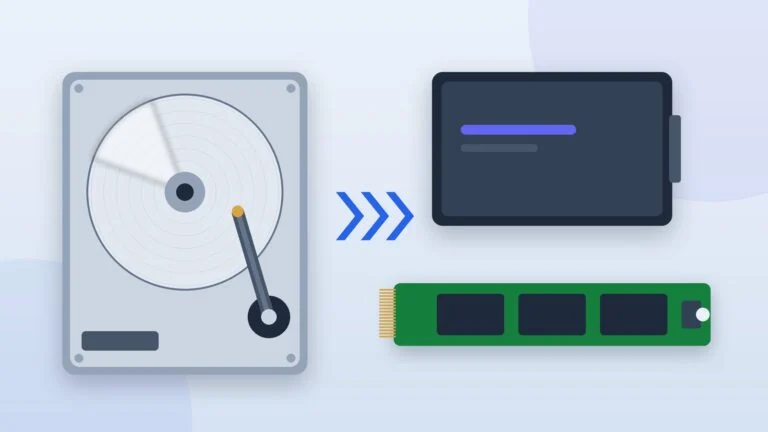
The disk size is the same for both tiers, and an SSD is required for both. If the game is currently on an HDD, move it: the instructions are in “How to Move a Steam Game to Another Drive”, and the choice between drive types is covered in “HDD vs SSD”.
Update 2.0 and the engine
Update 2.0 launched on August 20, 2026, together with the Cost of Hope expansion. According to GSC Game World’s announcement, the engine was switched to Unreal Engine 5.5.4, and lighting, shadows, reflections, landscape and vegetation were updated. If performance dropped or the game became unstable after the update, the developers advise disabling mods in the patch 2.0.1 notes; further help is available from the S.T.A.L.K.E.R. 2 help center.
How to check your PC
The steps are based on Microsoft’s help: device information and the DirectX diagnostic tool.
Check the processor and RAM amount
Open Settings → System → About and find the processor and installed RAM under “Device specifications.” The minimum requires 16 GB, and the recommended tier 32 GB.
Result: You can see which memory tier you fall into: 16 GB or 32 GB.
Find your graphics card
Press Win + R and type dxdiag. The Display tab shows the graphics card. Compare it with the “Graphics card” row in the table: if the model is weaker than a GTX 1060 6 GB, RX 580 8 GB or Arc A750, the minimum isn’t met.
Result: You know the graphics card model and the VRAM amount.
Check the drive: SSD and 160 GB
Settings → System → Storage shows free space: you need 160 GB. The drive type is visible in Task Manager (Ctrl + Shift + Esc) on the Performance tab after you select the disk.
Result: You know whether there’s enough space and whether the drive is fast enough.
What to do if your PC is weaker
- Lower the preset. GSC Game World’s minimum is built around the Low preset at 1080p: start there.
- Turn on an upscaler from the list on the page. Steam names TSR, DLSS, FSR and XeSS; which of them are available in the settings depends on your graphics card.
- Disable mods. After update 2.0, the developers advise removing mods if performance or stability problems appear (patch 2.0.1 notes).
- Storage size and drive type are separate conditions. You need specifically an SSD with 160 GB of free space: a roomy HDD doesn’t meet the requirement.
- If you need an upgrade. See graphics cards and processors.
Sources and methodology
Analysis of public sourcesChecked 18 October 2026
- Steam — S.T.A.L.K.E.R. 2: Heart of Chornobyl (system requirements) store.steampowered.com
- GSC Game World — Update 2.0 Back to the Zone (Steam, August 20, 2026) store.steampowered.com
- GSC Game World — Patch 2.0.1 is here (Steam, August 21, 2026) store.steampowered.com
- Microsoft — Find information about your Windows device support.microsoft.com
Frequently asked questions
Is 16 GB of RAM enough for S.T.A.L.K.E.R. 2?
16 GB is listed as the minimum, specifically as dual-channel memory. For the recommended tier, Steam lists 32 GB.
Can you install S.T.A.L.K.E.R. 2 on an HDD?
The Steam page requires an SSD for both the minimum and recommended tiers, so the requirements don’t cover an HDD.
How much disk space do you need?
160 GB of free space for both tiers.
Are there separate requirements for the Cost of Hope expansion?
The expansion’s Steam page only states that a 64-bit processor and system are needed. Use the base game’s requirements as your guide.
Can you play S.T.A.L.K.E.R. 2 on Steam Deck?
As of October 18, 2026, Valve lists the game on its Steam page as Unsupported due to graphics performance.









Leave a Reply